Move Your Superfiliates Between Programs
Last updated: January 27, 2025
Over time as your strategy grows, your program becomes more complex, and your Superfiliates hit certain milestones (or fail to do so) you may move them across different campaigns and invite them to partner with you in different ways. There are two primary ways to move Superfiliates from one program to another - manually and automatically based on triggers you set - as well as several factors to keep in mind when moving your members around.
Moving Superfiliates Manually
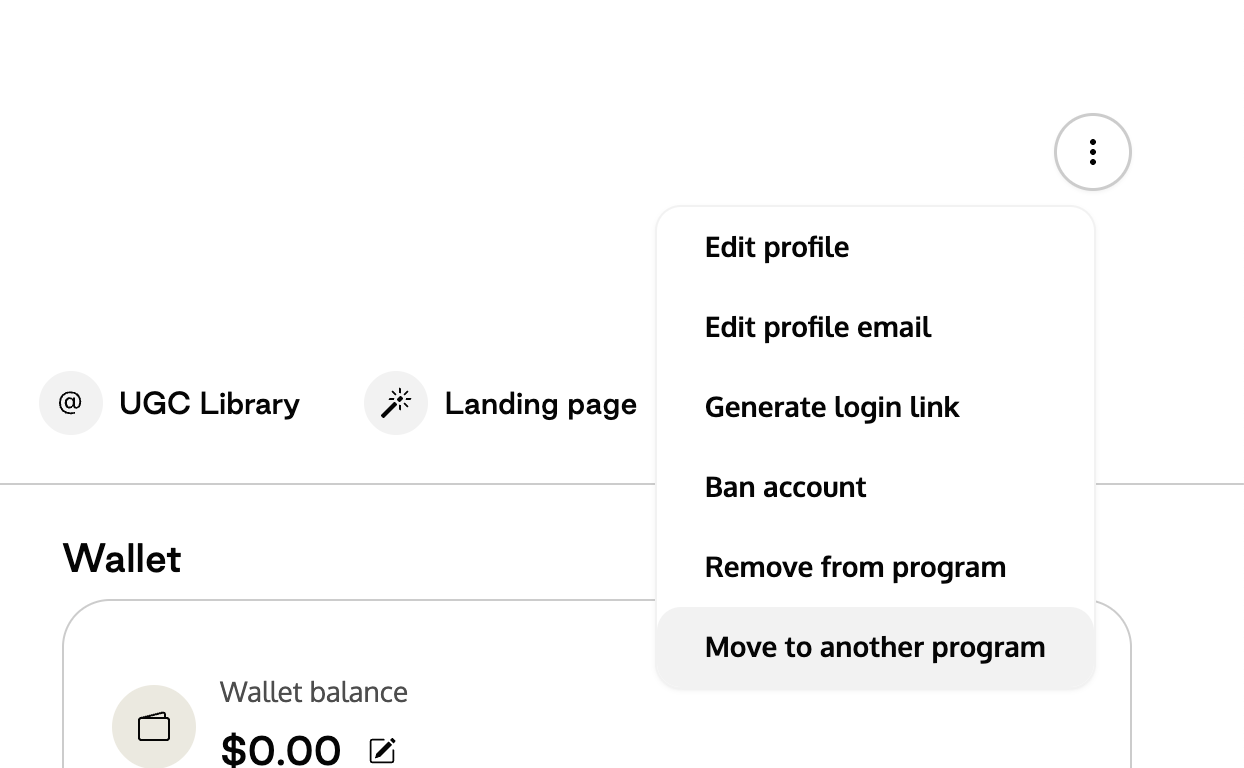
Within each contact's profile page, you can select "Move to another program" from the three dot menu in the upper right
A modal will pop up displaying the differences between their current program's rewards and incentives vs their new program's before you hit "Move" to complete the migration
Moving Superfiliates Automatically via Automations
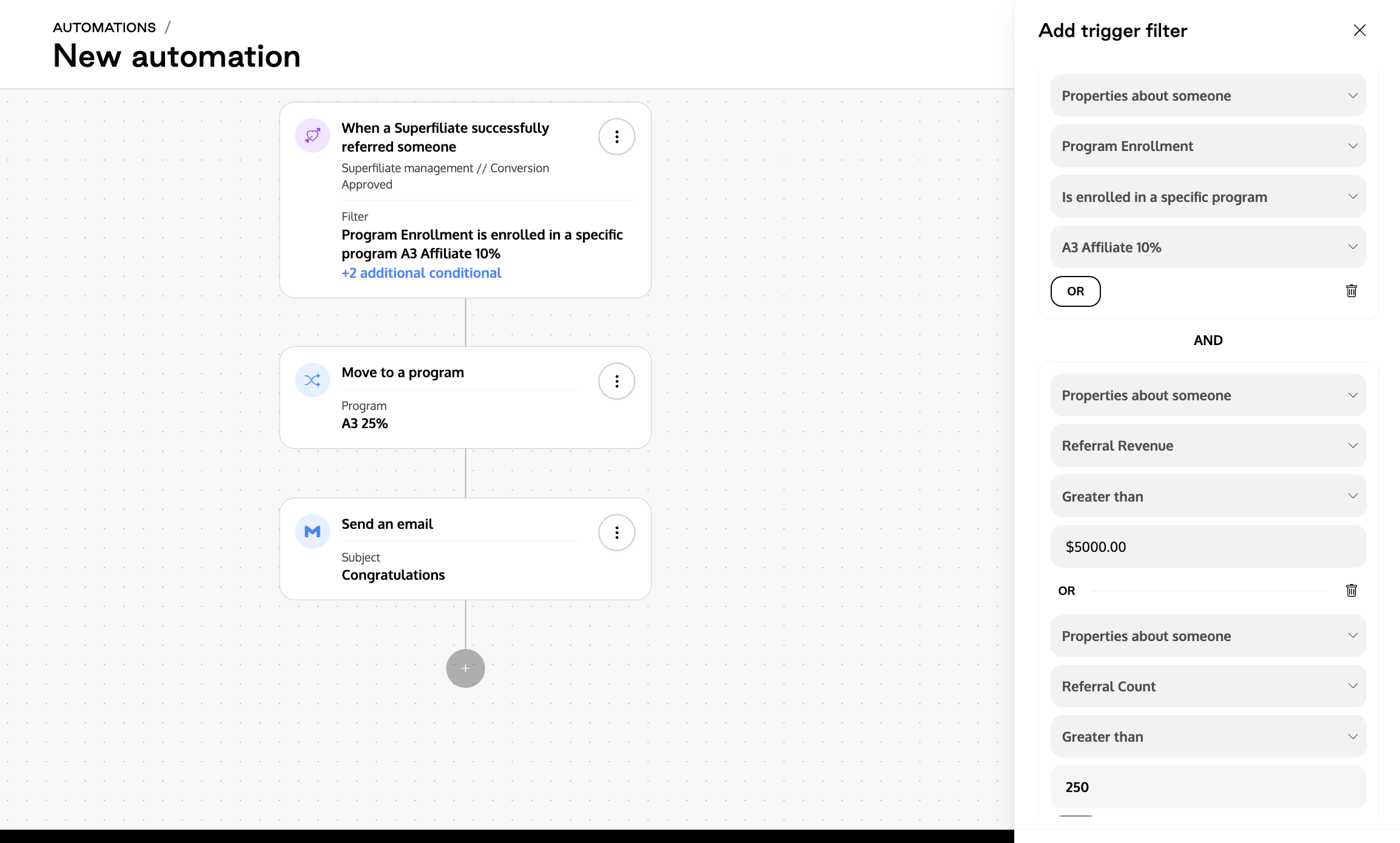
To help support you as you scale, setting up automations to promote your Superfiliates when they meet certain criteria will save you a ton of time in the long run. Within Management>Automations, you can create rules-based triggers to automatically move your Superfiliates from one program to the next. For example, you can set up a trigger to say:
If a Superfiliate is enrolled in Campaign A
AND hits $X in revenue OR Y number of referrals (they drove that many orders)
Automatically move them to Campaign B
Then send them a congratulations email telling them about the perks of being in Campaign B, like higher commission and a welcome gift
Considerations
When you move Superfiliates across programs, there are a few things to keep in mind to avoid any unforeseen side effects or confusion
Outstanding Commission
Same Compensation Type
If the two programs you're moving them between have the same compensation type (store credit to store credit or payout to payout) their outstanding commission will be unaffected. Any unpaid commission will stay exactly as it was prior to moving, and will not be recalculated at the new payout rate (so if the previous rate was 10% and the new rate is 25%, all previous sales will NOT be recalculated at the new 25%, only sales made after the move will be earned at the 25% rate)
Different Compensation Type
If the two programs you're moving the Superfiliate between have different compensation types, all unused/unpaid balance will now be reflected in the new program's compensation type e.g. if they were previously earning store credit, any unused store credit that has not been redeemed will be "converted" to cash commission and now be owed in the form of a cash payout
Gifting
Based on the settings of the new program you've moved them to (a 0 referral milestone gift or automatically added to a Seeding campaign) your newly moved Superfiliate may automatically become eligible for an additional product send
If the core structure of your program is to move Superfiliates through a variety of tiers, take that in consideration when building out what products you select for "welcome" gifts to avoid redundancy
When you move a Superfiliate to a new program, any unclaimed gifts from their prior program will be lost
Depending on the milestones you have created and how many referrals your Superfiliate has already achieved when you move them, they may unlock achievements immediately upon joining the new program
Communication
It's important to communicate with your Superfiliates, not just to limit any confusion (why their portal may look different, if their incentives have changed for themselves or their audience) but also to celebrate their wins together. Take the opportunity to recognize the milestones in your relationship and congratulate them on their achievement. This can be a positive touchpoint and motivate them to continue on in the partnership