How to Re-Enroll Previously Removed Affiliates into a Program
Last updated: September 3, 2025
If an affiliate was removed from a program but you’d like to add them back, follow the steps below:
Step by Step
Go to the Superfiliates tab in your app.
Look for the Not Enrolled category in the options bar.
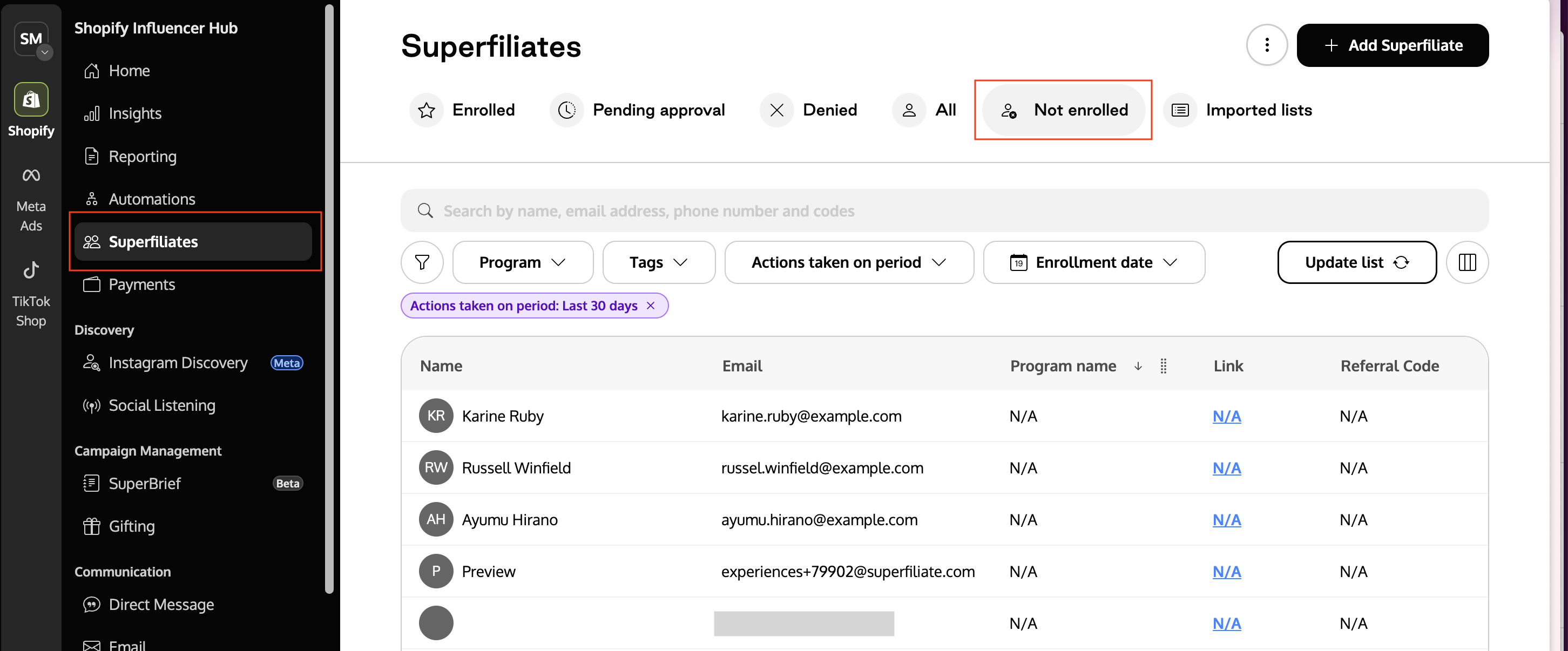
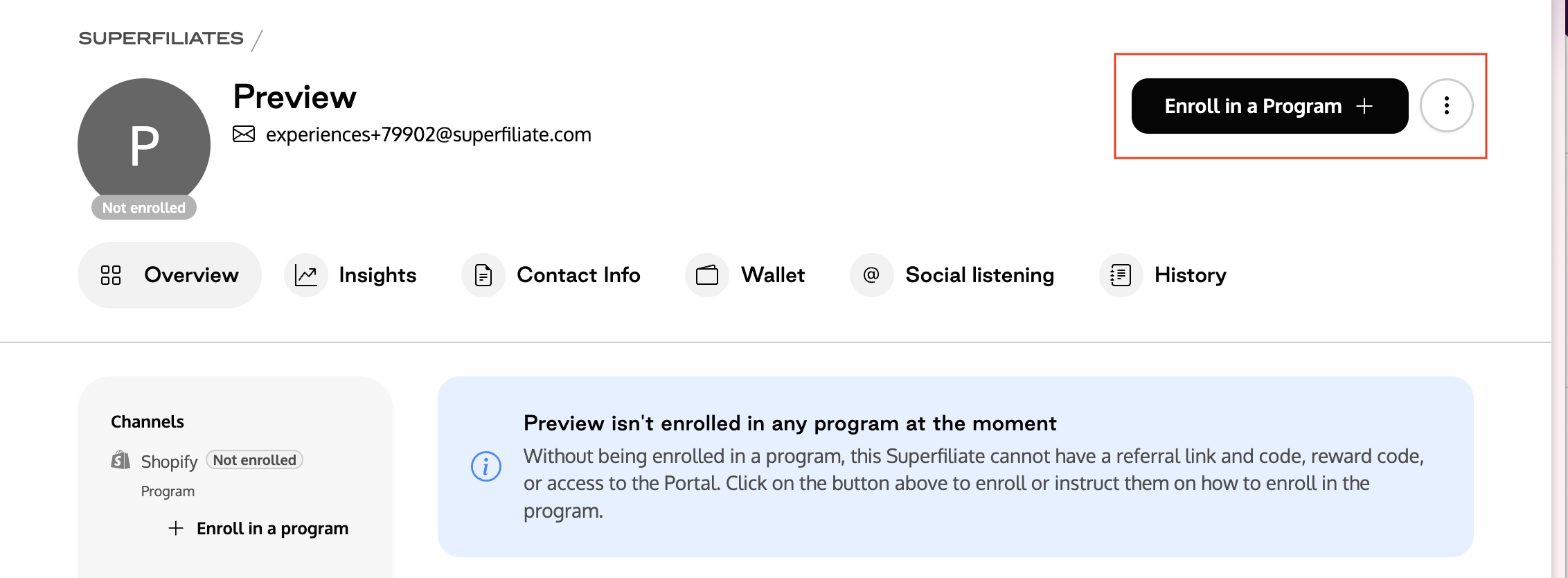
Open the profile of the affiliate you’d like to re-enroll.
Click Enroll in a Program and select the program you want them to be redirected to.
This process is only possible for affiliates who were removed.
If the affiliate was banned, please contact our support team via the chat widget in the app or by email at hello@superfiliate.com.