How to Create a Gifting Campaign
Last updated: October 9, 2026
Gifting Campaigns allow you to send free products to your Superfiliates or external creators through a centralized campaign experience.
To get started, make sure your products are available in your Shopify online sales channel.
Step 1: Create a New Campaign
Go to the Gifting app in the Shopify Influencer Hub
Click New Campaign
Enter a campaign name
Choose the gifting method:
You Choose and Ship
Using the creator’s on-file shipping information, you will select the product(s) and push the order to your Shopify directly within Superfiliate.Creator selects the product
Creators can redeem their gifts through a dedicated redemption page, choosing from a predefined product list.
Add a welcome message and clear instructions for the creator
(Include everything they need to know about the campaign)Select a tracking window:
No tracking window
Limited-time campaign
Evergreen campaign
Step 2: Select Gifts & Configure Rules
Choose the Gift Type
You can base your campaign on:
Collections
Select Superfiliate collections, Shopify collections, or bothProducts
Select individual products manually
These two options appear when creators pick their own gift (Creator selects the product in Step 1). With You Choose and Ship, you select the products to send directly.
Configure Campaign Rules
Set the campaign rules, including:
Product redemption limit (how many items each creator can choose, overall or per collection; see Limit gifts per category below)
Repeated SKUs (allow or block selecting the same product more than once)
Shipping rules (brand covers shipping, free up to a limit, or creator pays)
Pricing model availability (Choose whether you would like to gift a subscription or a one-time product for your creators in this campaign.)
Expiration date for gift redemption link (optional – defines until when gifts can be claimed)
Limit gifts per category
Want creators to pick a mix, such as 1 toothpaste and 1 accessory, in a single shipment? Set a maximum for each collection instead of one overall limit.
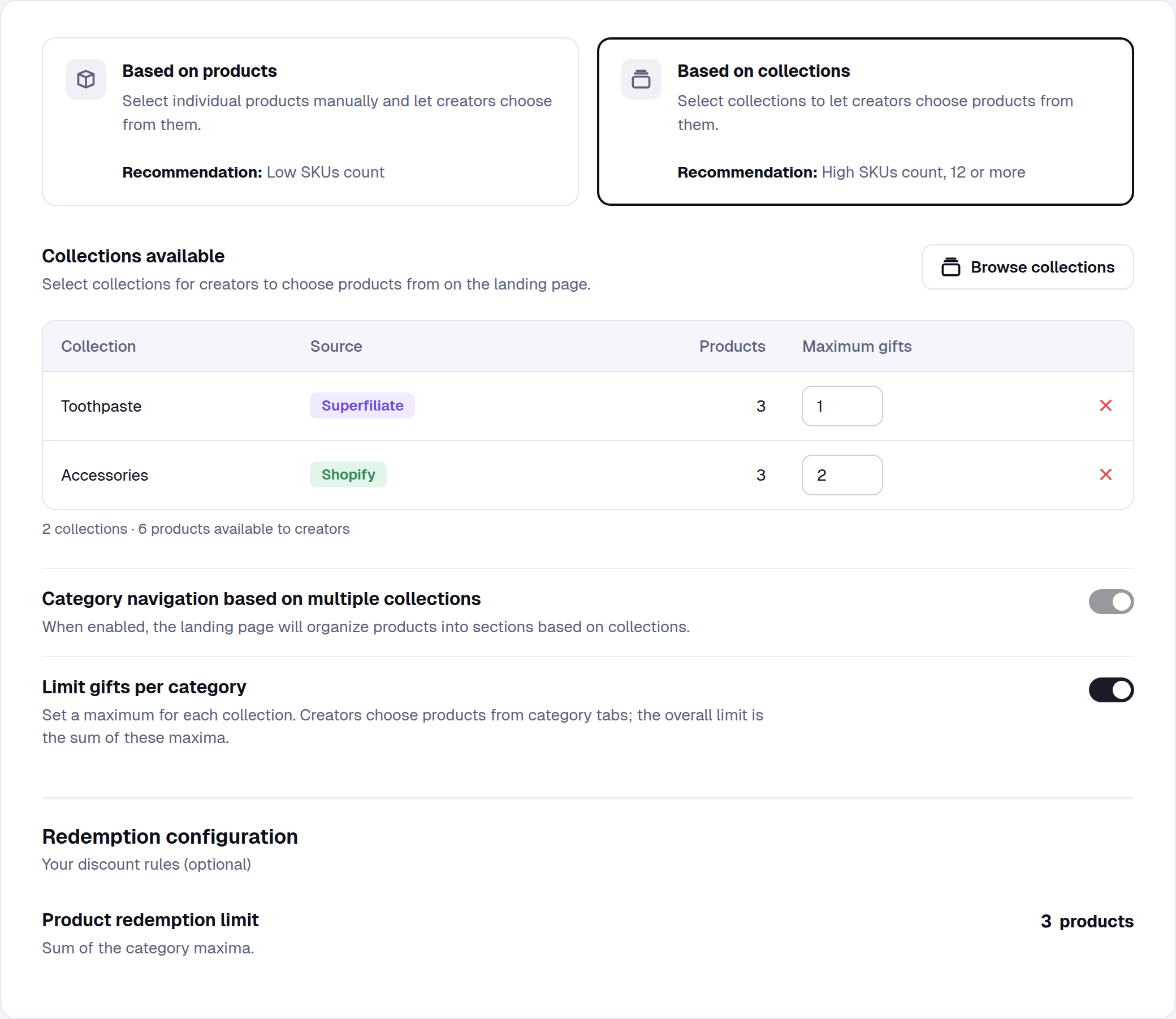
Choose Based on collections and add your collections with Browse collections.
Turn on Limit gifts per category. The switch stays greyed out until at least one collection is added.
In the Maximum gifts column, set a maximum from 1 to 99 for each collection.
Good to know:
Your Product redemption limit becomes the sum of the collection maximums (in the example above, 1 + 2 = 3) and can't be edited separately. The combined total can't go over 99.
Category navigation turns on automatically and stays on, so creators pick from one tab per collection. There's no “All” tab.
Maximums are caps, not requirements. A creator must pick at least one gift, but can skip a collection.
Available for Creator selects the product campaigns fulfilled through Shopify.
Turning it off restores your previous overall limit. Existing campaigns keep their single overall limit unless you turn this on.
What creators see
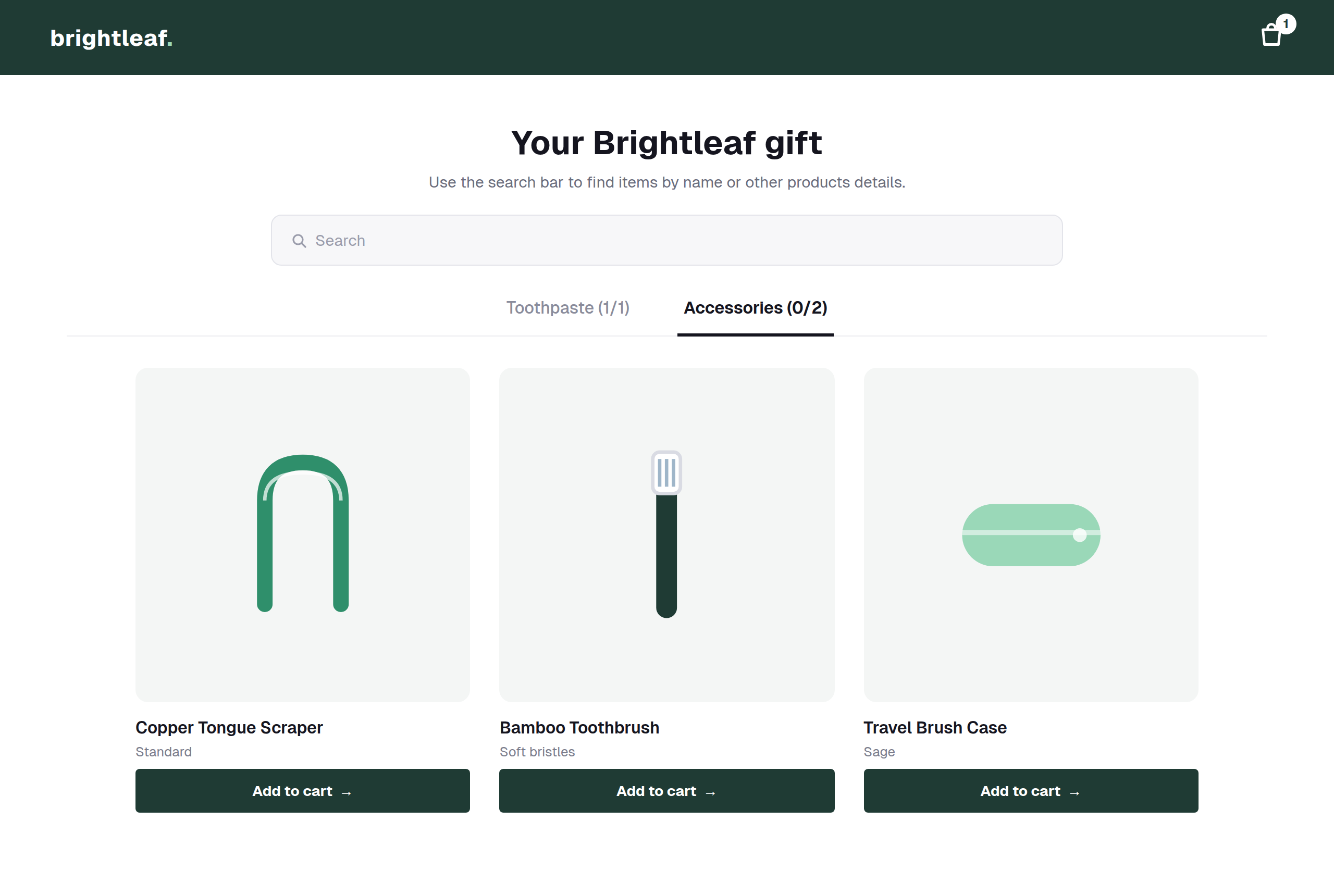
On the gift page, each collection is a tab showing how many items the creator has picked out of its maximum.
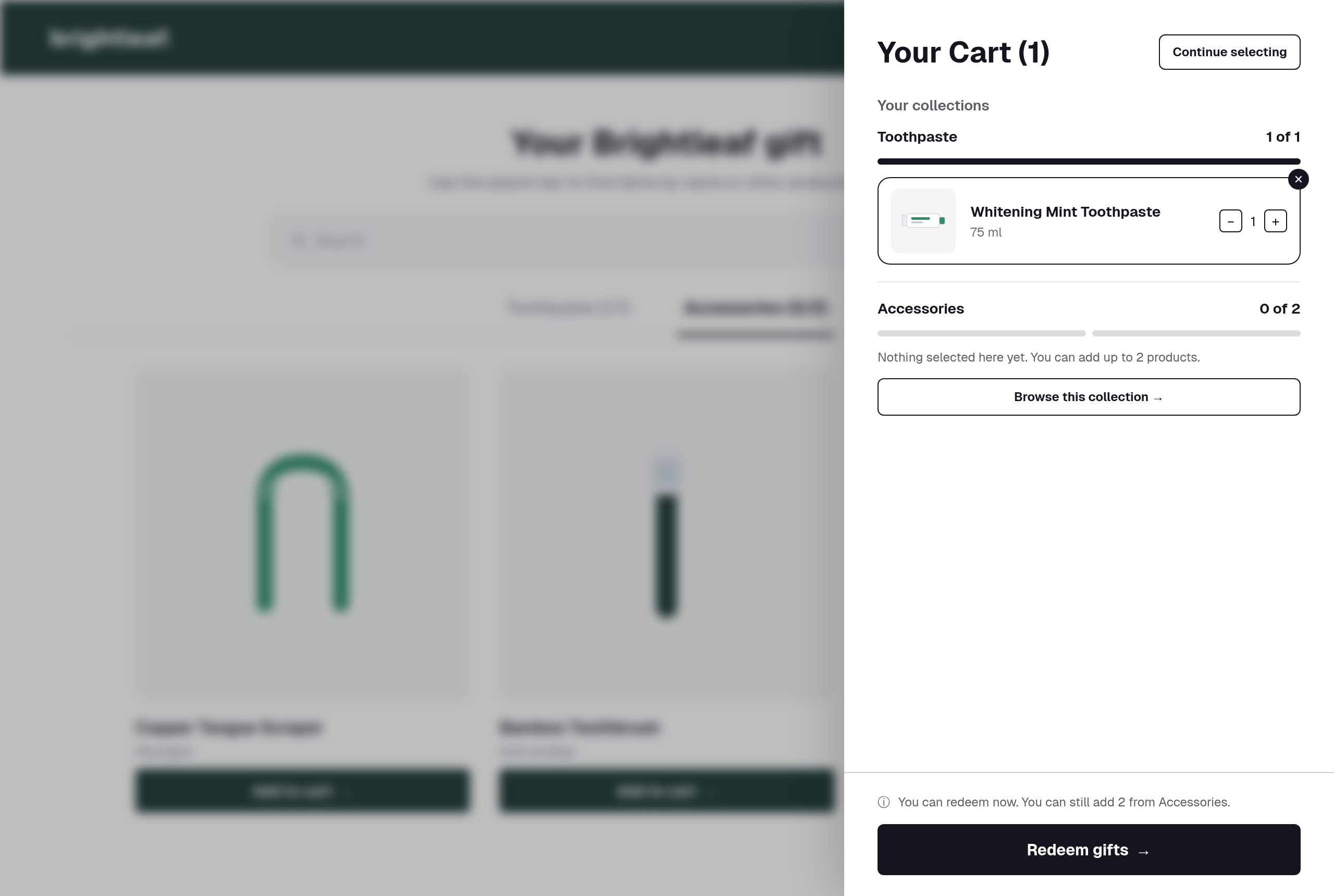
The cart groups picks by collection, with progress for each one and a shortcut to any collection they haven't picked from yet. Creators can redeem as soon as they have at least one item, and are told when they reach a collection's maximum.
Collection names appear on these tabs and in the cart, so use clear ones. See How to import a CSV file with your collections from Shopify for setting a category navigation label.
Step 3: Select Your Audience
Choose who will receive the gifting campaign:
All Superfiliates
A filtered group (by program, performance, or other criteria)
Individual Superfiliates (manual selection)
Add External Creators (Optional)
You can also invite creators who are not enrolled in any program by:
Adding their email
Adding their social handle
Importing a list of creators
Final Step: Review & Launch
Review all campaign details
Confirm products, rules, and audience
Click Create Campaign
Your Gifting Campaign is now live and ready to be shared.