What Permissions do I need in Meta to Connect my Ad Account?
Last updated: July 9, 2026
Here are the accesses you'll need in Meta Business Manager to successfully authenticate your Ad Account in Superfiliate:
Facebook Page: Content, Community Activity, Messages & Calls, Ads, and Insights
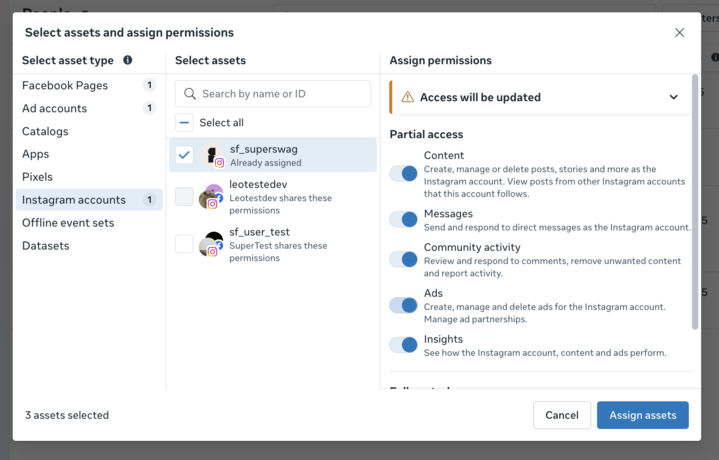
Instagram Account: Content, Community Activity, Messages & Calls, Ads, and Insights
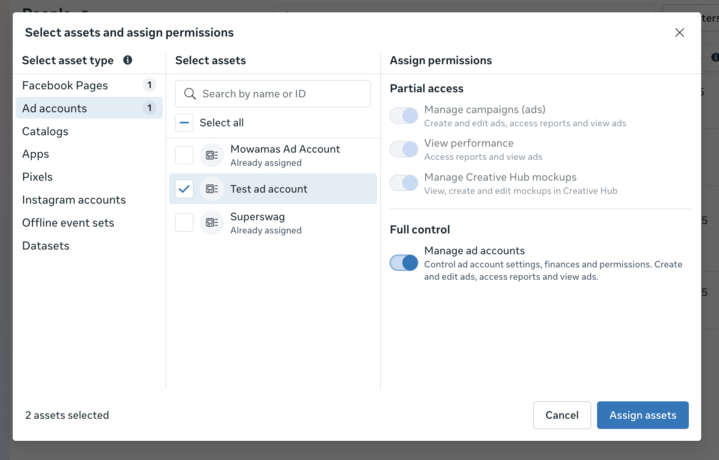
Meta Ad Account: Manage Ad Accounts, Manage Campaigns (Ads), View Performance, Manage Creative Hub Mockups
Please make sure the Brand's Instagram and Facebook Pages are connected prior to this authentication process, as this may save you a step in the process.
Required Facebook Page Permissions
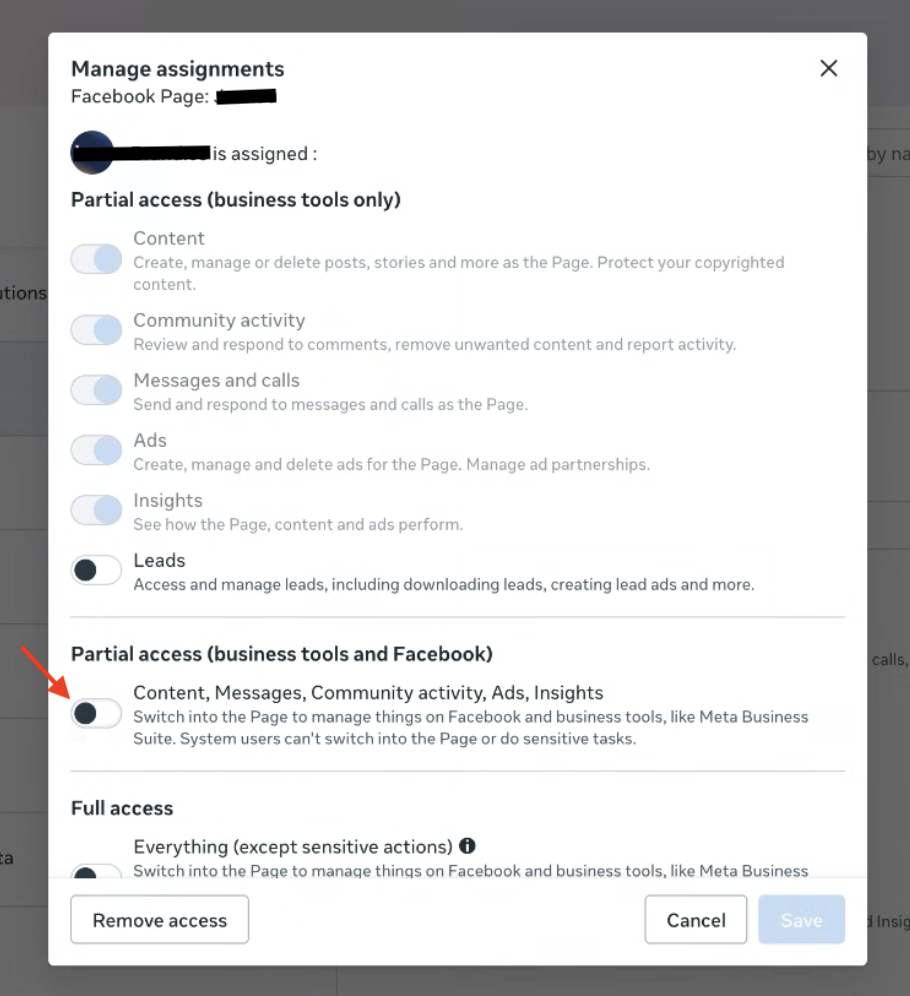
Please make sure these are all toggled on, including the "business tools and Facebook" section.
Required Instagram Account Permissions
Required Ad Account Permissions