Use TikTok Shop to scale content on Meta Ads
Last updated: September 29, 2026
Running Meta Ads Suite? You can use a TikTok Shop automation to collect Spark codes from creators and fold the Instagram Partnership Ads permission request into the same flow — so recruiting creator content and unlocking ad permission happen in one step.
Who this is for
Meta Ads Suite brands who want creator-authorized content and Partnership Ads permission without a manual back-and-forth.
TikTok Shop brands collecting Spark codes as part of an existing creator follow-up.
How it works
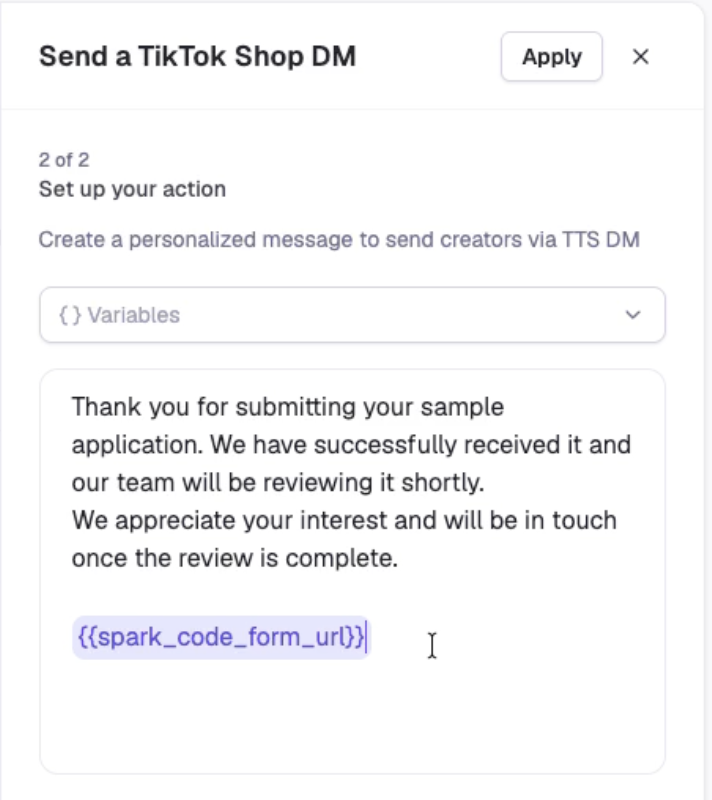
In a TikTok Shop automation, add an email or TikTok Shop DM and insert the TikTok Shop Spark Code Form Link variable (
{{spark_code_form_url}}). Each link is tied to the recipient's TikTok profile.
The creator opens a branded form and submits their Spark code. Superfiliate verifies the code is valid and belongs to their TikTok post, then saves it under TikTok Shop → Spark Codes.
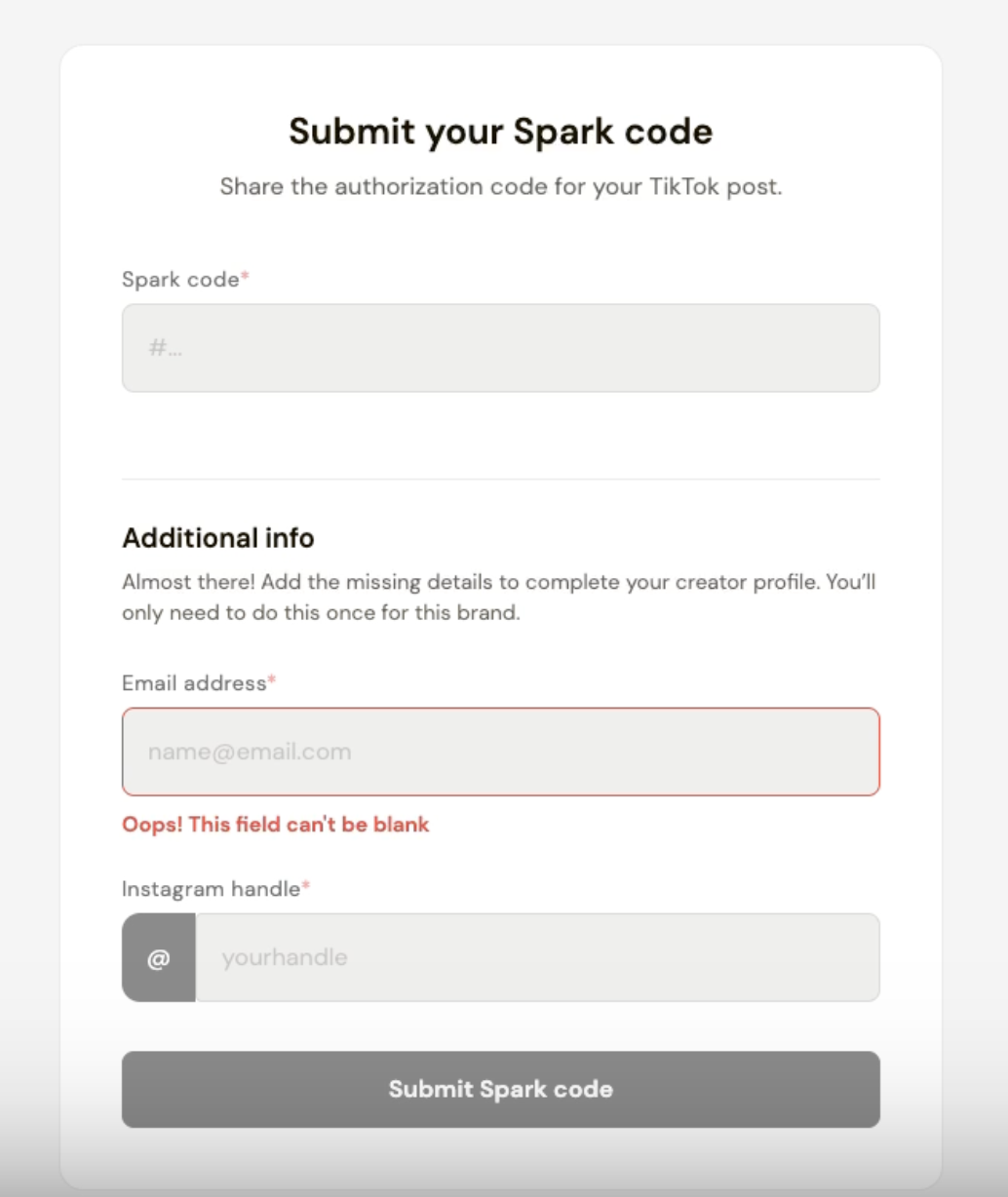
If the creator's email or Instagram handle is missing, the form collects it.
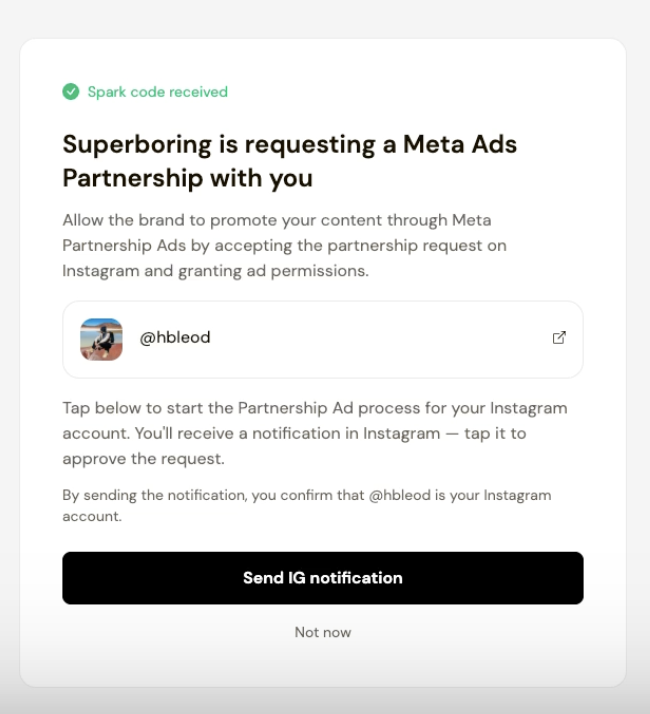
Where your Meta Ads setup supports it, the creator can then choose to receive a separate Instagram notification requesting Partnership Ads permission.
Set it up
Go to Program → Automations, choose an invitation-status, sample-application, or order-milestone automation, add an email or TikTok Shop DM, and insert TikTok Shop Spark Code Form Link variable ({{spark_code_form_url}} ).
Good to know
TikTok Shop DMs require messaging authorization in TikTok Affiliate Center.
Sending the Instagram notification does not grant ad permission — the creator must approve the Partnership Ads request in Instagram.