Meta Ads: Authentication
Last updated: October 27, 2025
Before starting, make sure you have accepted the billing plan for the Meta Ads feature within Superfiliate.
Here are the accesses you'll need in Meta Business Manager to successfully authenticate your Ad Account in Superfiliate:
Facebook Page: Content, Community Activity, Messages & Calls, Ads, and Insights
Instagram Account: Content, Community Activity, Messages & Calls, Ads, and Insights
Meta Ad Account: Manage Ad Accounts, Manage Campaigns (Ads), View Performance, Manage Creative Hub Mockups
Please make sure the Brand's Instagram and Facebook Pages are connected prior to this authentication process, as this may save you a step in the process.
Step 1: Access the Integration
Go to Settings > Integrations > Channels > Meta.
Enable the integration and open it in a new tab.
You will be redirected to Facebook.
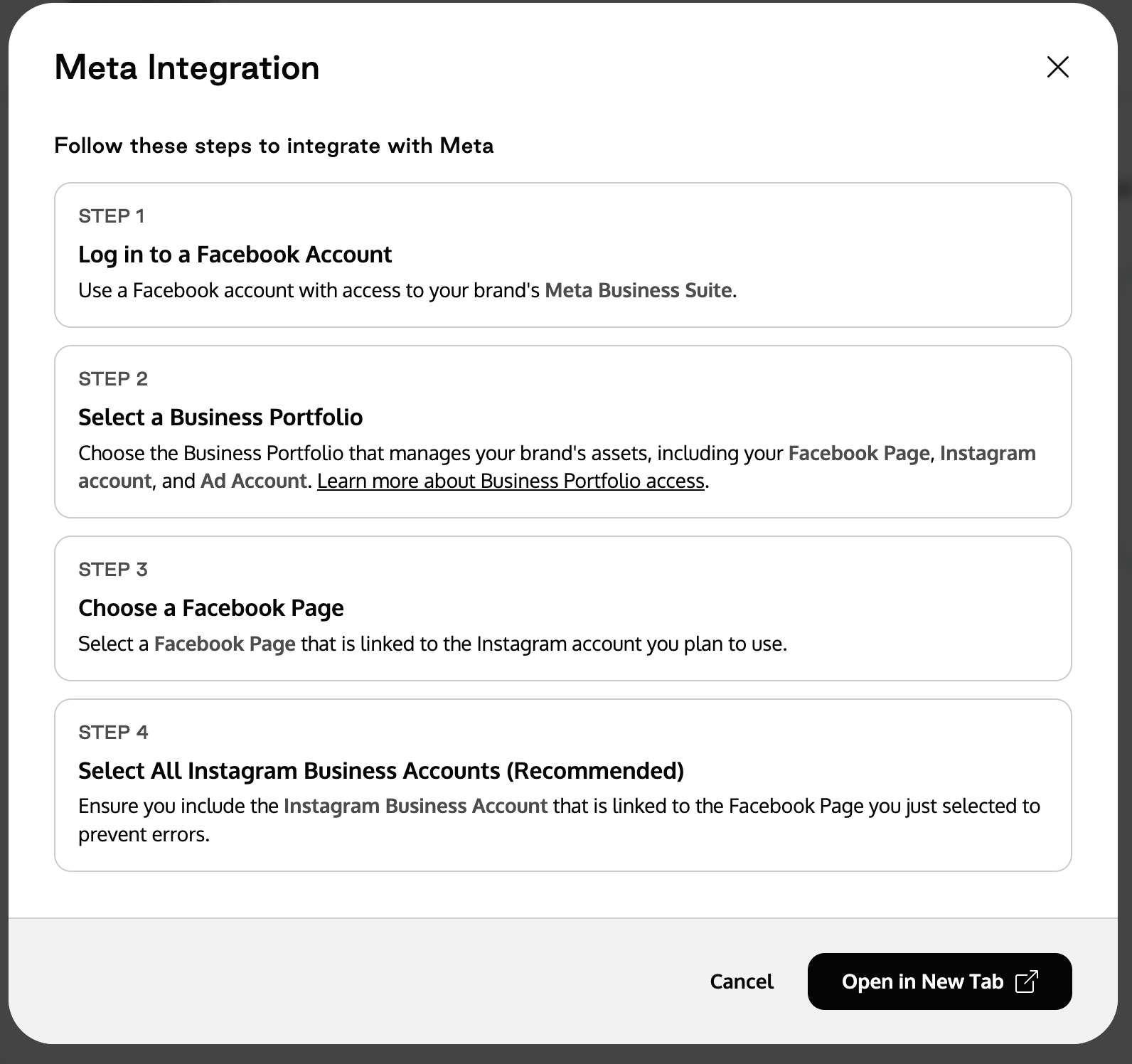
Step 2: Log into Facebook
Log in with a Facebook account that has access to your brand’s Meta Business Suite. Please make sure the account has "Admin" access for the Facebook Page, Instagram Account, and Ad Account you'll be connecting.
Step 3: Select a Business Portfolio
Choose the Business Portfolio that manages your brand’s assets, including your Facebook Page, Instagram Account, and Ad Account.
Step 4: Choose a Facebook Page
Select the Facebook Page linked to the Instagram account you plan to use.
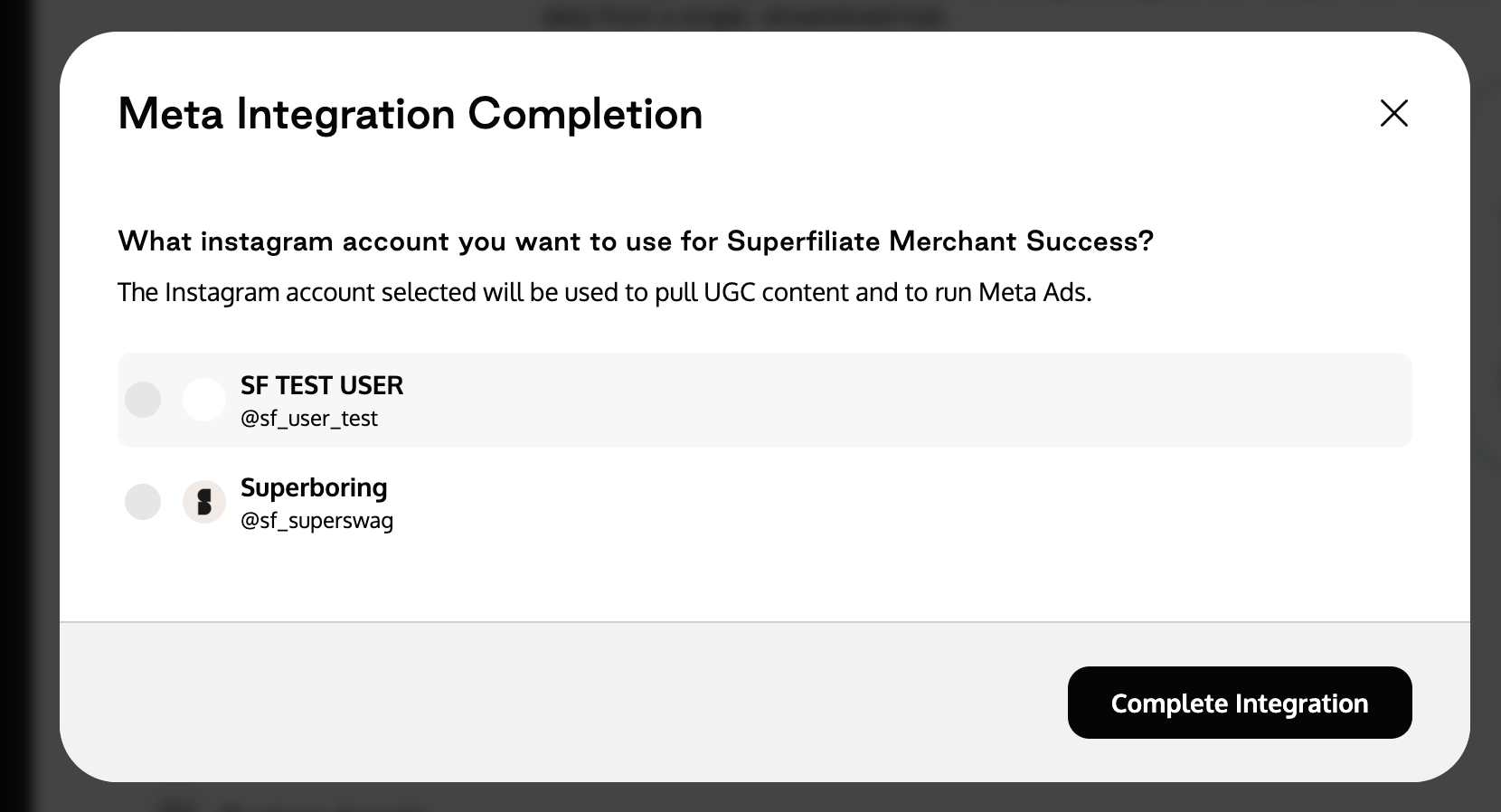
Step 5: Select All Instagram Business Accounts (Recommended)
You will be redirected to the Meta Ads feature in Superfiliate to choose the Ad Account you want to connect.
Make sure to select all Instagram Business Accounts connected to the chosen Facebook Page.
This ensures the Instagram account linked to the page is included properly and helps prevent authentication errors.
We recommend enabling all connected accounts to avoid authentication failures or issues with your ad setup later on.
Connecting to Meta's Creator Marketplace
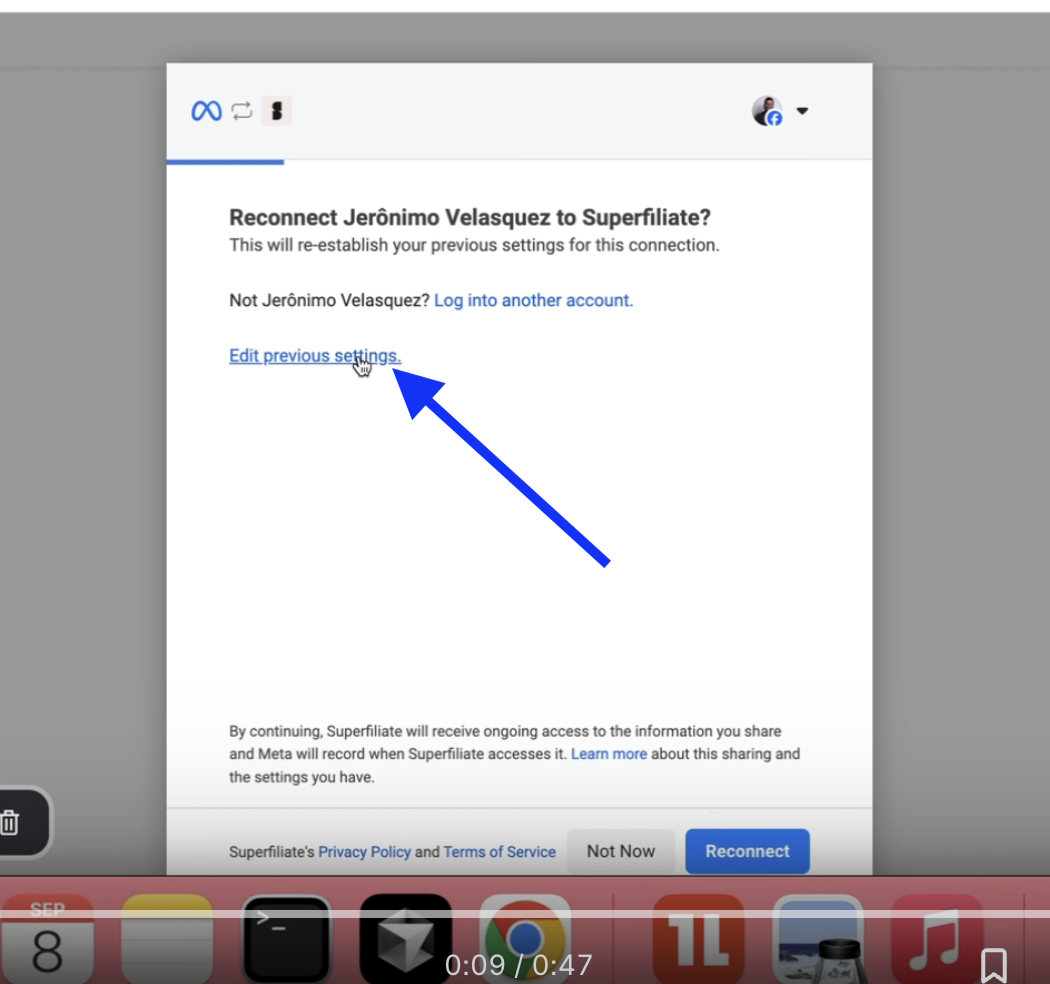
One of the more common issues that's come up for brands authenticating is that they need to "re-authenticate" in order to use our Creator Discovery tool.
When you go through the authentication flow again, please be mindful to tap "Edit Previous Settings" in the screenshot below as opposed to tapping "Reconnect".
This will ensure you're prompted to accept "Creator Marketplace" permissions.
Here is a loom that can be helpful as well.