Creating Multi-Links
Last updated: April 28, 2025
What Are Multi-Links
Multi-links, or secondary links, are custom links you (or the brand you're working with) can create that you can then share with your audience in addition to your primary tracking link. These links will contain the same tracking, apply the same discount (if applicable) and behave the same way when it comes to earning any commission.
That means that in addition to sharing your custom landing page, if there's ever an instance where you'd like to link to a specific product or other page on the brand's website, you can now create a custom, tracked, personalized link that you can share with your audience to make it even easier for them to find the item you're talking about in your content.
How to Create Them
Creation of multi-links must first be enabled by the brand you're working with. Not all brands will have this setting enabled.
If enabled in the program you're a part of, you'll see the option to "Create your own links" once you sign in to your portal.
If you currently have no additional links created, the option will appear on the righthand side of the page
If you (or the brand you're partnering with) have already created additional links, the option to create more will appear in the middle of the page, below your main link "Preview"
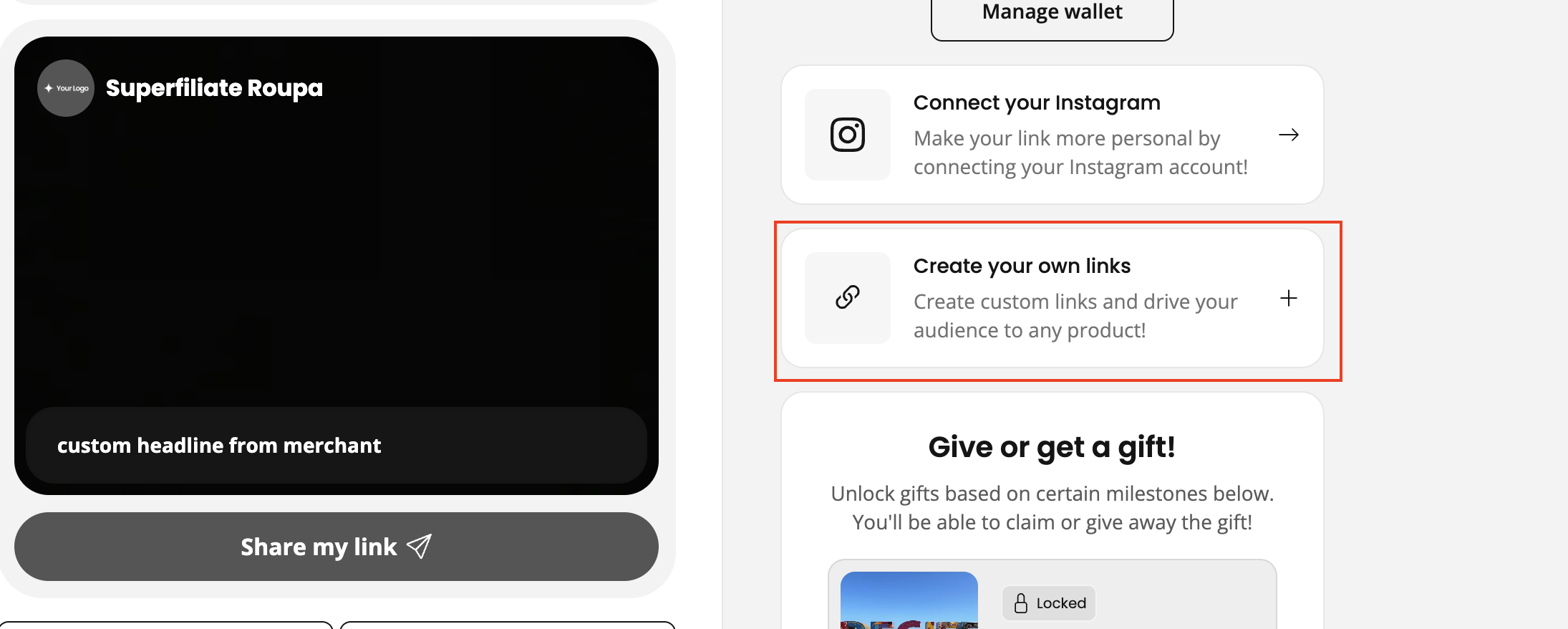
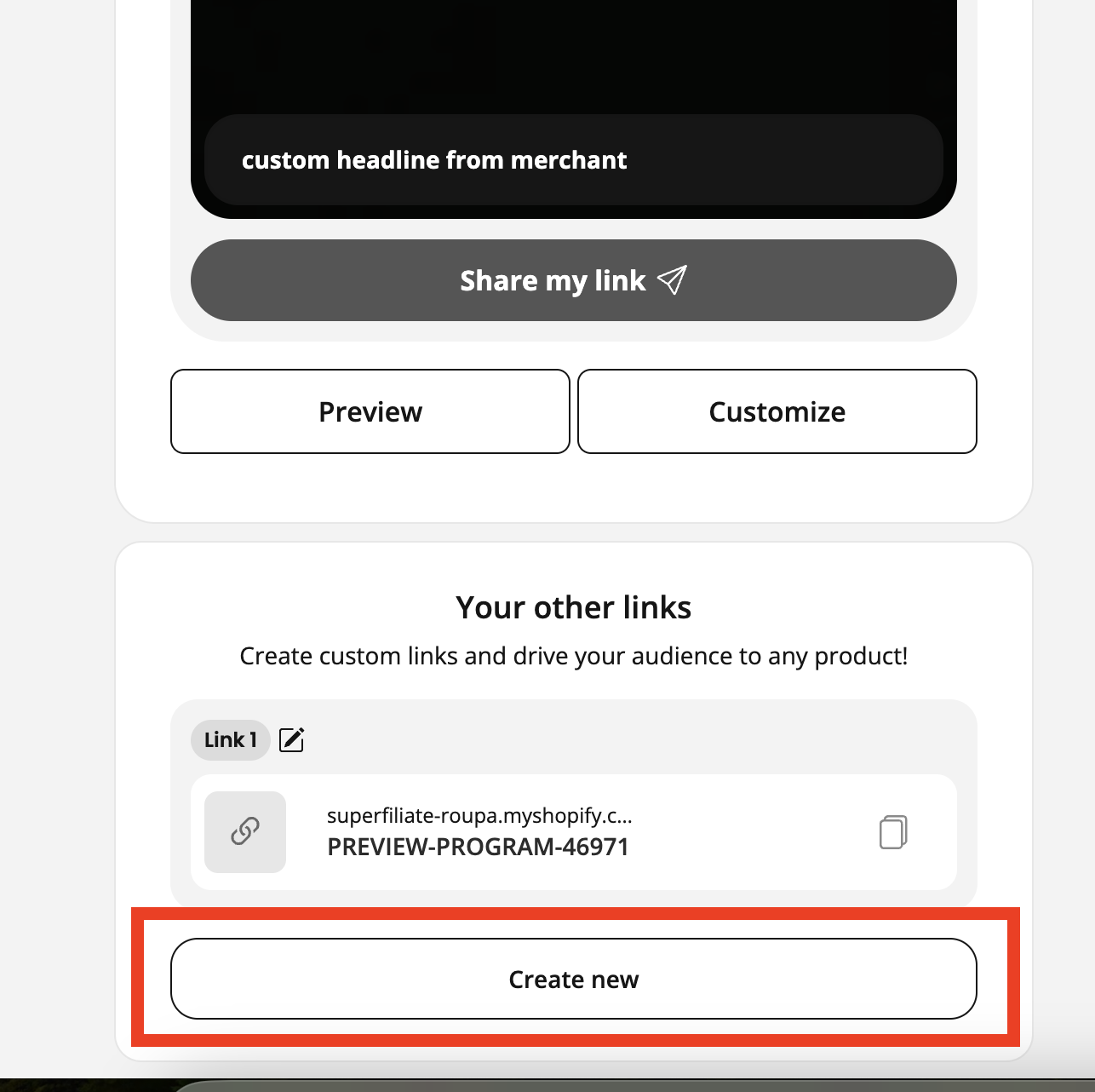
All you need to create a new link is a URL from the brand's website, and a name for your link
Make sure that the URL you use to create your custom link is from the brand's website, as the system will not allow you to create links using domains/URLs that do not match (e.g. if the brand's website is www.brandname.com you cannot create links with www.differentbrand.com in them)
Miscellaneous
To edit an existing link's name, simply hit the pencil and paper icon next to the link
Make sure when sharing your link that you are sharing the link created, not the link you copied in initially/the direct link to the website - an easy way to tell is that all of the links you generate will start with the same pattern as your main tracked link - usually something like brand.com/YOURNAME. Your additional links will follow the same pattern, just with an added ?q= at the end