Customizing Your Profile
Last updated: October 14, 2025
Adding a Profile Photo And Connecting Your Instagram
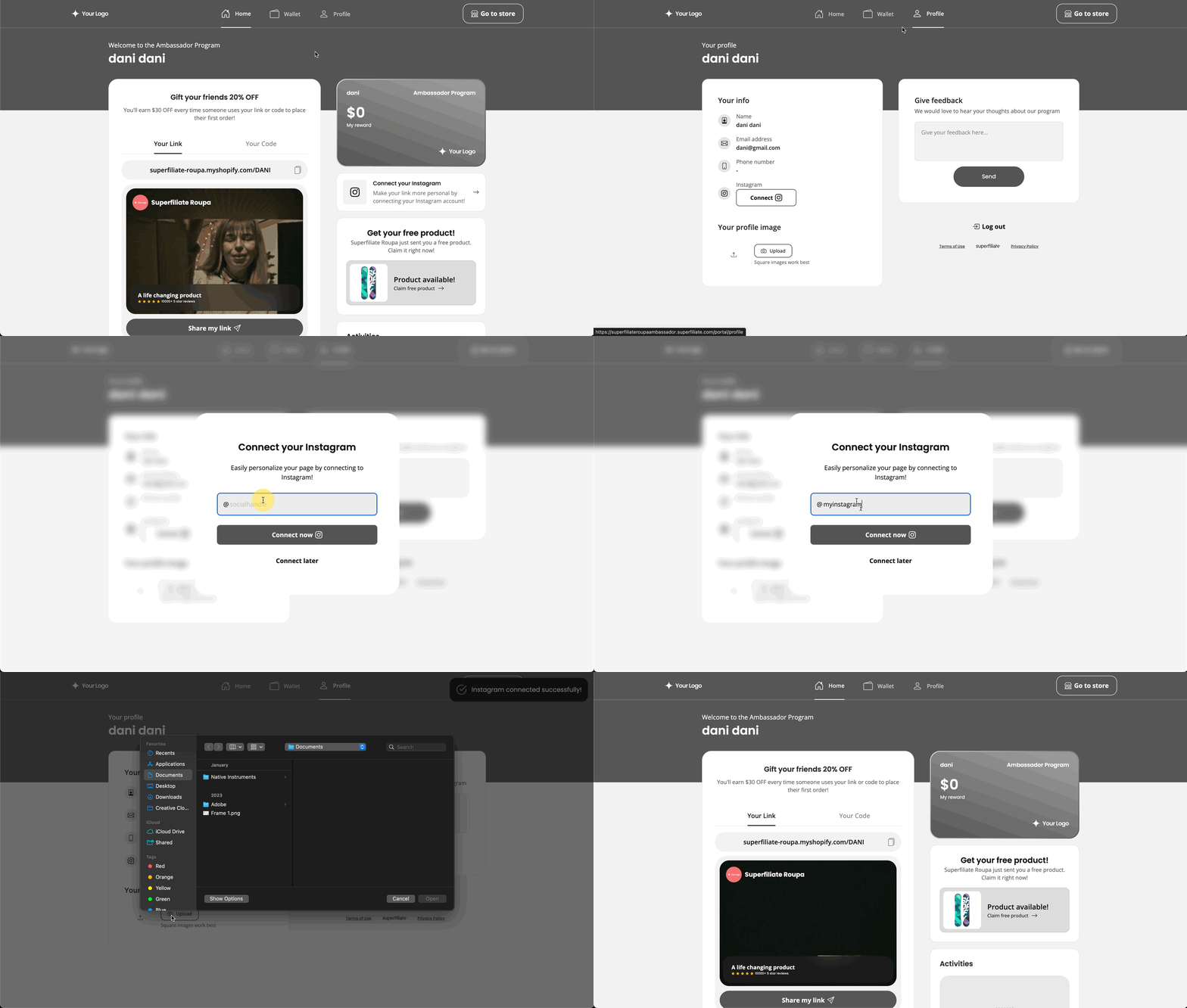
Once you’ve logged in, you can add a profile photo and connect your Instagram account.
Adding a profile photo will add a small, personalized icon to your link (which you can customize further, more info below) and connecting your Instagram allows the brand you're working with to see the content you tag/mention them in.
Customizing Your Link
Below your link and code, you’ll see the option to “Customize” your link.
Within the “Customize” tab, you’ll be able to upload photo/video content you’ve made featuring the brand, select specific products, and change the message on your personal landing page!
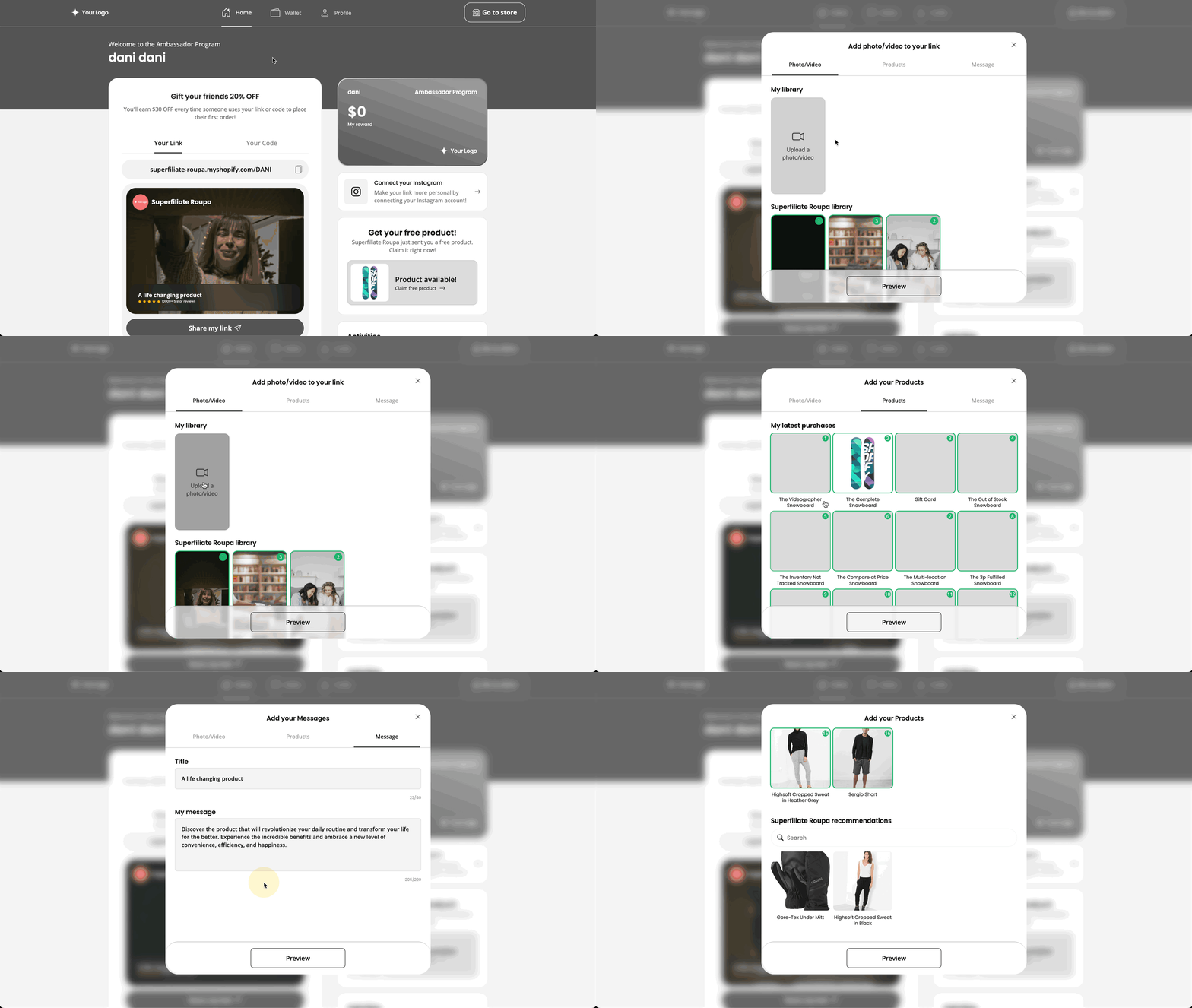
By selecting and deselecting, you’ll easily be able to choose which videos and products you’d like to share with your audience! The number shown on each piece of content or product is the order it will be shown on your page, so you can choose what your audience sees first.
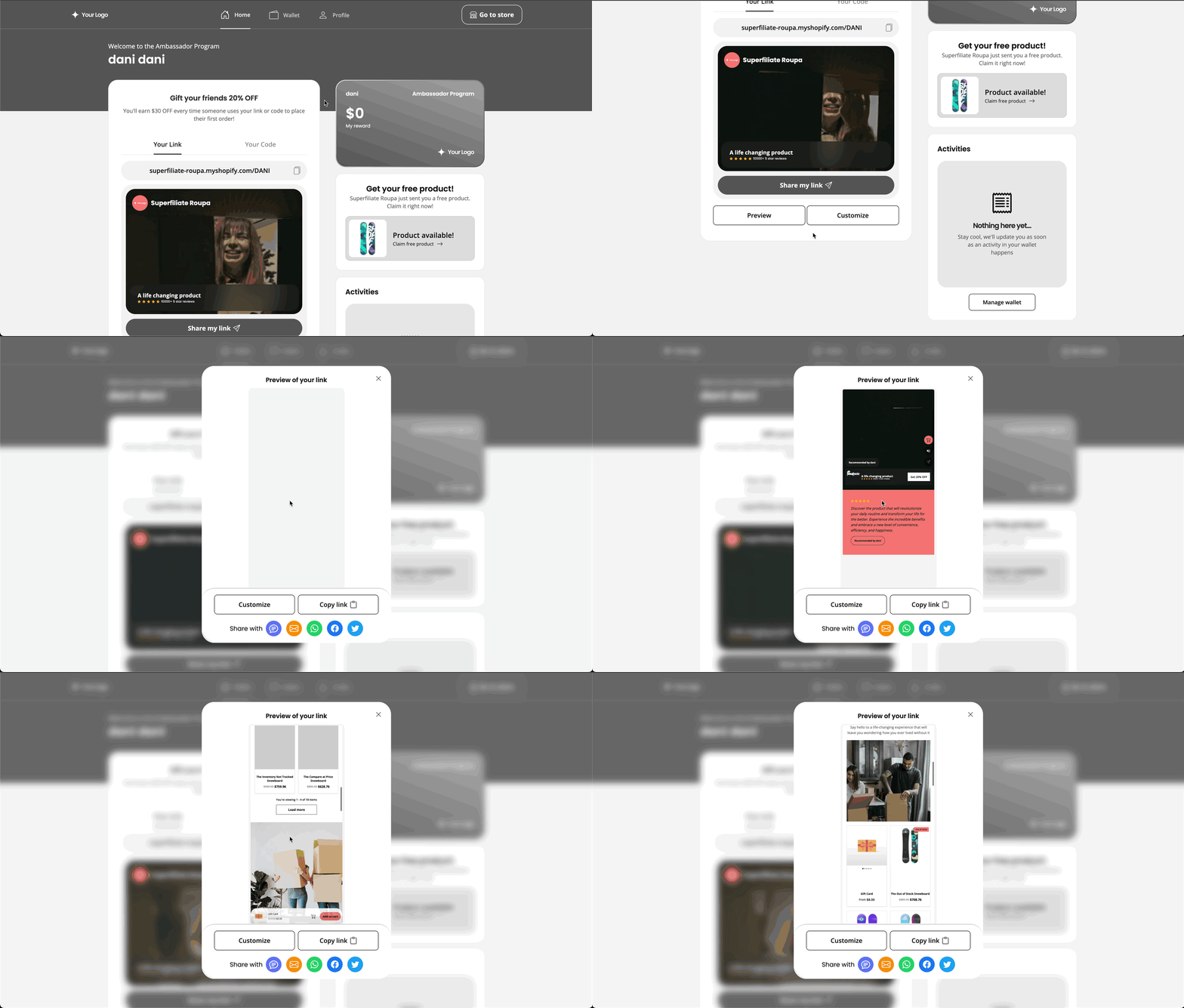
Previewing Your Link
Want to check how everything is looking before you share with your community? Take a peek with the “Preview” tab — it’s right next to “Customize”