Setting up automated reminders for unclaimed gifts in gifting campaigns
Last updated: September 10, 2025
You can set up automated email reminders to encourage affiliates to claim their gifts if they haven't done so after a certain period. This helps improve your gift claim rates without manual intervention.
Creating the automation
To set up an automated reminder for unclaimed gifts:
Create a new automation with the trigger "When someone is added to a gifting campaign"
Add a wait step (e.g., 7 days) to give affiliates time to claim their gift initially
Add a condition to check if the campaign status is "In Campaign" (meaning the gift is still unclaimed)
If the condition is true, send your reminder email
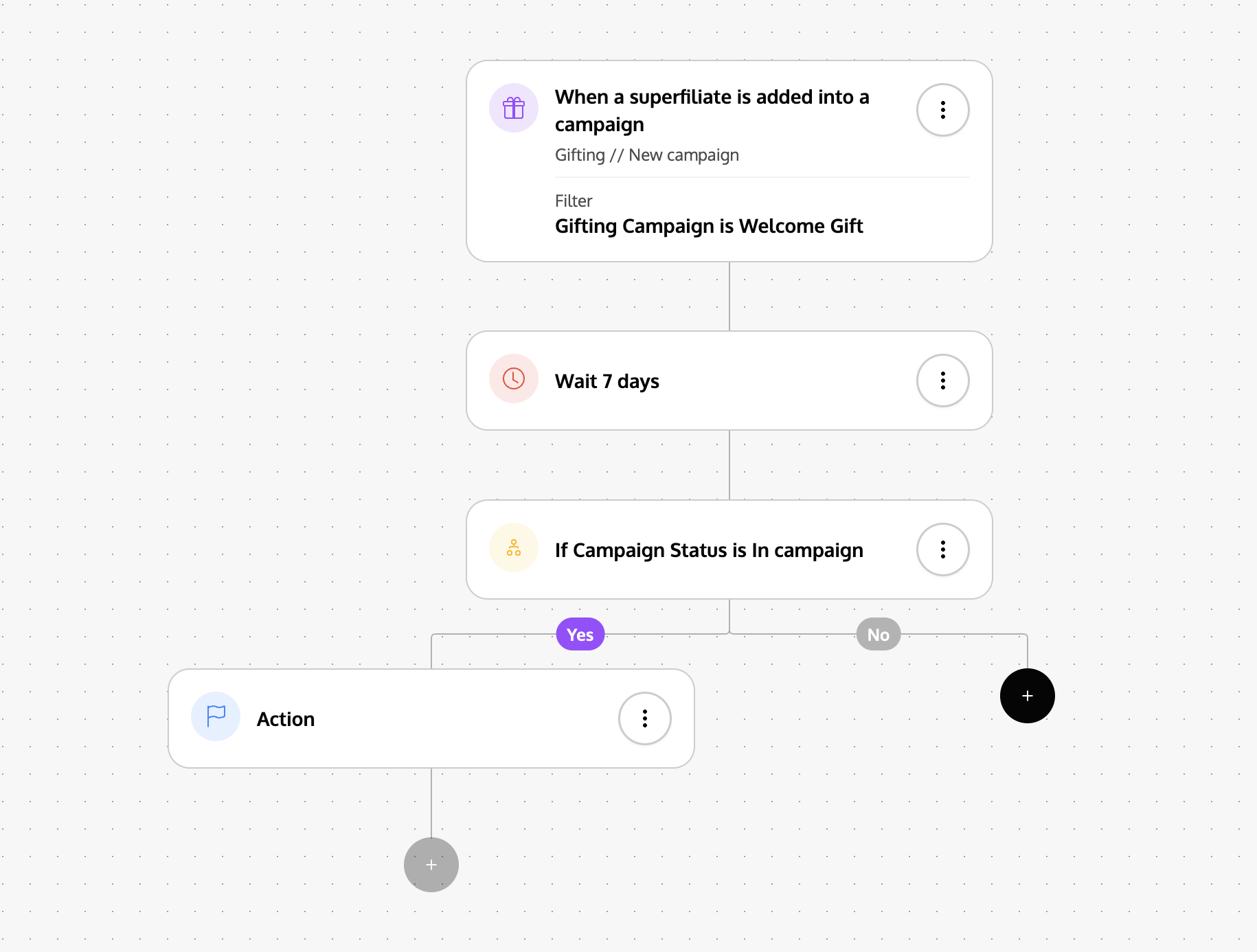
This setup ensures that only affiliates who haven't claimed their gift after the waiting period will receive the reminder email.
Sending reminders to existing affiliates
For affiliates who were already enrolled in your gifting campaign before setting up the automation, you'll need to send reminders manually:
Go to your gifting campaign management page
Filter by "In Campaign" status to see only affiliates who haven't claimed their gifts
Select all the affiliates you want to remind
Send them a bulk email reminder
Email content tips
When creating your reminder email, consider including the direct gift redemption link, using the variable:
{{ redeem_seeding_gift_magic_link }}rather than just the portal link. You can use the gift redeem link variable in your email template to make it easier for affiliates to claim their gifts.
No automatic emails by default
Affiliates won't receive any automated emails just from being enrolled in a gifting program. You need to actively set up triggers or send manual outreach to communicate with them about their gifts.