Sending a Seeding Campaign to Newly Enrolled Affiliates
Last updated: September 10, 2025
After creating your seeding campaign (see this article on creating and sending a Seeding Campaign Invite), you can set up a Welcome Send to automatically deliver gifts to new affiliates as soon as they join a program.
How to Set Up a Welcome Send
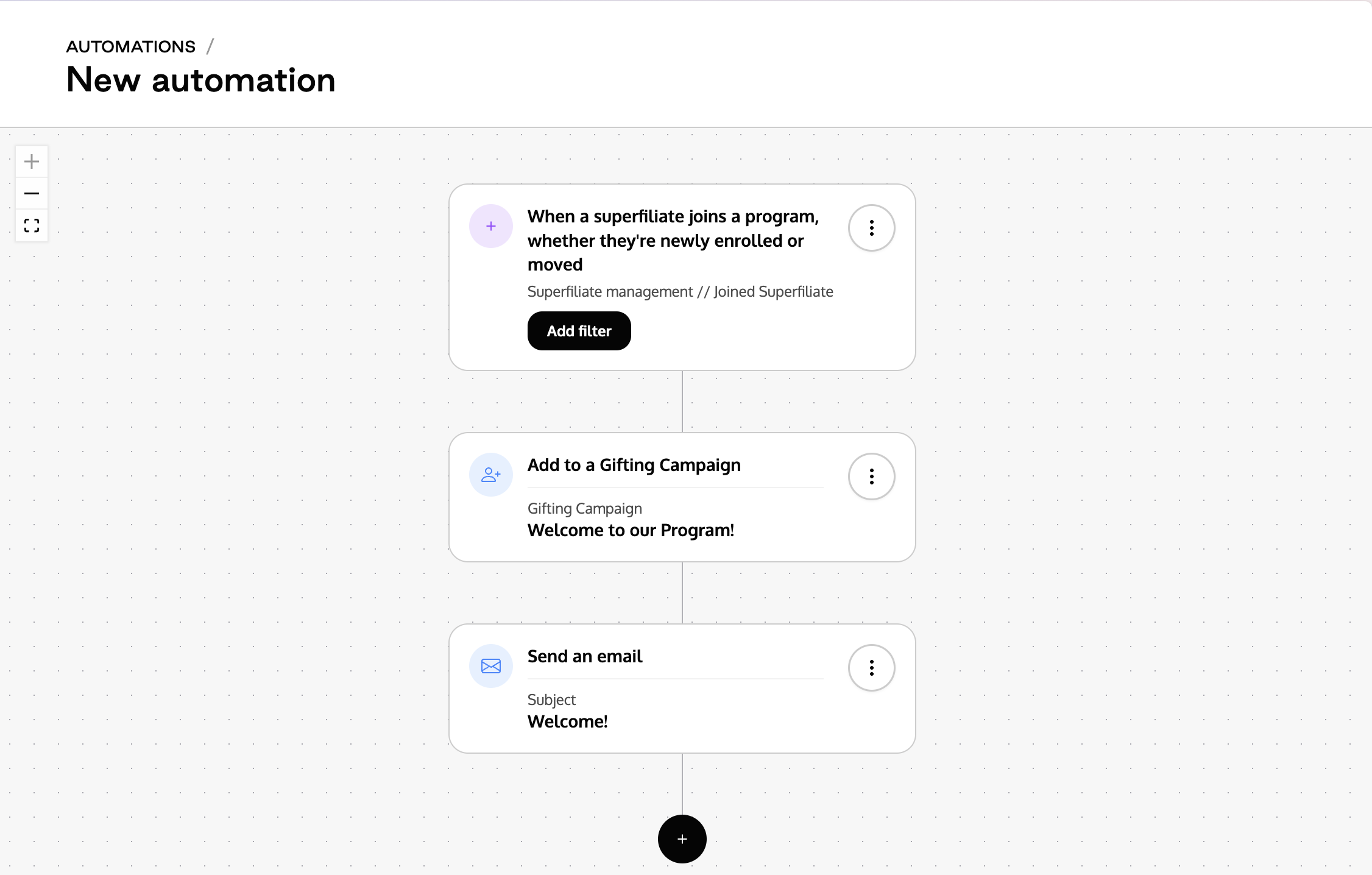
You can enable a welcome send using a Seeding Campaign by configuring the automation “Send Gifts to Newly Enrolled Superfiliates” under the Automations tab.
Within this automation, you can define:
Program eligibility: Which program the user must be enrolled in to qualify.
Assigned gifting campaign: Which seeding campaign they should automatically be added to.
Here’s an example of the automation flow:
Why Use This Automation?
This is the most efficient way to send gifts to new affiliates as soon as they join a specific program. No manual action is required, ensuring a seamless onboarding experience and immediate engagement with your program.