How to Redirect Affiliate Links to Your Website
Last updated: October 7, 2026
In Superfiliate, you can choose whether your affiliates use a Superfiliate landing page or if their link should redirect directly to a page on your own website.
Redirecting links is helpful when you want full control over the shopping experience or prefer sending traffic to specific product, collection, or homepage URLs.
Redirecting Affiliate Links to Your Website
Follow the steps below to update this setting inside your program:
1. Select the Program You Want to Edit
In your Superfiliate dashboard, go to Programs and choose the program you wish to update.
2. Open the Experiences Settings
Within the program settings, navigate to the settings tab and look for the Experiences section.
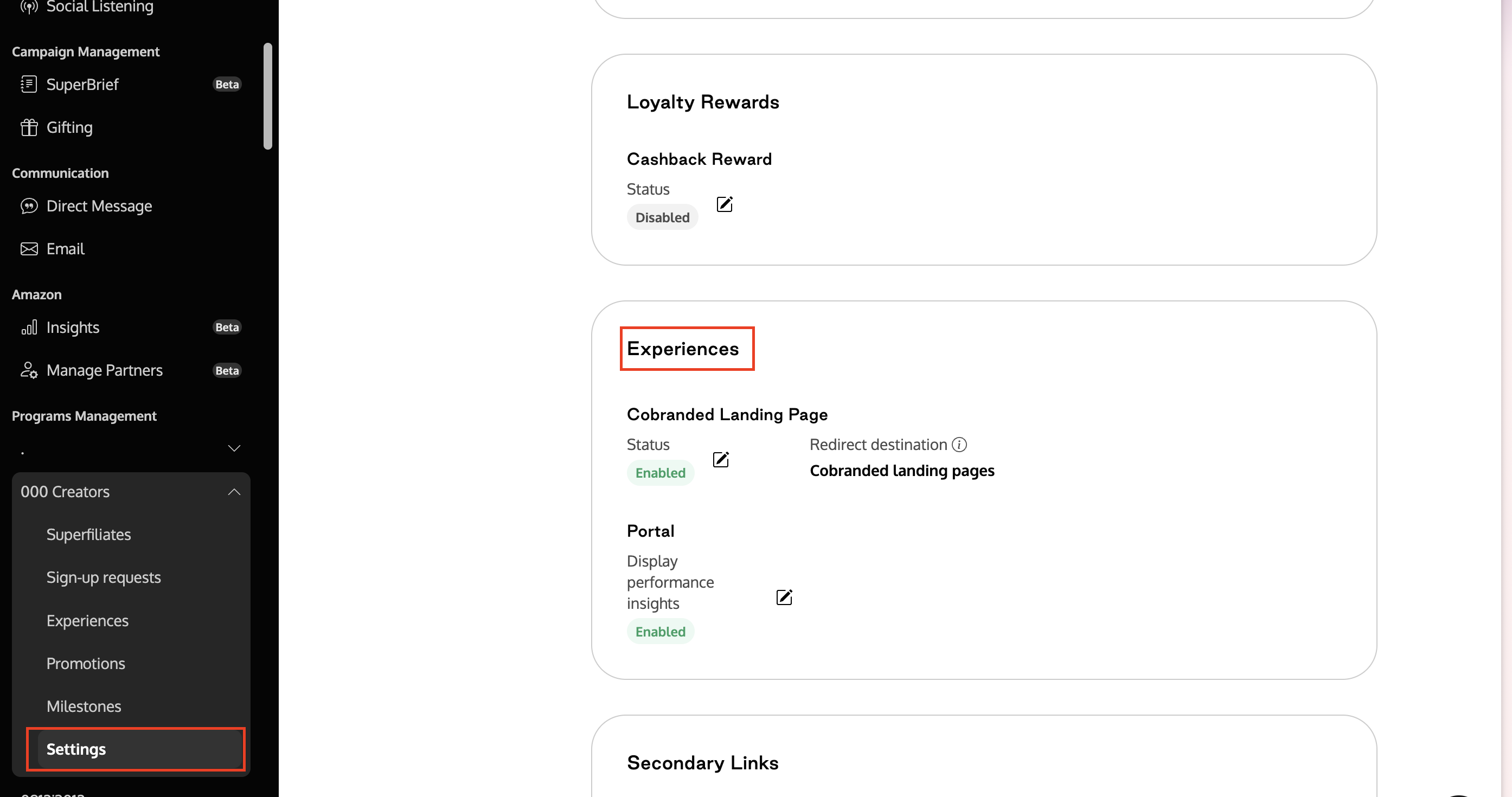
3. Disable the Landing Page
Click to edit the Landing Page option and switch it to Disabled.
This ensures that the affiliate link no longer opens a Superfiliate landing page.
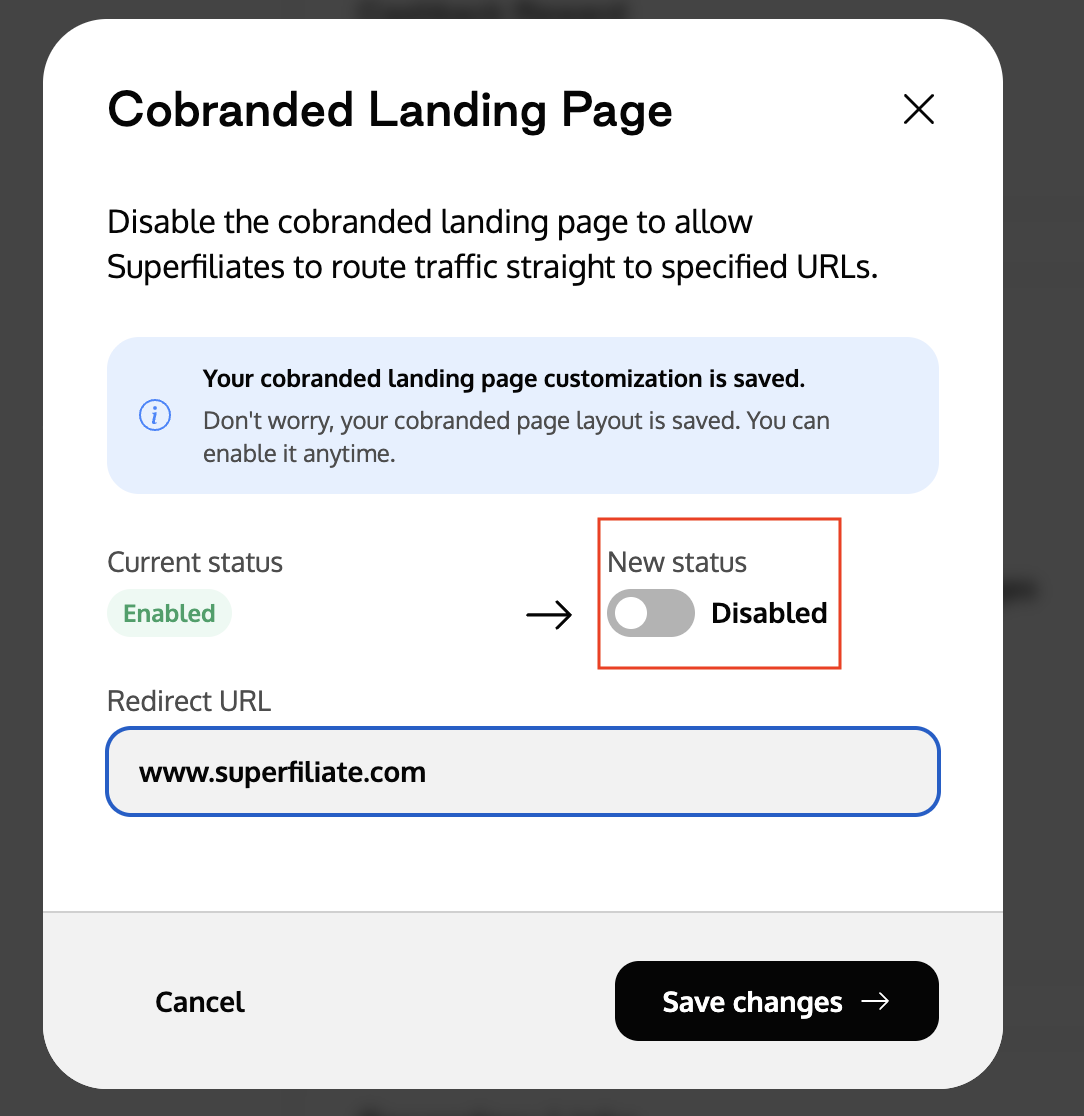
4. Choose the Redirect Destination
After disabling the landing page, choose where affiliate links send shoppers:
Page on your store (Recommended): a page on your store, such as your homepage (
/), a collection (/collections/all), or a product page. Enter only the part after the domain. The discount code is applied and visits are tracked as usual.Another storefront or domain of this same store: a full
https://address on another domain of the same Shopify store, such as a regional market or a headless site that supports discount links.External URL: a full
https://address on a site that can't apply discount links. The discount code is not applied automatically, and tracking requires extra setup.
For details on each option and how it affects discounts and tracking, see Choose where your creator links send shoppers.
5. Save Your Changes
Click Save changes, then open one of your affiliates' referral links to confirm that it reaches the intended page.