How to Edit the Portal and Sign-Up Form
Last updated: October 15, 2026
Step 1: Access the Portal Customization
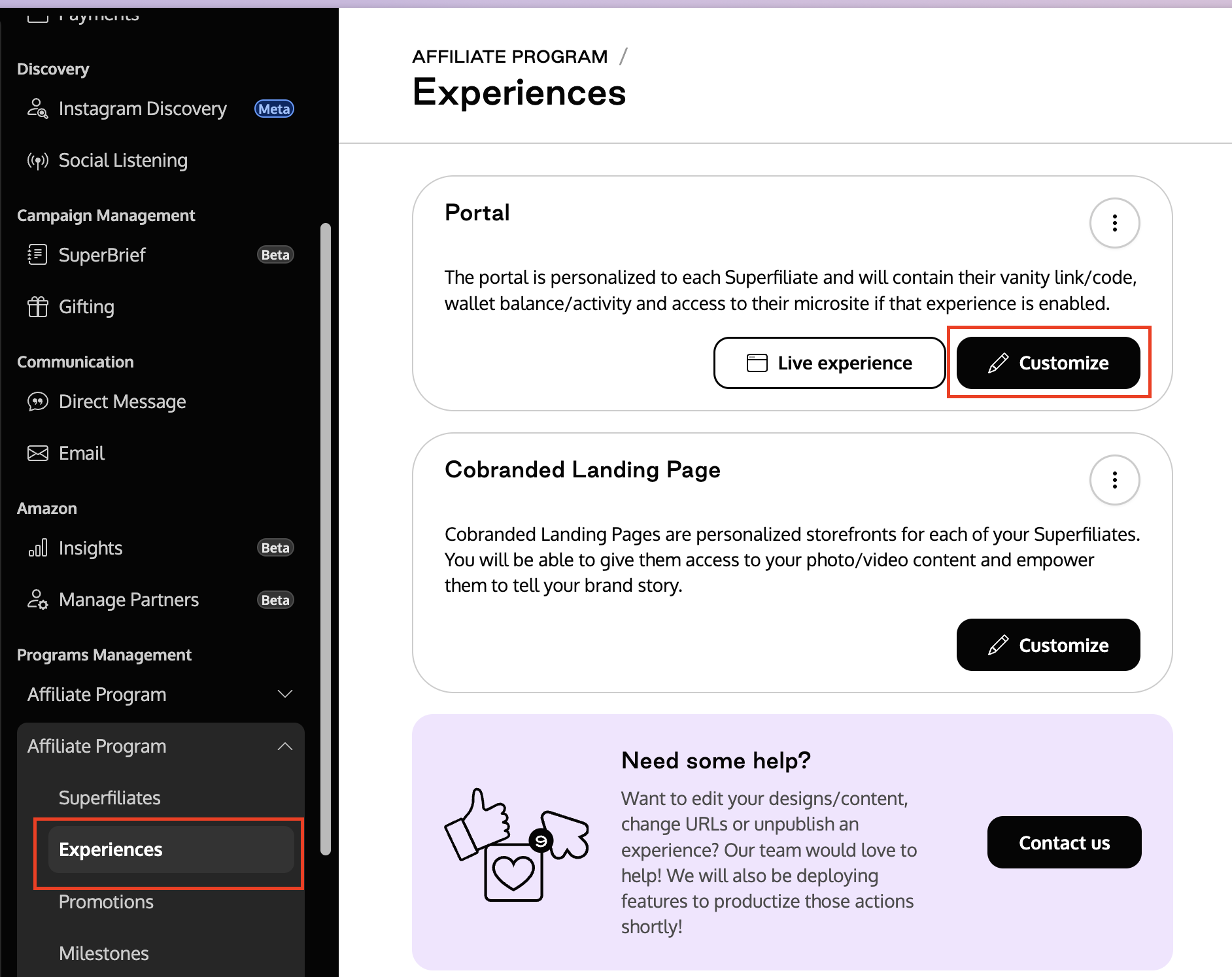
Go to the Experiences of the program you want to edit.
Click on Customize.
Step 2: Edit the Portal Design
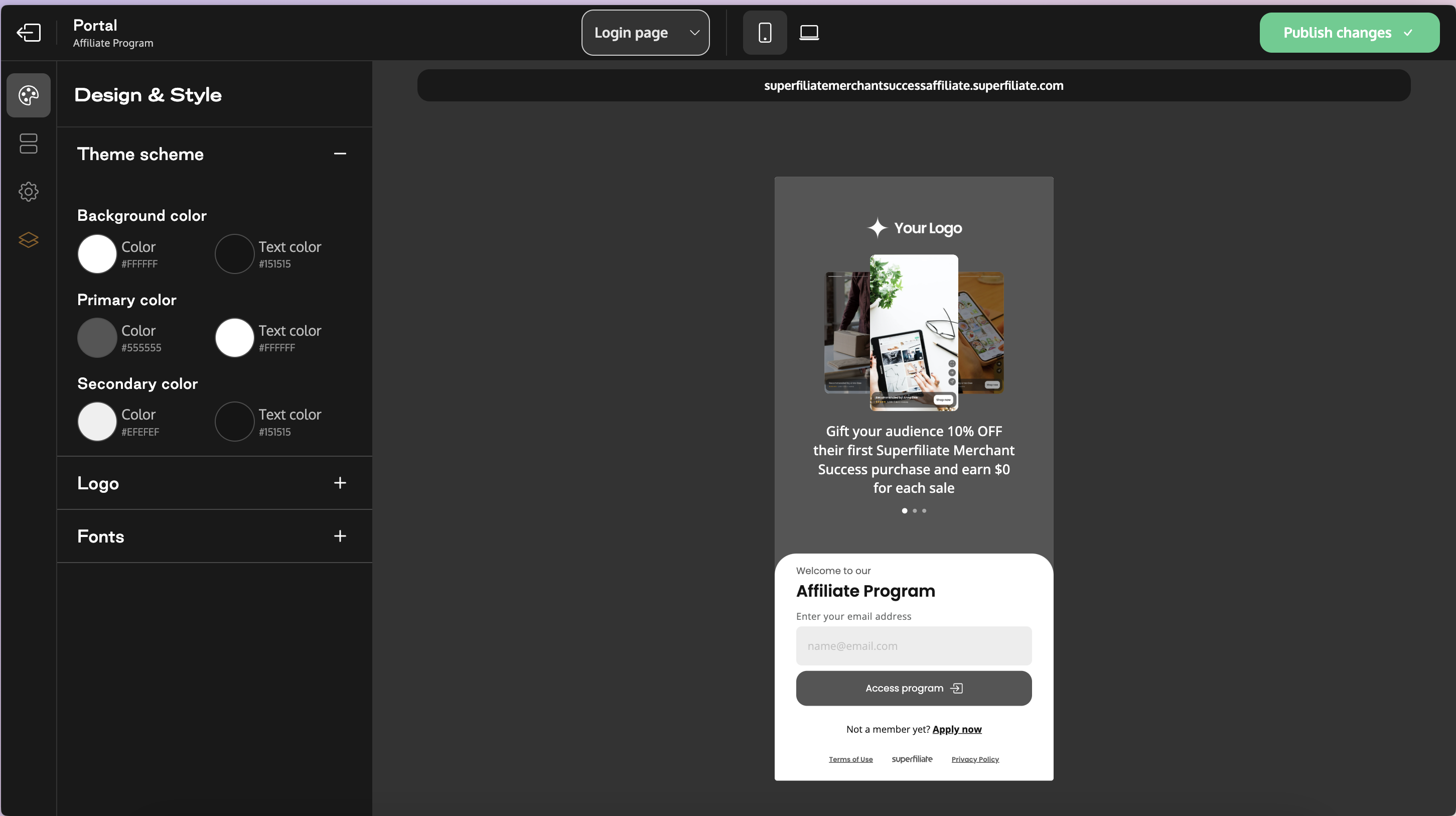
In the first tab (Design), you can adjust:
Colors
Fonts
Logos
Step 3: Edit the Portal Content
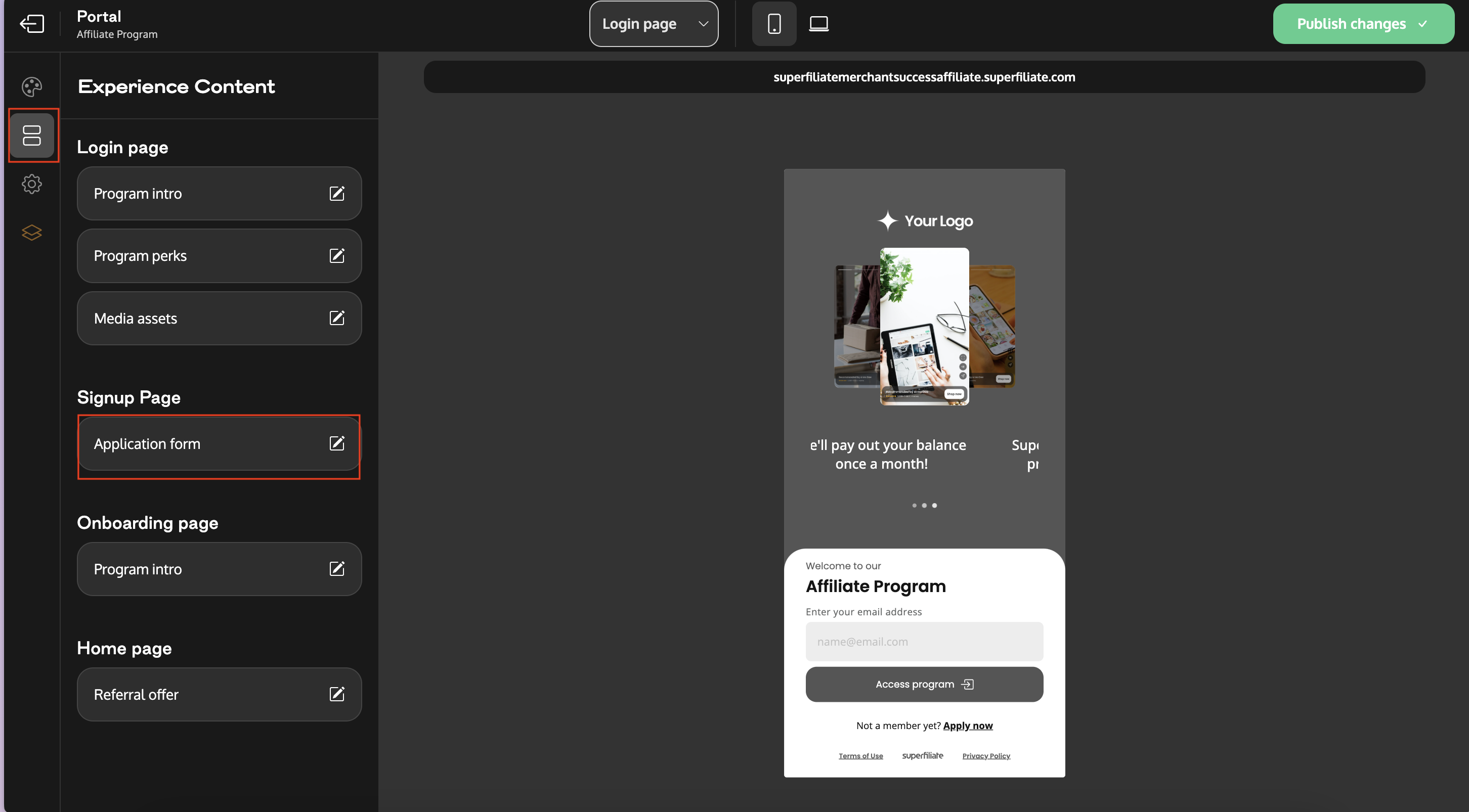
In the second tab (Content), you can edit the content of all portal pages.
Step 4: Edit the Sign-Up Form
Go to the Sign-Up Form section.
You can:
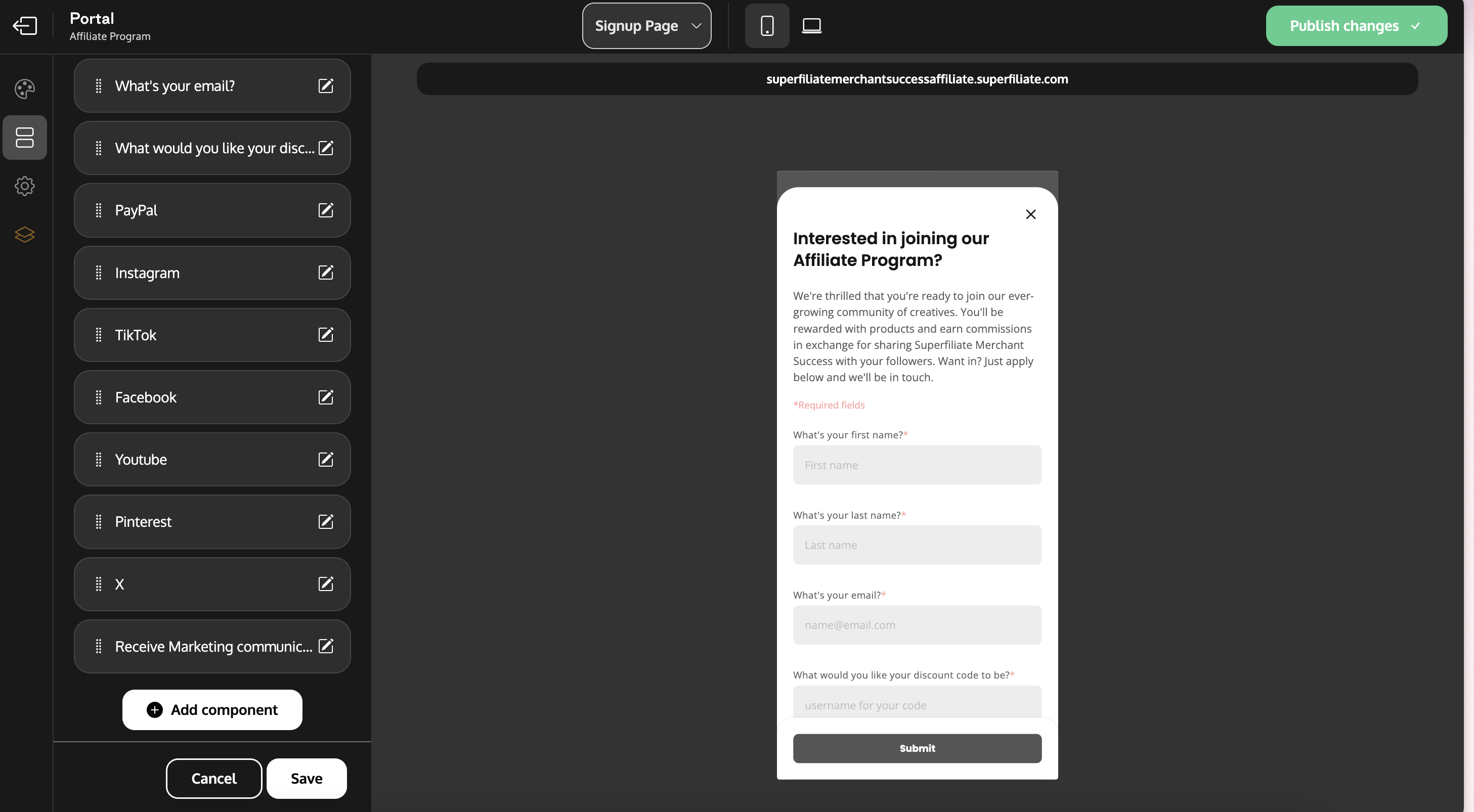
Edit the title and onboarding text.
Delete questions by clicking on them and selecting the trash icon.
Add new questions by inserting components at the end of the form section.
Step 5: Save and Publish
After making edits, always:
Save the section.
Publish the page to make your changes live.