How to Find and Share the Link of a Gifting Campaign
Last updated: October 15, 2026
Each affiliate in a gifting campaign gets their own gift link, where they redeem their gift. Here's how to find it so you can check it or share it directly with the affiliate.
Step by step
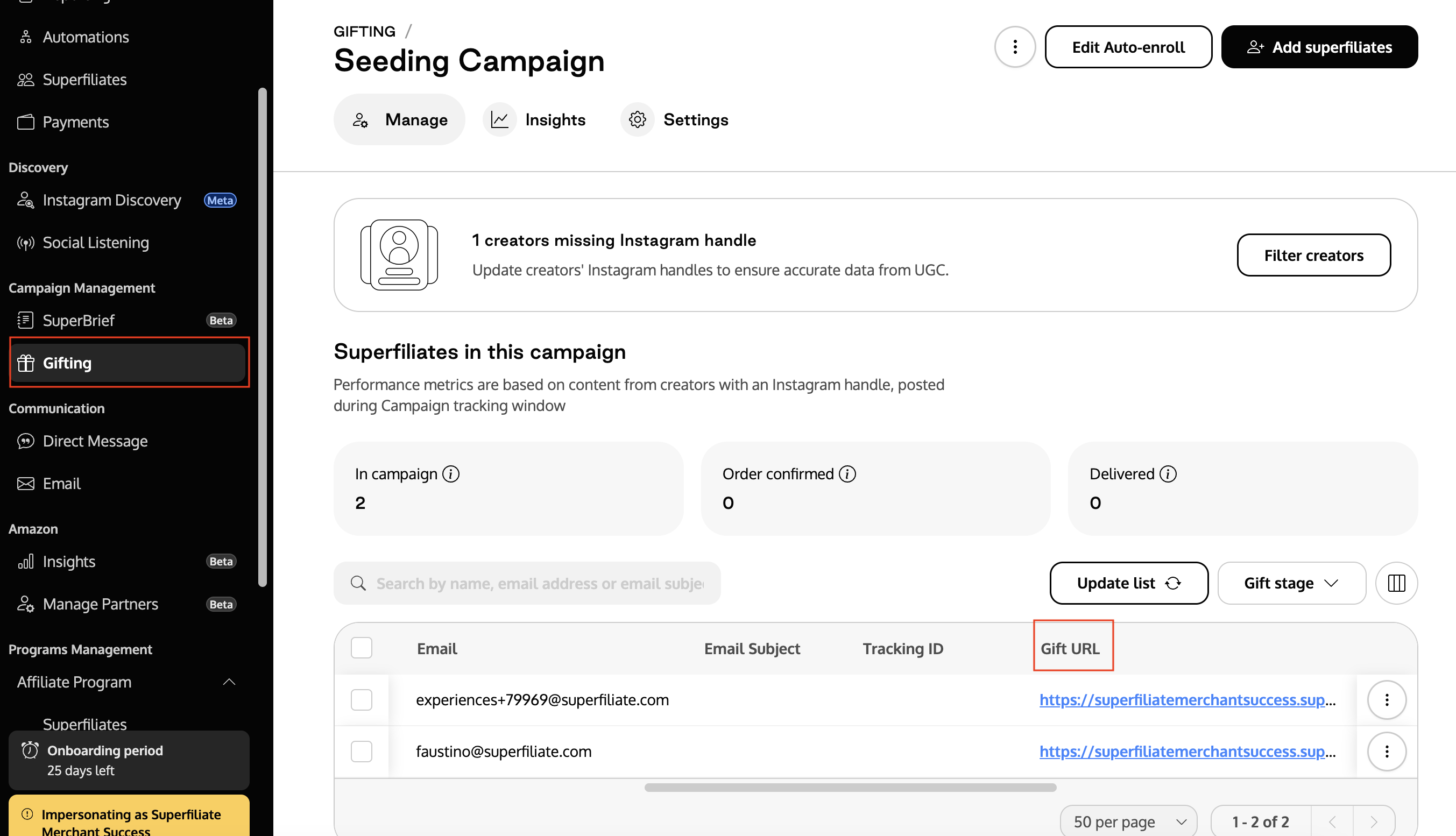
Go to the Gifting tab and open the campaign whose link you want.
Use the search bar to find the affiliate.
Copy the link from the Gift URL column in the table.
Gift links follow the format https://yourstore.com/gift/CODE, where CODE is unique to each affiliate.
Send the link by email or automation
To include each affiliate's gift link in an email or automation, use the variable {{ gifting_link }}. It's replaced with that affiliate's link when the message is sent.
Using the older variable? Templates with {{ redeem_seeding_gift_magic_link }} keep working, but {{ gifting_link }} is now the standard. Use it for new emails and automations.