Freeze creator's suspicious activity
Last updated: September 29, 2025
What Does This Option Do?
The Freeze creator's suspicious activity setting allows your brand to act before commissions become available to creators.
Orders placed through Google Ads will have their commissions frozen automatically.
Your brand can then validate whether or not you want to attribute those commissions to the affiliate.
This helps prevent fraud, unauthorized traffic sources, or misaligned marketing practices.
Enabling Google Ads Validation
To activate the Google Ads option:
Go to your Program Settings.
Navigate to Program Safety.
Toggle Google Ads to Enabled.
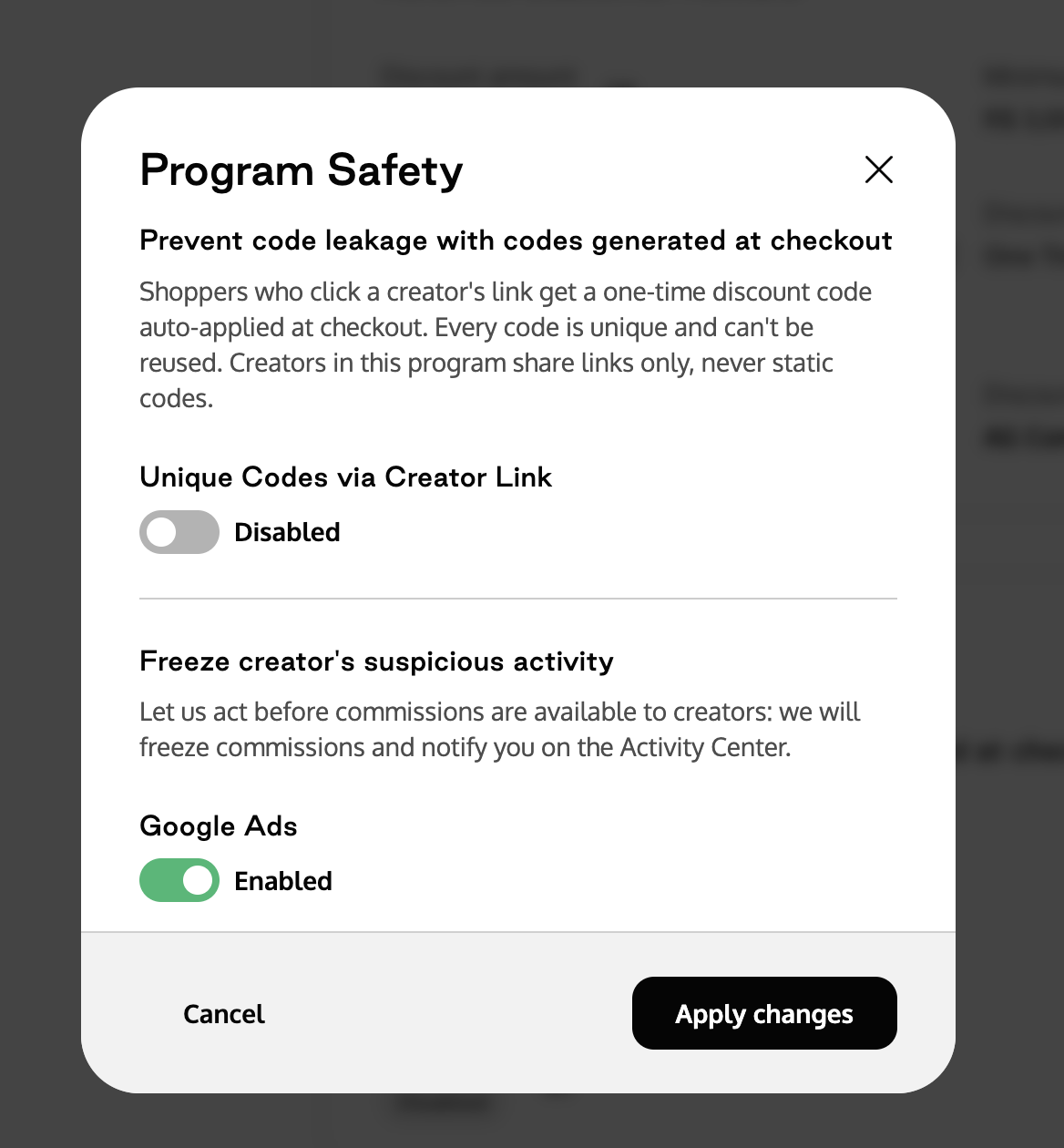
Once enabled:
Commissions from Google Ads traffic will be automatically frozen.
They will only be released if explicitly approved by your team.
This ensures commissions are only attributed to affiliates after proper brand review and validation.
How It Works
When this option is enabled:
Any flagged commissions will not be attributed automatically.
You’ll receive a notification in the Activity Center under Program Safety.
You can then review the affiliate’s profile and activity individually.
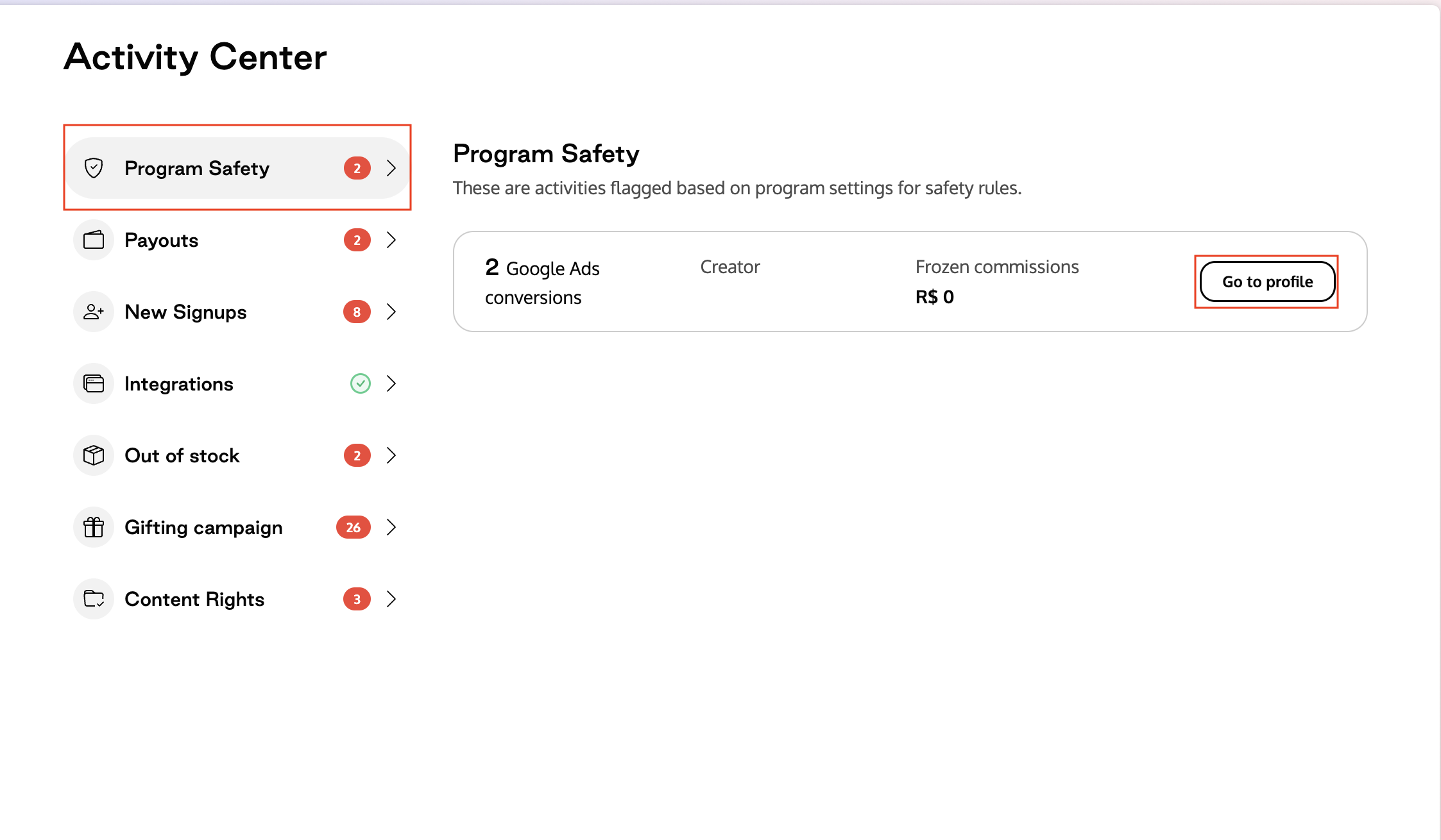
From there, you have two actions available:
Approve Exception → Allows the frozen commission to be paid out (commission is unfrozen).
Reject Conversion → Denies payout (the creator will not be paid for that flagged conversion).
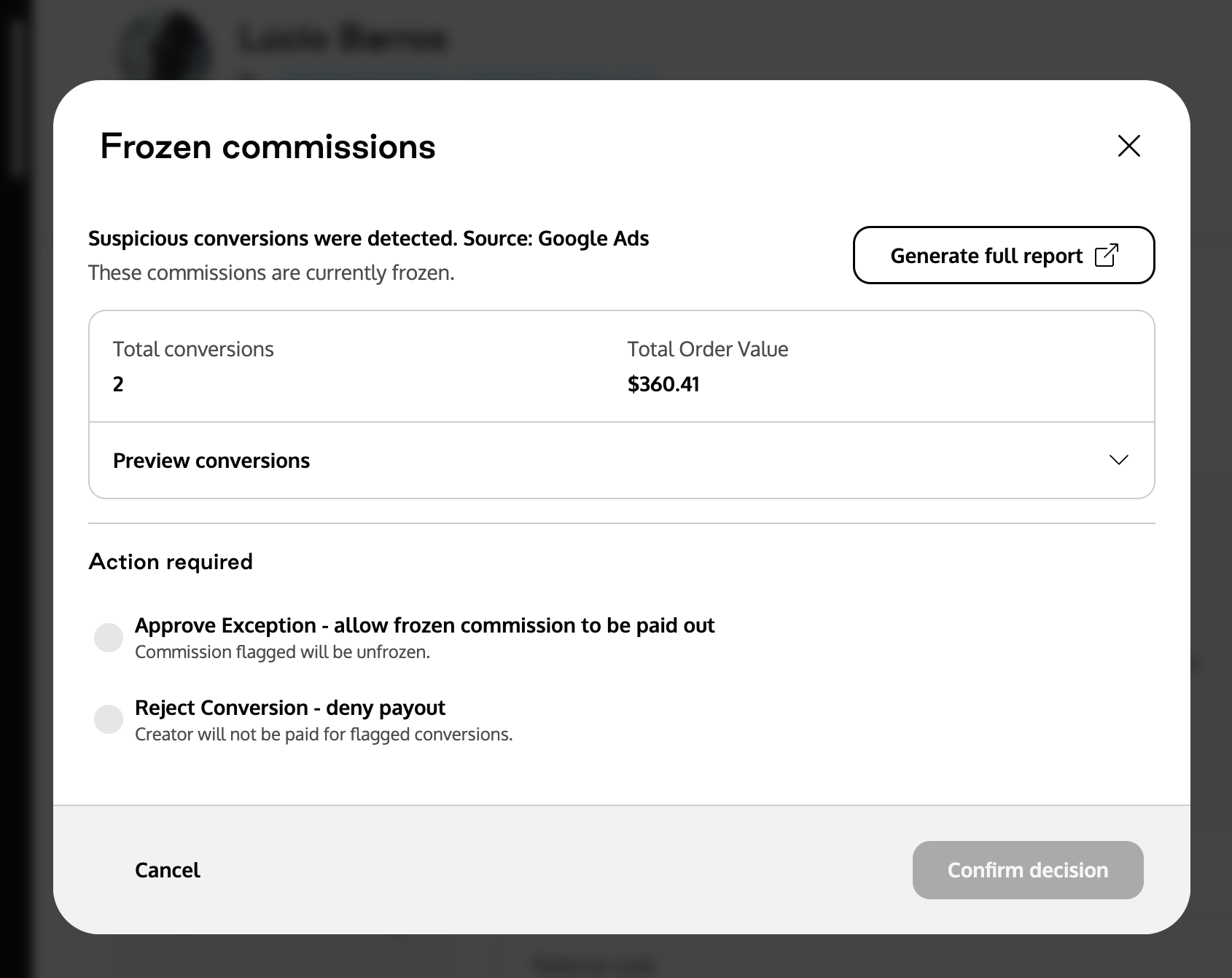
Reporting
You can also generate a full report of all flagged commissions in the Reporting tab, giving you visibility into patterns of suspicious activity and helping with compliance decisions.