How to Send Emails to Affiliates
Last updated: August 27, 2025
Step 1: Access the Email Section
In the Superfiliate app inside Shopify, go to the Influencer Hub.
Open the Communications segment and click on the Email tab.
Step 2: Create a New Email
Click New Email.
Select the recipients of your email.
You can apply filters such as the program an affiliate is enrolled in, the status of a gifting campaign, tags
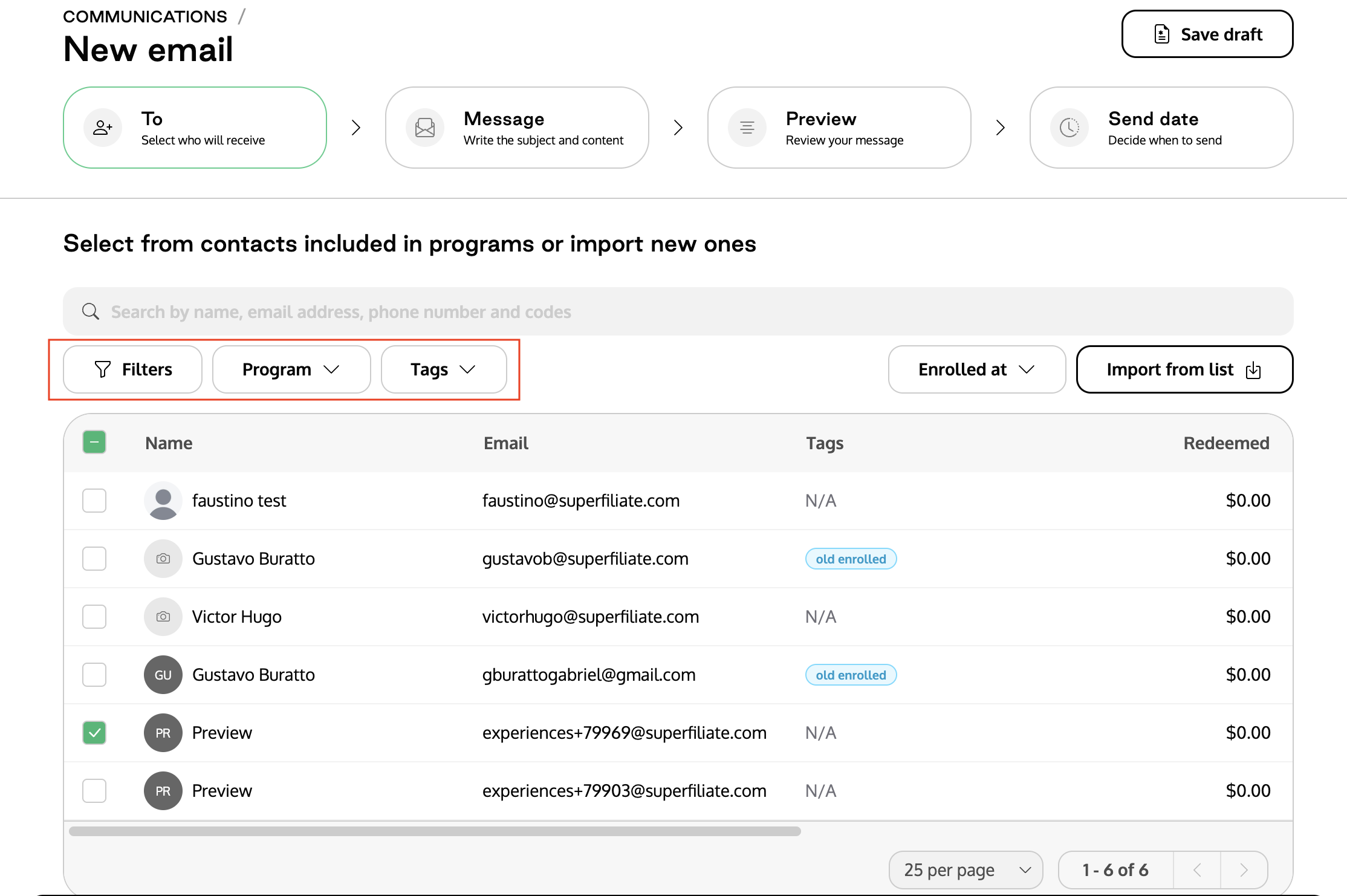
The recipient list cannot be updated after the email is sent — make sure to double-check your filters before proceeding.
Step 3: Write Your Message
Add the sender email and confirm it’s correct.
If you’d like replies to go to another address, you can specify it.
Add a subject line.
Write your message. Use personalization variables such as name, code, and link to make your message more engaging.
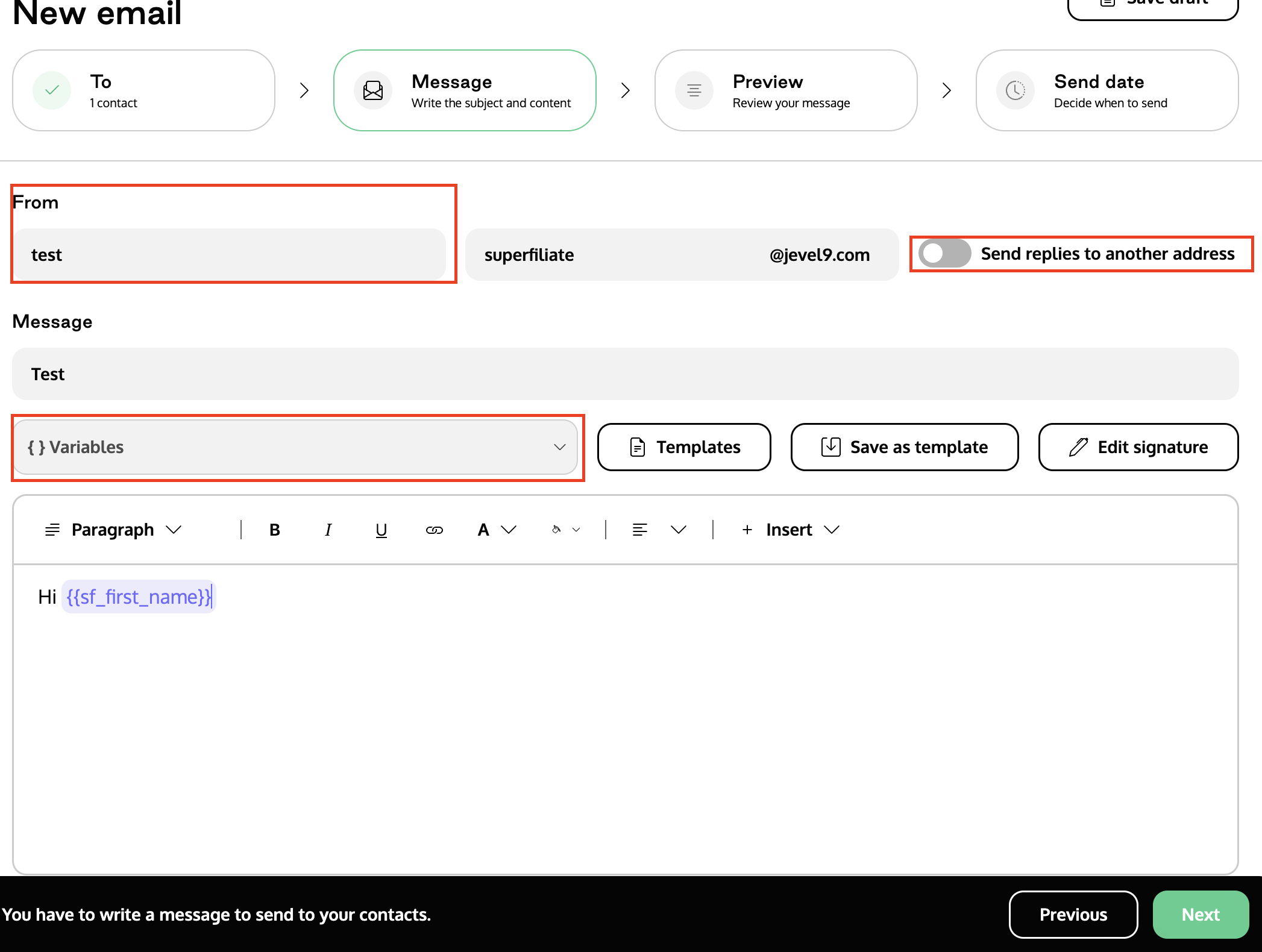
You cannot proceed without a subject line and message body.
Step 4: Preview Your Email
Review the preview of your email.
Step 5: Send or Schedule
Decide whether to send now or schedule for later.
Done!
Emails sent via Superfiliate will not appear in the “Sent” folder of your email provider.