How to Add a User
Last updated: August 27, 2025
You can easily add new users to your Superfiliate account by following these steps:
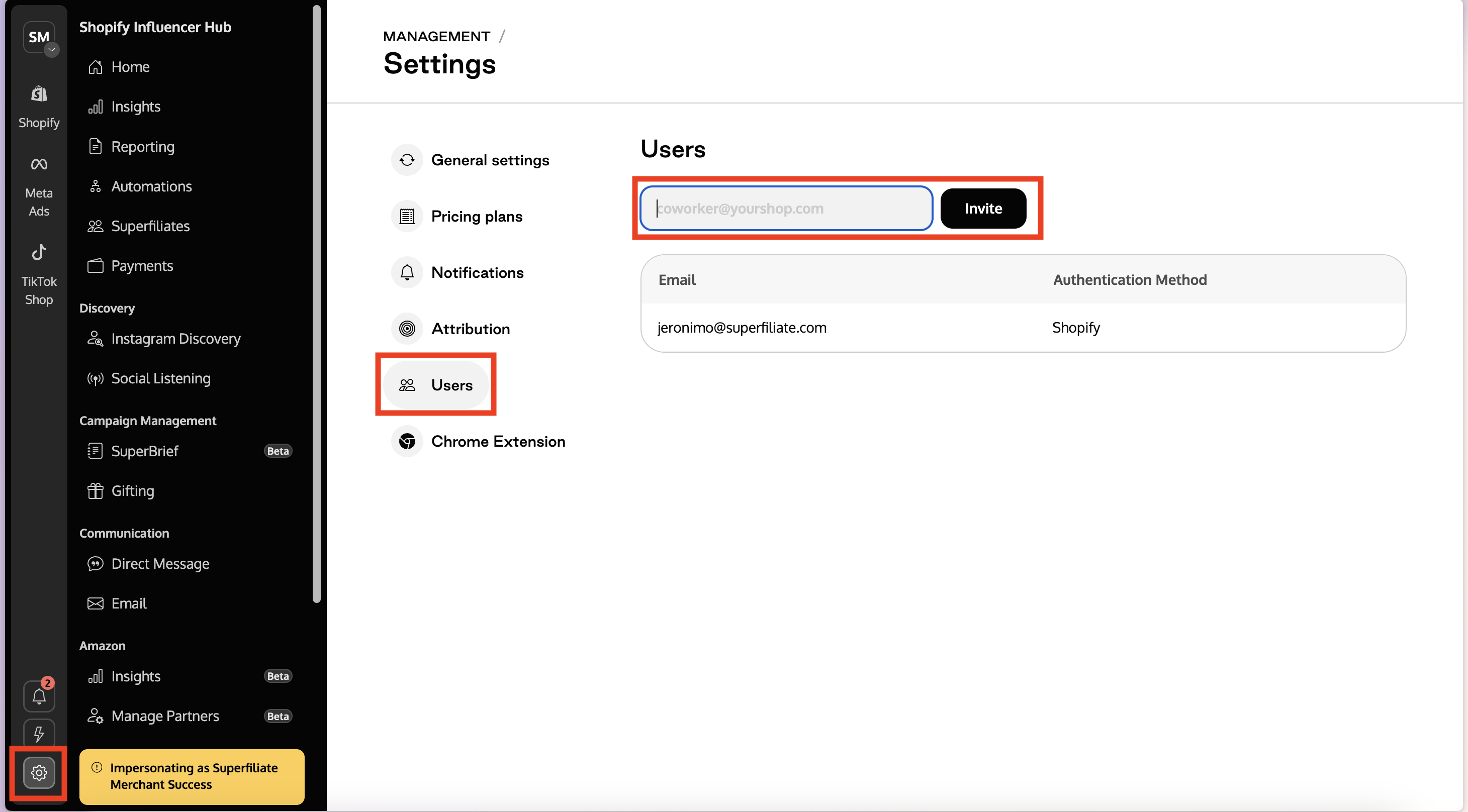
Step 1: Go to Settings
Open the Superfiliate App.
Navigate to the Settings section.
Step 2: Add a User
Find and open the Users tab.
Enter the email address of the user you want to add.
Click Add User.
Step 3: Invitation Email
The new user will automatically receive an email invitation.
They need to accept the invitation to access the account.