How to get content rights for tagged UGC using Superbrief
Last updated: April 23, 2026
Overview
This guide walks through how to request and manage content usage rights for any piece of user-generated content (UGC) your brand is tagged in—using Social Listening, Superbrief, and Campaign Terms. You can:
Request usage rights directly from the creator
Clearly outline compensation and terms
Capture acceptance in-platform
Store approved rights in your Content Rights Library
Step-by-step: Requesting content rights with Superbrief
1. Find the UGC you want to license
Navigate to Social Listening
Review tagged content
Identify a post you’d like to use in marketing (e.g. paid ads)
Download the content locally
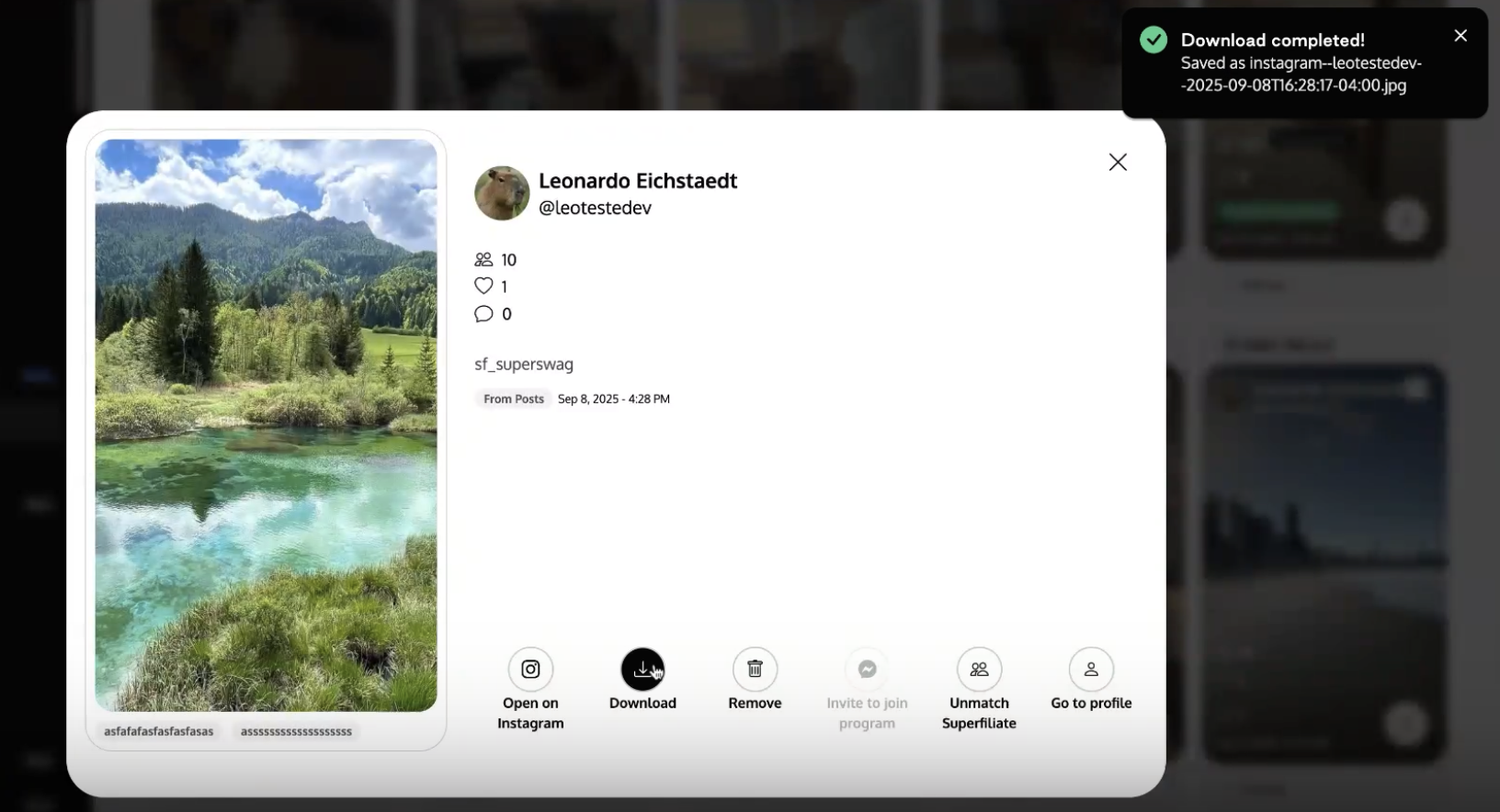
This ensures you can reference the exact asset later in the brief
2. Create a Superbrief campaign
Create a Superbrief designed specifically for requesting usage rights.
Example brief setup:
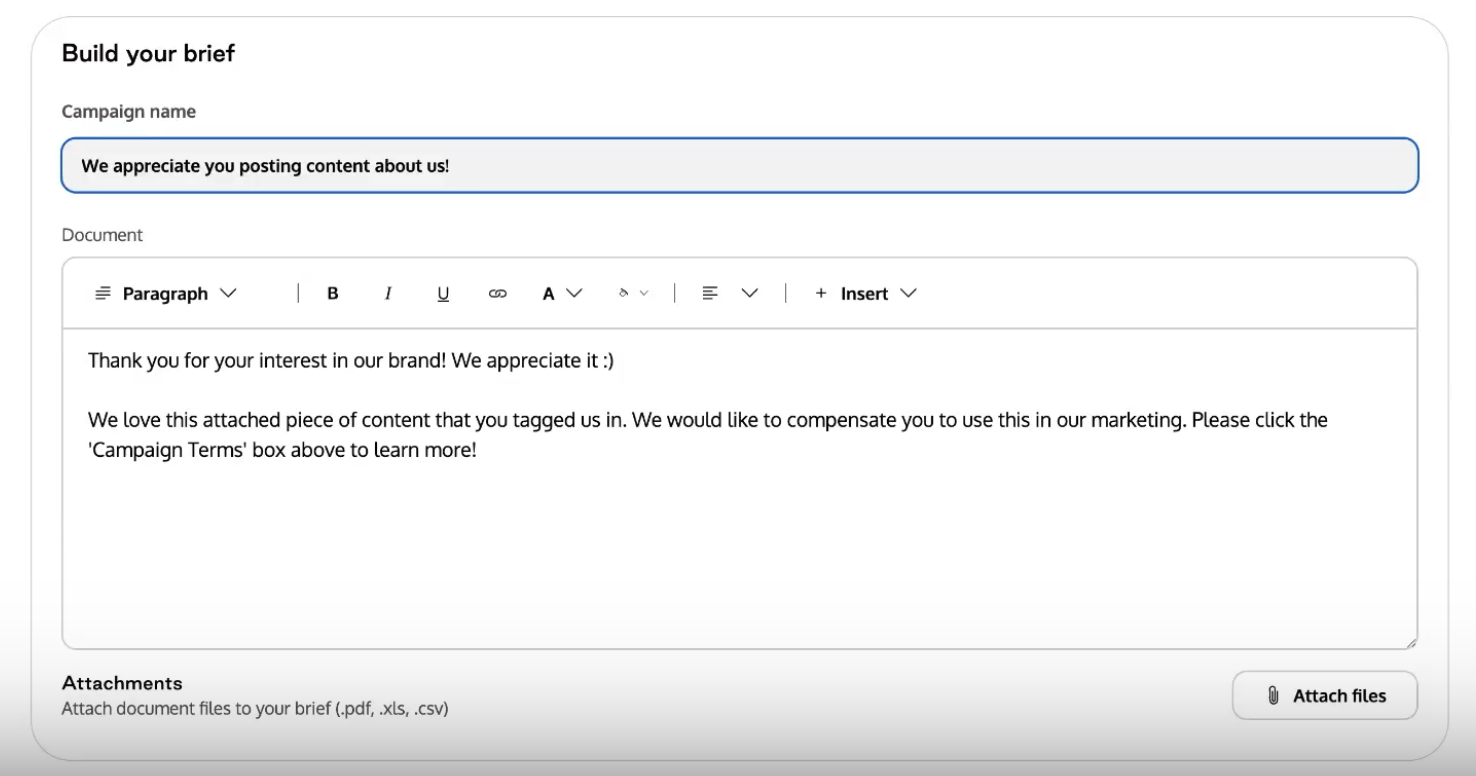
This brief can be reused anytime you find qualifying UGC
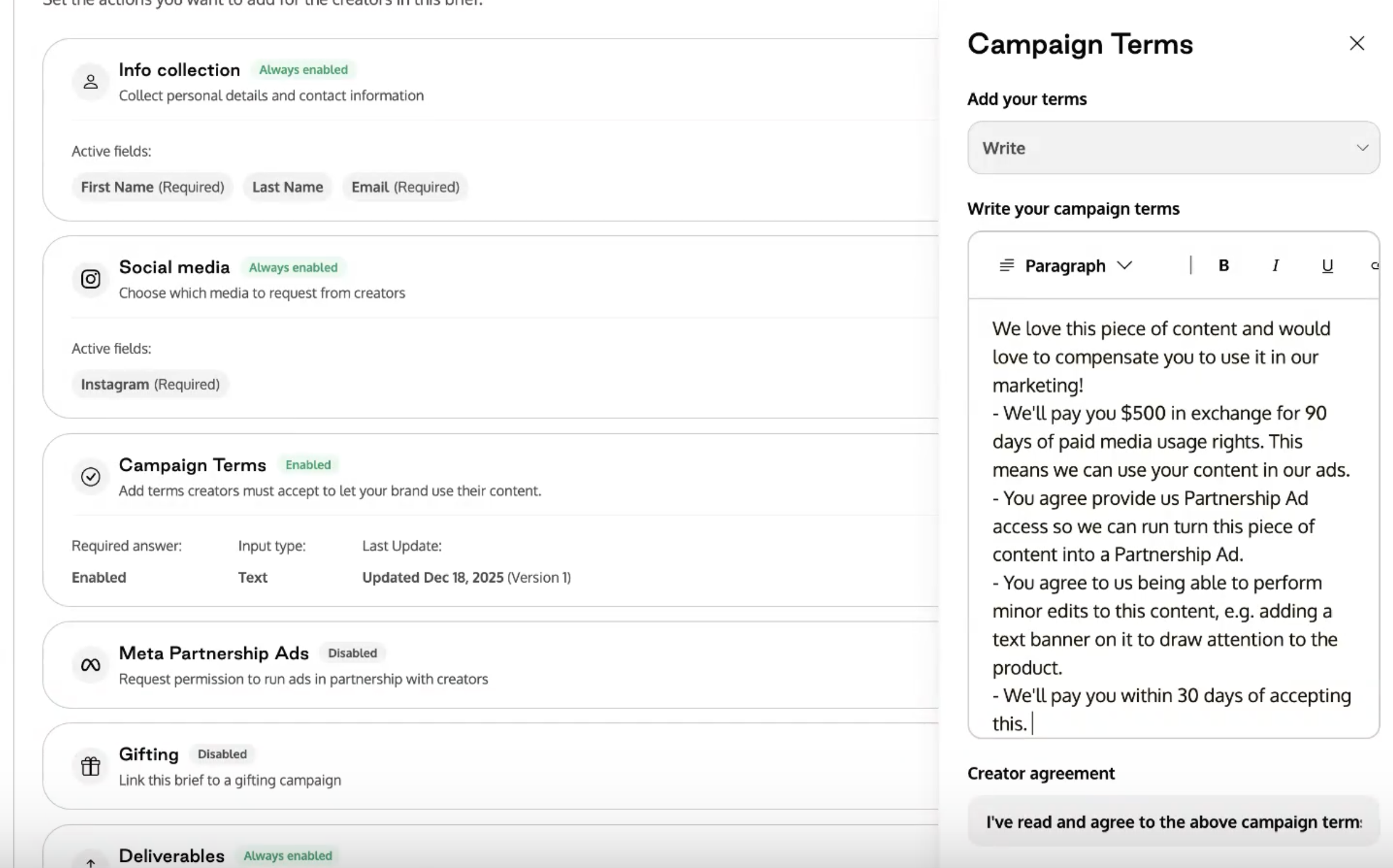
3. Add campaign terms for usage rights
Use Campaign Terms to define an explicit, opt-in agreement. These terms provide creators with a lightweight way to review and accept content without requiring manual back-and-forth.
4. Personalize the brief for the creator
When you add a creator to the campaign:
Personalize the brief (e.g. use their name)
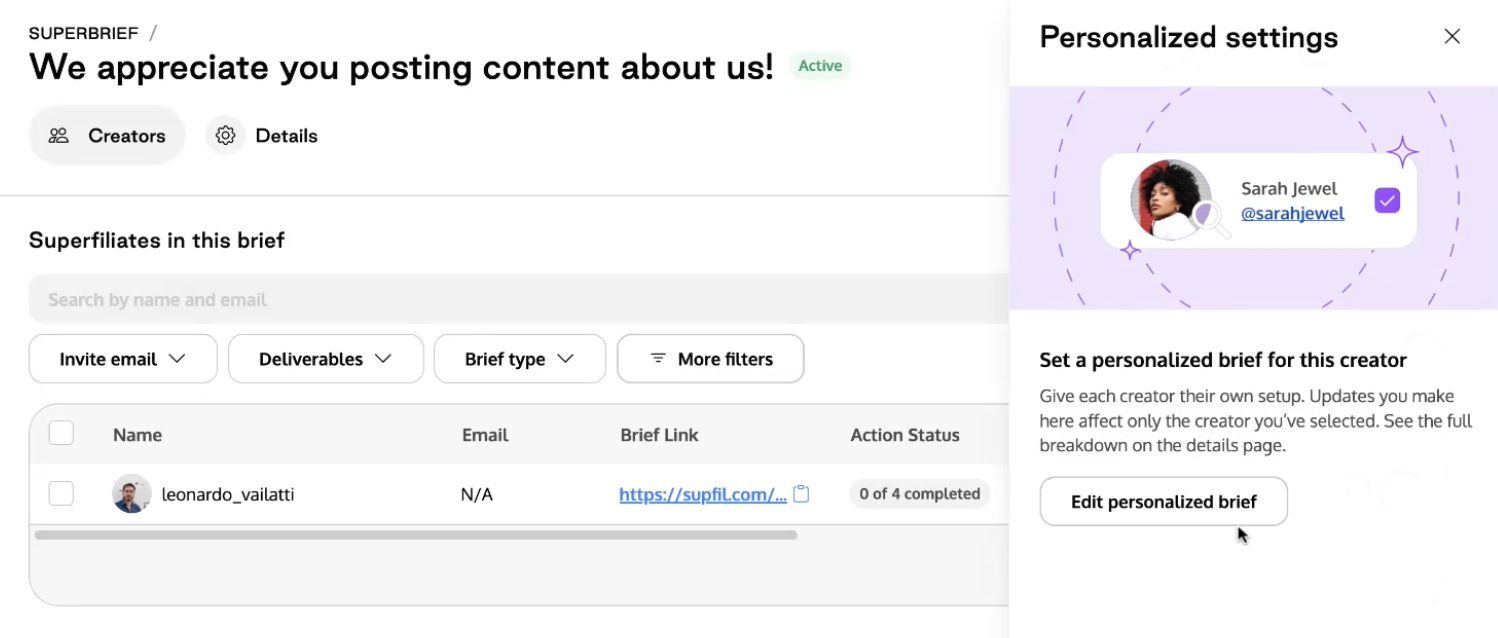
Upload the exact piece of UGC you downloaded as an attachment
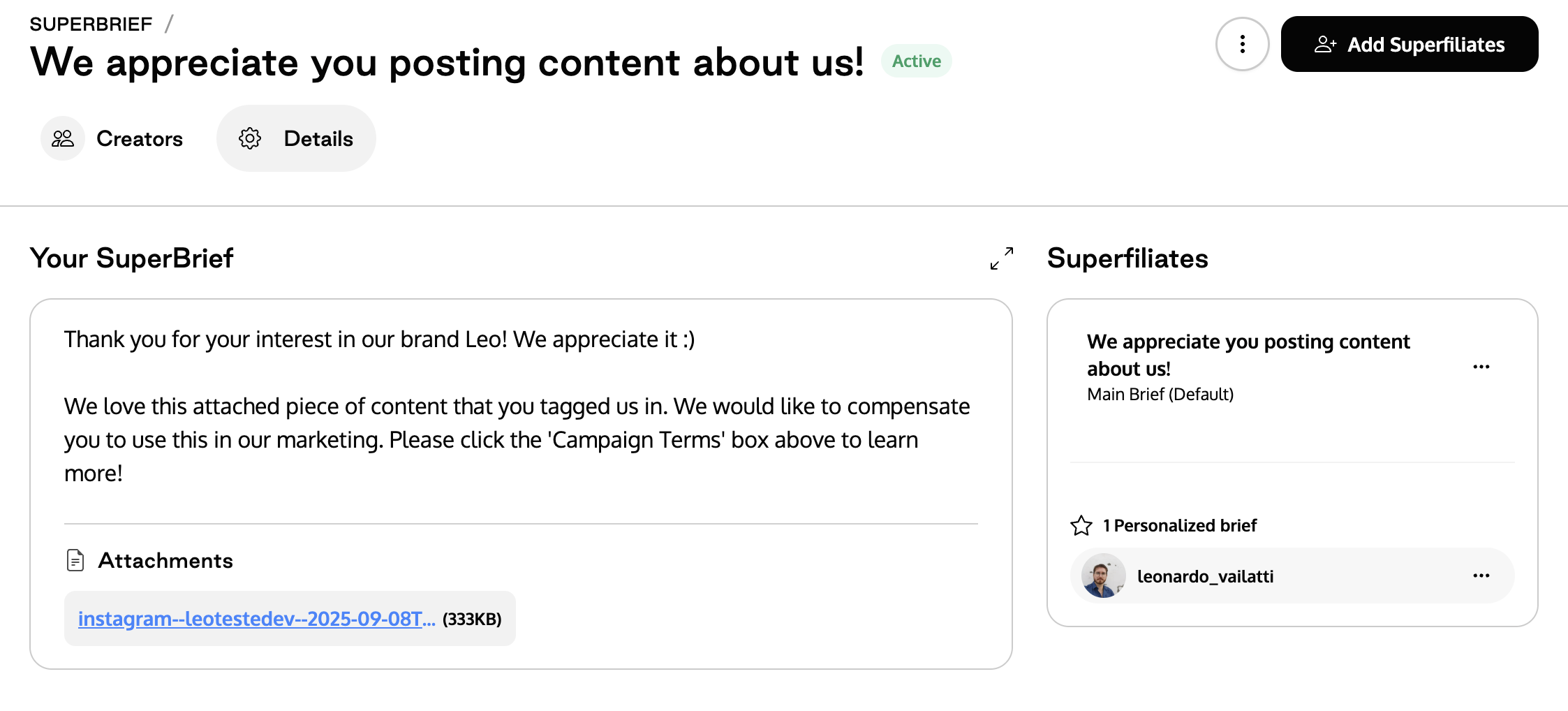
Attaching the asset ensures the creator knows exactly which content you’re referencing
5. Send the brief and collect acceptance
From the creator’s perspective:
They review the brief context
Open the attached content
Review the campaign terms
Click to accept the terms
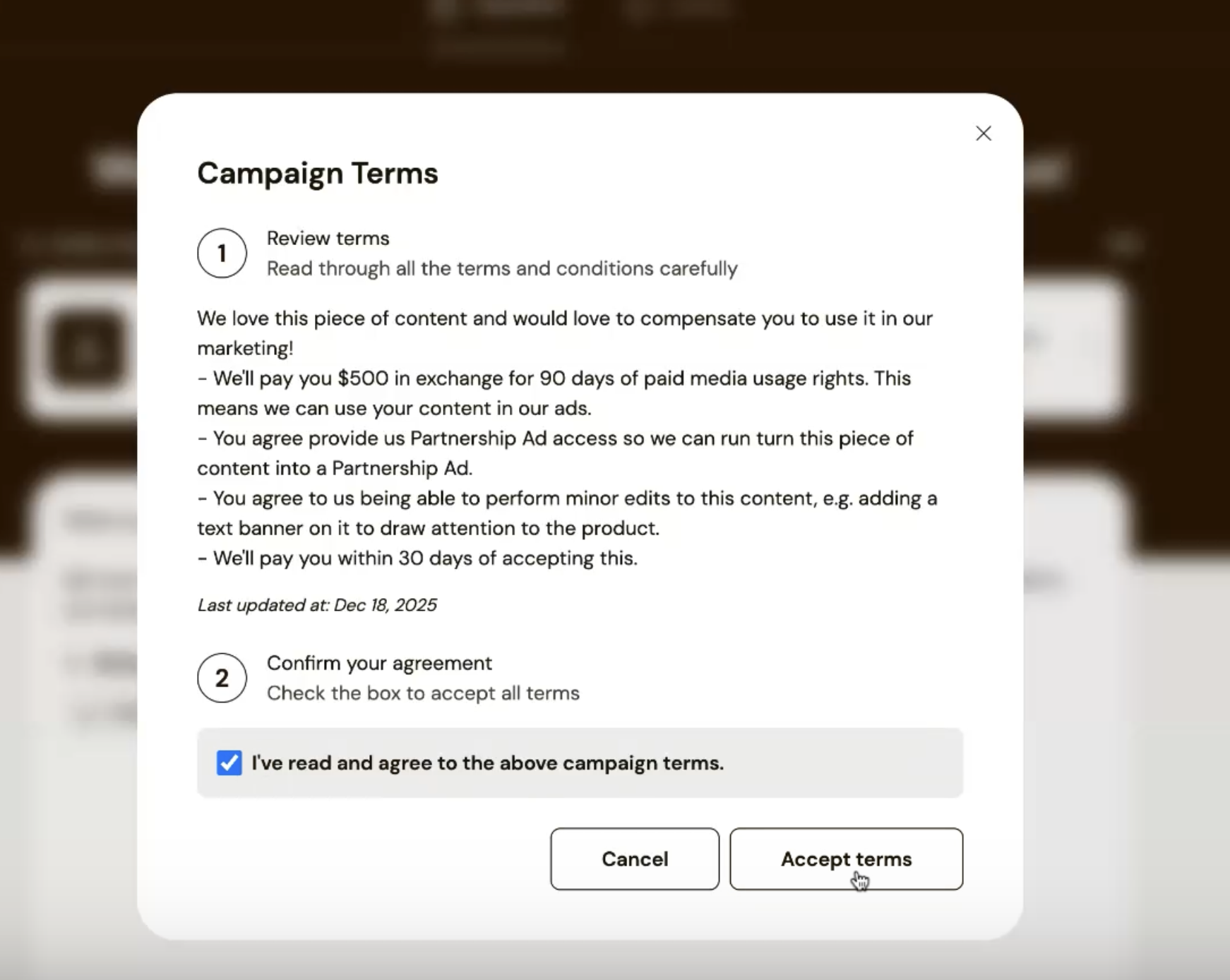
Once accepted, the brief unlocks and the agreement is recorded.
6. Upload the existing content as a deliverable
Because the content already exists:
Upload the UGC directly into the Deliverables section
You do not need to wait for the creator to resubmit it
Uploading the asset here enables tracking of usage rights downstream.
7. Apply usage rights from the brief dashboard
From the brief dashboard:
Select the creator
Edit Content Rights
Apply the agreed-upon usage duration
Save changes
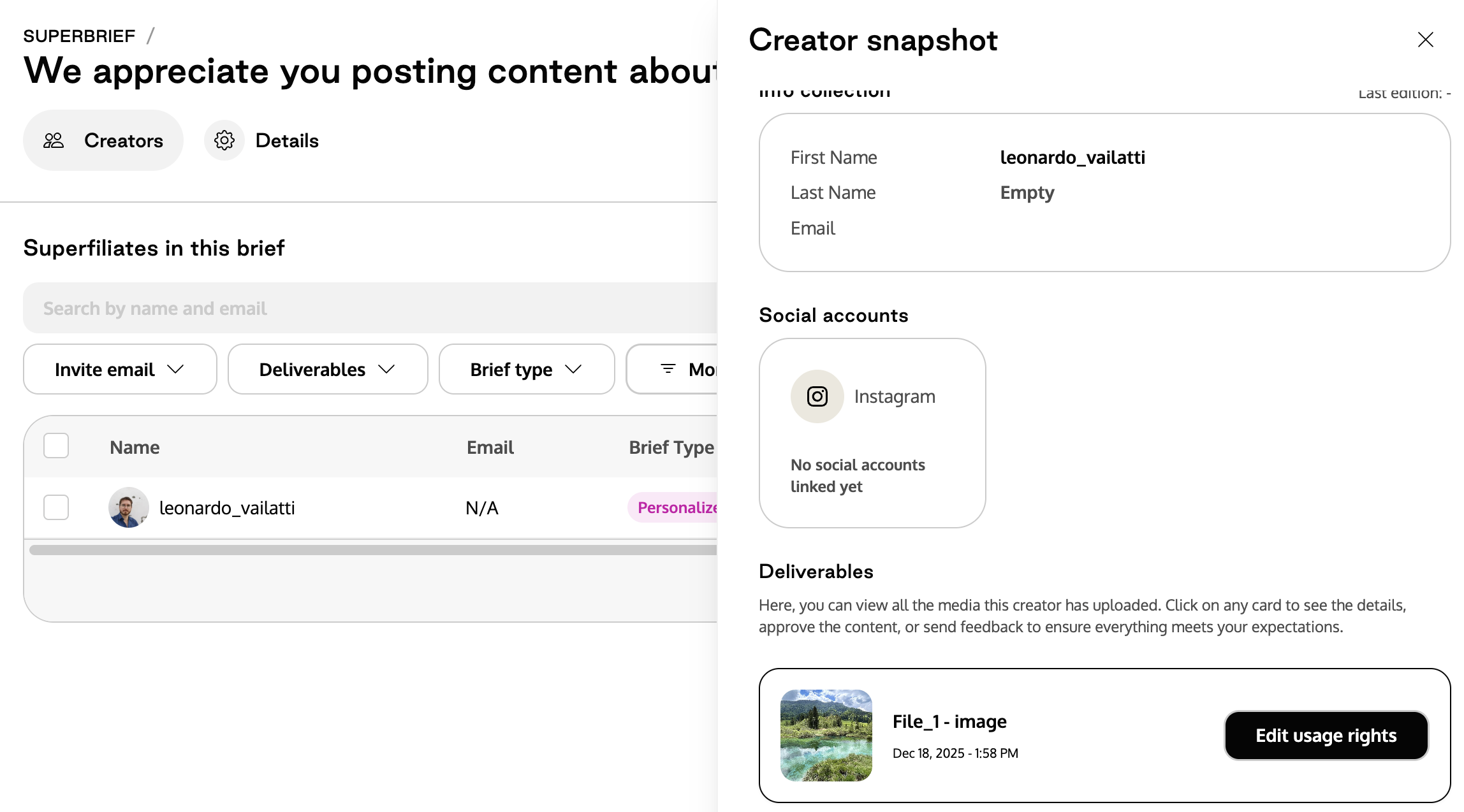
8. Confirm rights in the Content Rights Library
Navigate to the Content Rights Library to verify:
The asset is present
Usage rights are applied
Duration and permissions match the agreed terms
The brief title is associated with the content
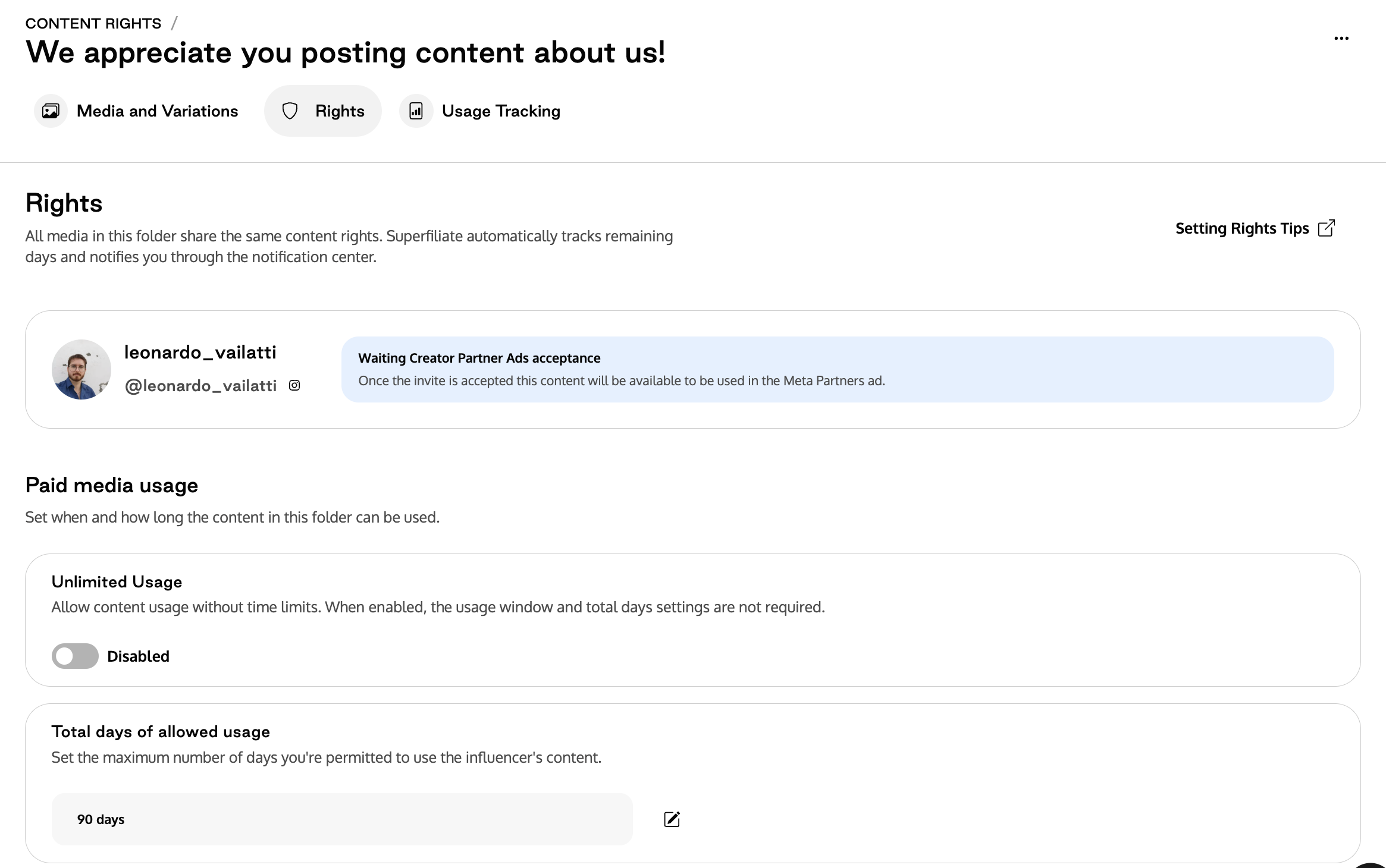
At this point, the asset is cleared and ready for activation.