How to pay creators in Superbrief
Last updated: April 23, 2026
This feature is available just for beta users for now!
This action lets you set up, manage, and send creator payments directly from a Superbrief using your existing payment integrations.
Step-by-step
1. Go to the correct page
Go to Superbriefs.
Open an existing Superbrief or start creating a new one.
In the brief creation or editing flow, locate the Payments task.
2. Enable Payments in the Superbrief
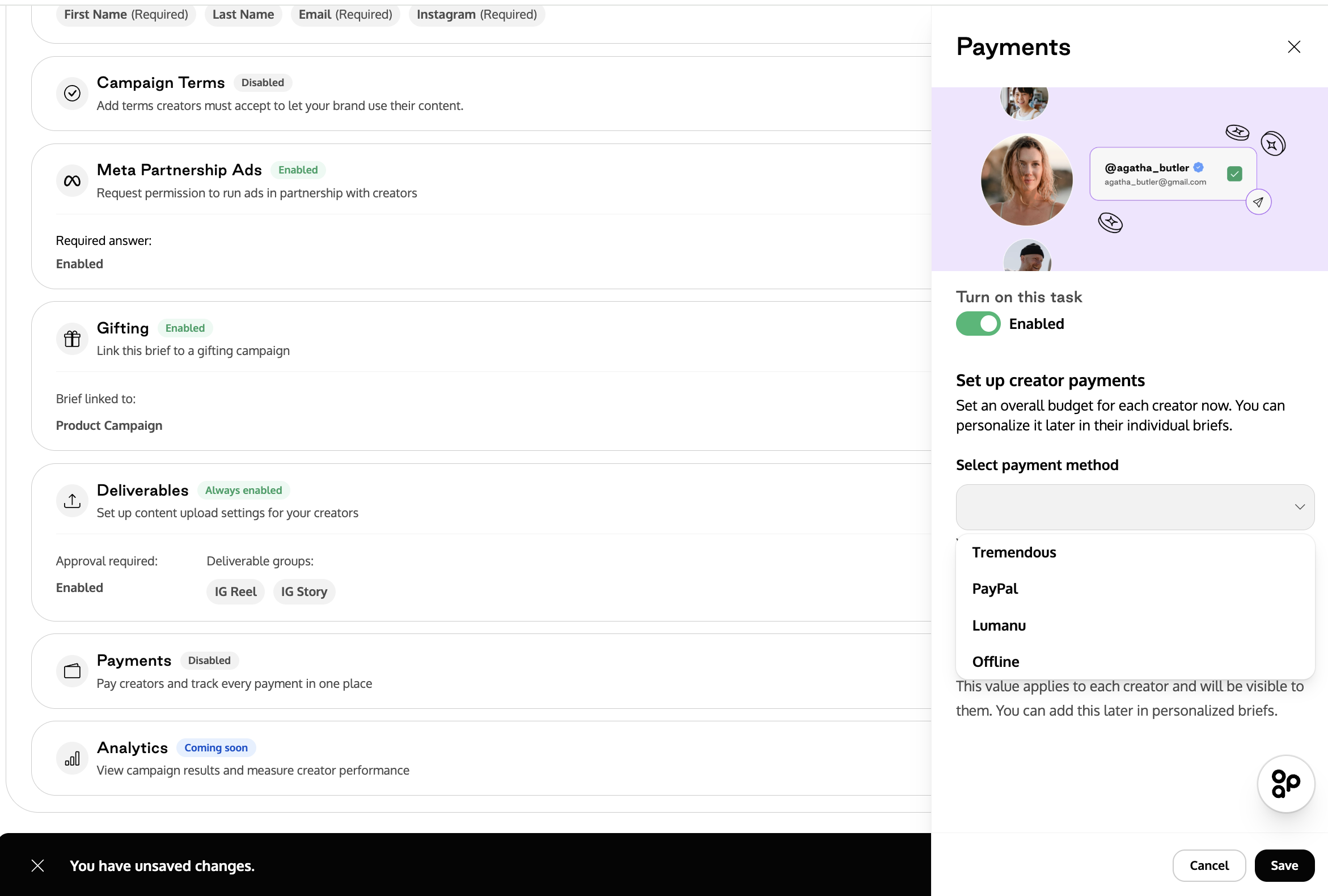
In the Payments task, toggle Enable payments.
Select a payment method.
Only payment providers that are already active or previously integrated in your account will appear in this list.
3. Set the payment details
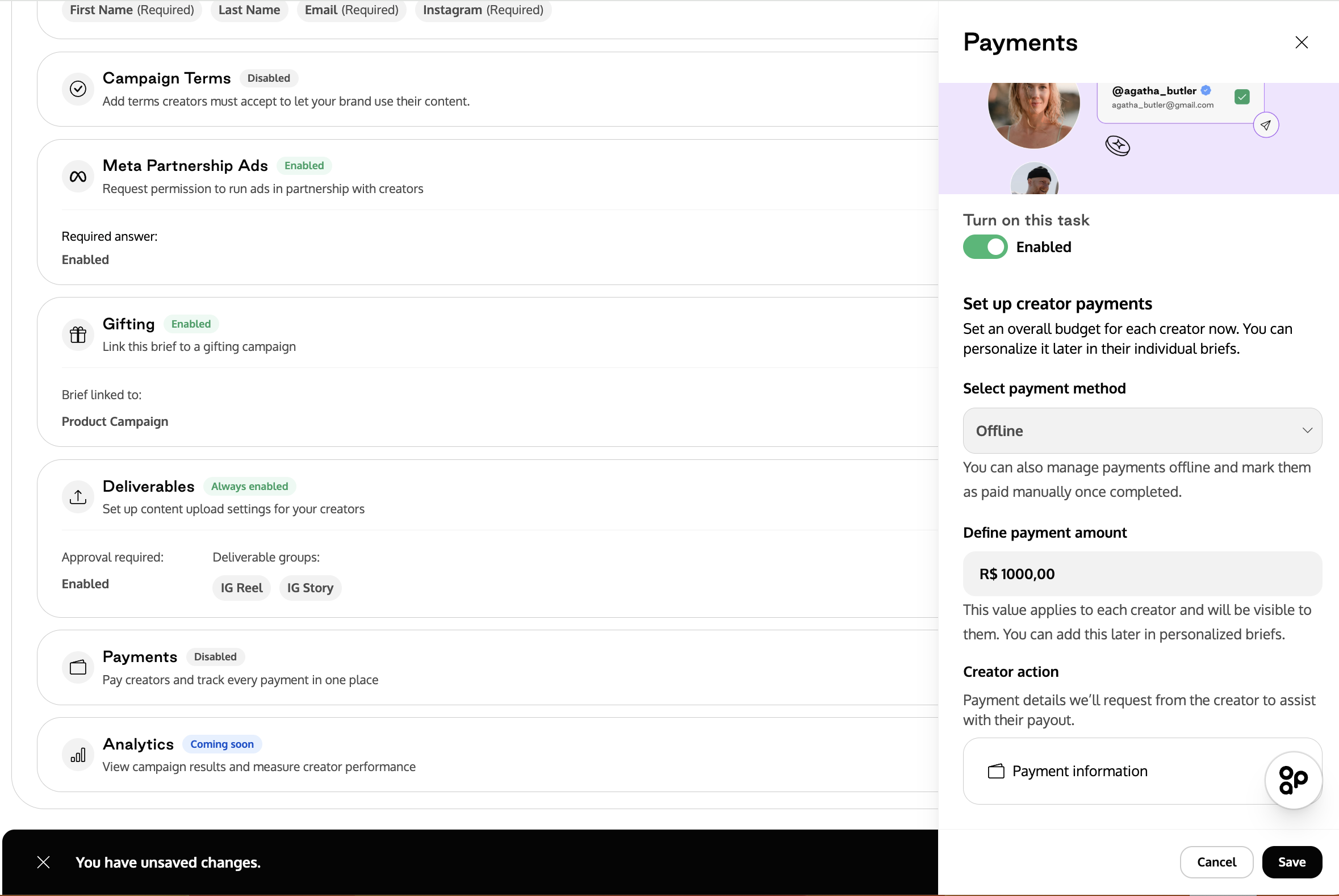
Enter the payment amount for the creator.
4. (Optional) Personalize payments per creator
Open the creator-level view of the Superbrief.
Adjust the payment amount or details for a specific creator, if needed.
This allows you to keep a default payment in the main brief while customizing it per creator.
5. Collect creator payment information
Creators will see the Payments task as part of their actions.
They must confirm and submit their payment information (e.g. email or required details).
All payment-related information is collected directly within the Superbrief flow.
The creator will not receive funds at this stage—this step only ensures payment details are available.
6. Send payments to creators
In the Superbrief dashboard, select one or more creators.
Use the Pay creators action.
Important behavior:
You can only pay one payment method at a time.
Use the payment method filter to select creators who share the same payment provider.
Once sent:
The money is paid immediately using the payment integration.
Funds are not stored as pending wallet balance.
8. Track payment status
Payment status appears:
In the Superbrief creators table (payment status column)
In the Payments > Approved tab
Superbrief payments can be filtered and reviewed separately from other payment types.
Important notes
Payment setup is optional and can be disabled per Superbrief.
Payments can be configured at the main brief level and overridden per creator.
When paying multiple creators at once, all selected creators must use the same payment method.
Payments are sent in full—partial or split payments (e.g. milestones) are not supported yet.
Creators only receive funds after the brand sends payment; submitting payment info alone does not trigger a payout.