How to Track Campaign Progress and Manage Deliverables in the Creators Tab
Last updated: April 23, 2026
The Creators tab now includes a Campaign Progress dashboard and a segmented Creators/Deliverables view for managing content delivery at a granular level.
Step 1: Review Campaign Progress
Go to the correct page
Open a SuperBrief and navigate to the Creators tab.
View campaign progress (active briefs only)
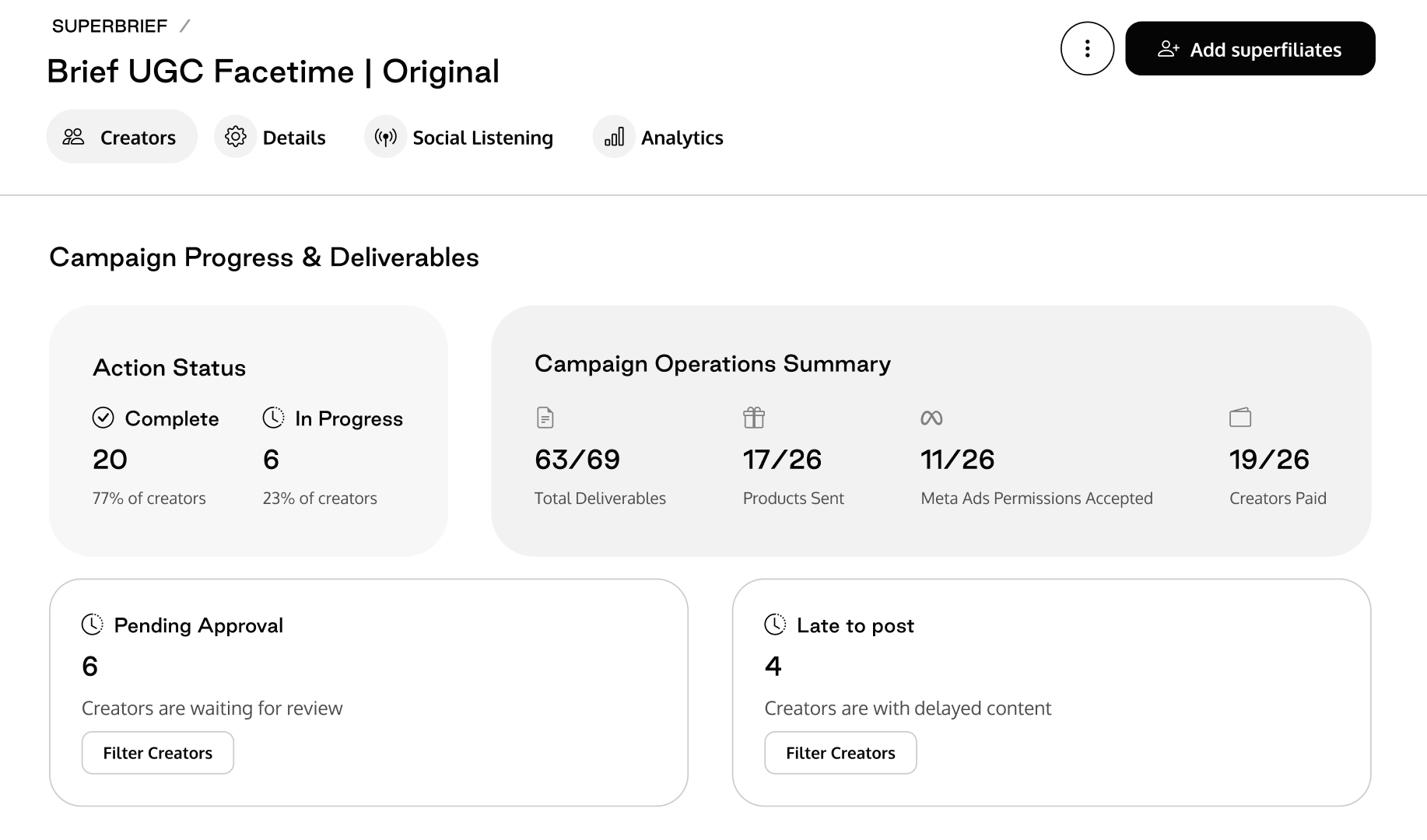
At the top of the Creators tab, you'll see the Campaign Progress & Deliverables section with two panels:
Action Status
Complete — Number of creators who have finished all required tasks.
In Progress — Number of creators still working through their tasks.
Campaign Operations Summary (shows only metrics with data)
Metric
Description
Total Deliverables
Total deliverables across all creators, with completed count.
Products Sent
Number of gifted products that have been shipped/delivered.
Meta Ads Permissions Accepted
Number of creators who accepted Meta Partnership Ads permissions.
Creators Paid
Number of creators who have received their payment.
Respond to attention items
If there are items requiring your attention, you'll see highlighted cards:
Pending Approval — Shows the count of creators waiting for content review. Click to filter the Creators table to show only those creators.
Late to Post — Shows the count of creators with delayed content. Click to filter the Creators table accordingly.
Step 2: Switch Between Creators and Deliverables Views
Locate the view toggle
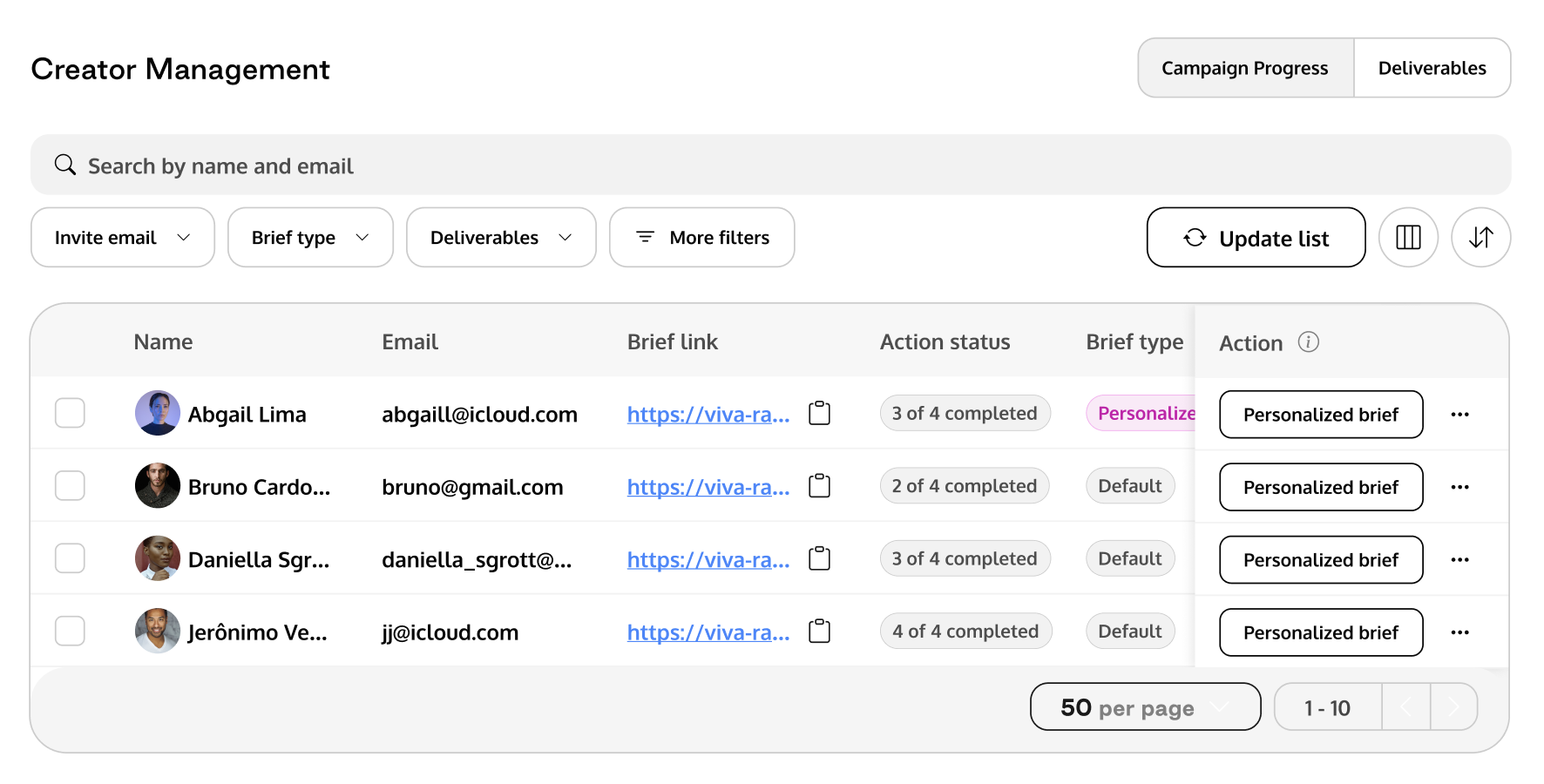
Below the Campaign Progress section, in the Creator Management header, you'll see a Creators / Deliverables segmented toggle on the right side.
This toggle appears when the brief has deliverables assigned.
Creators view (default)
Deliverables view
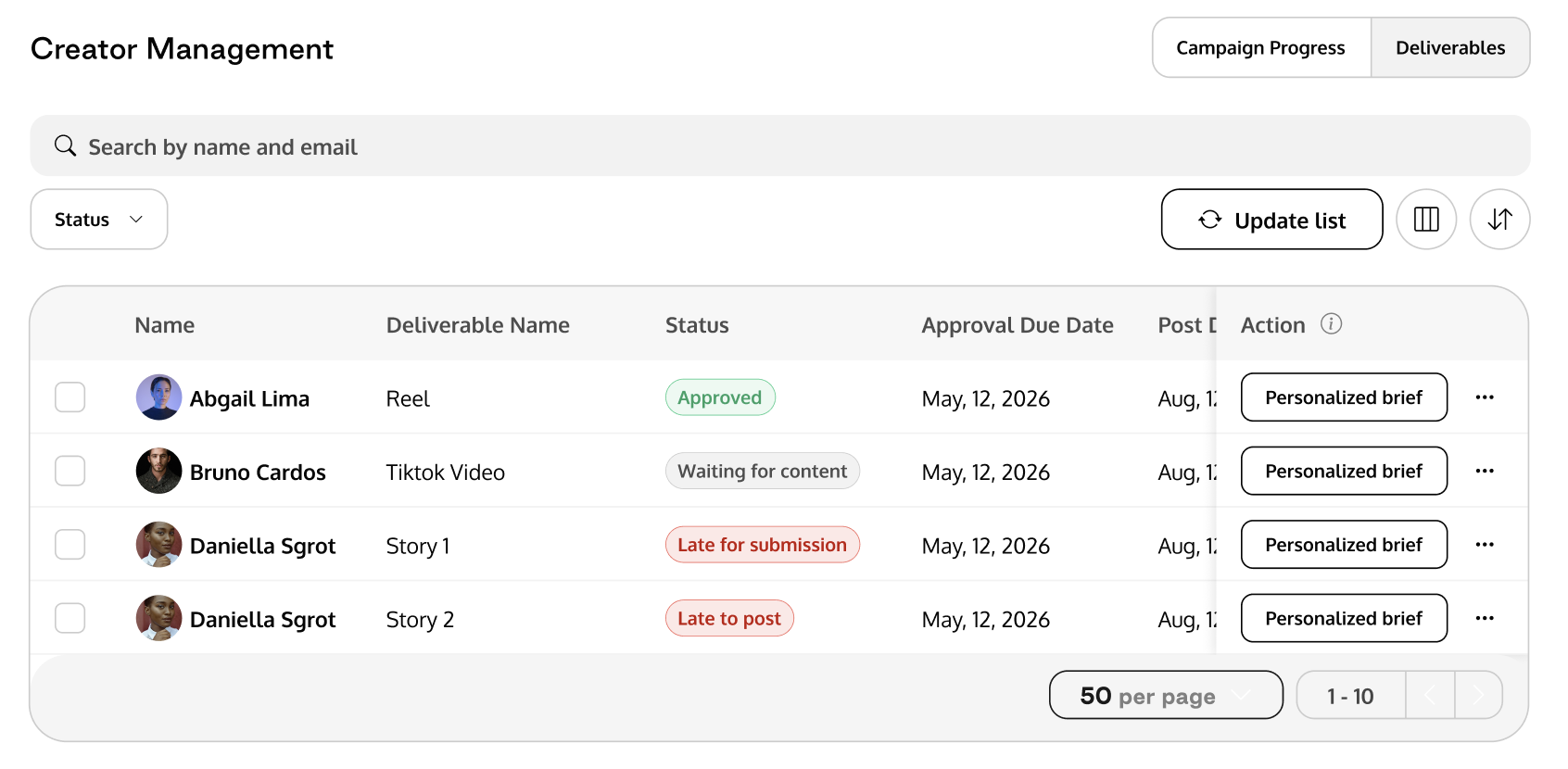
Switch to the Deliverables toggle to see a per-deliverable breakdown
Filter deliverables
Use the Status filter to narrow by deliverable status.
Use the search bar to search by creator name and email.
Sort by name, submission due date, or post due date.