How to Duplicate Experiences in Existing Programs
Last updated: September 3, 2025
If you want to reuse the design of an experience in other programs, follow these steps:
Step by Step
Go to the program that already has the experiences created and open the Experiences tab.
Click on the three dots next to the experience type.
Select Copy Experience Design.
Choose the programs where you’d like to copy the experience and apply.
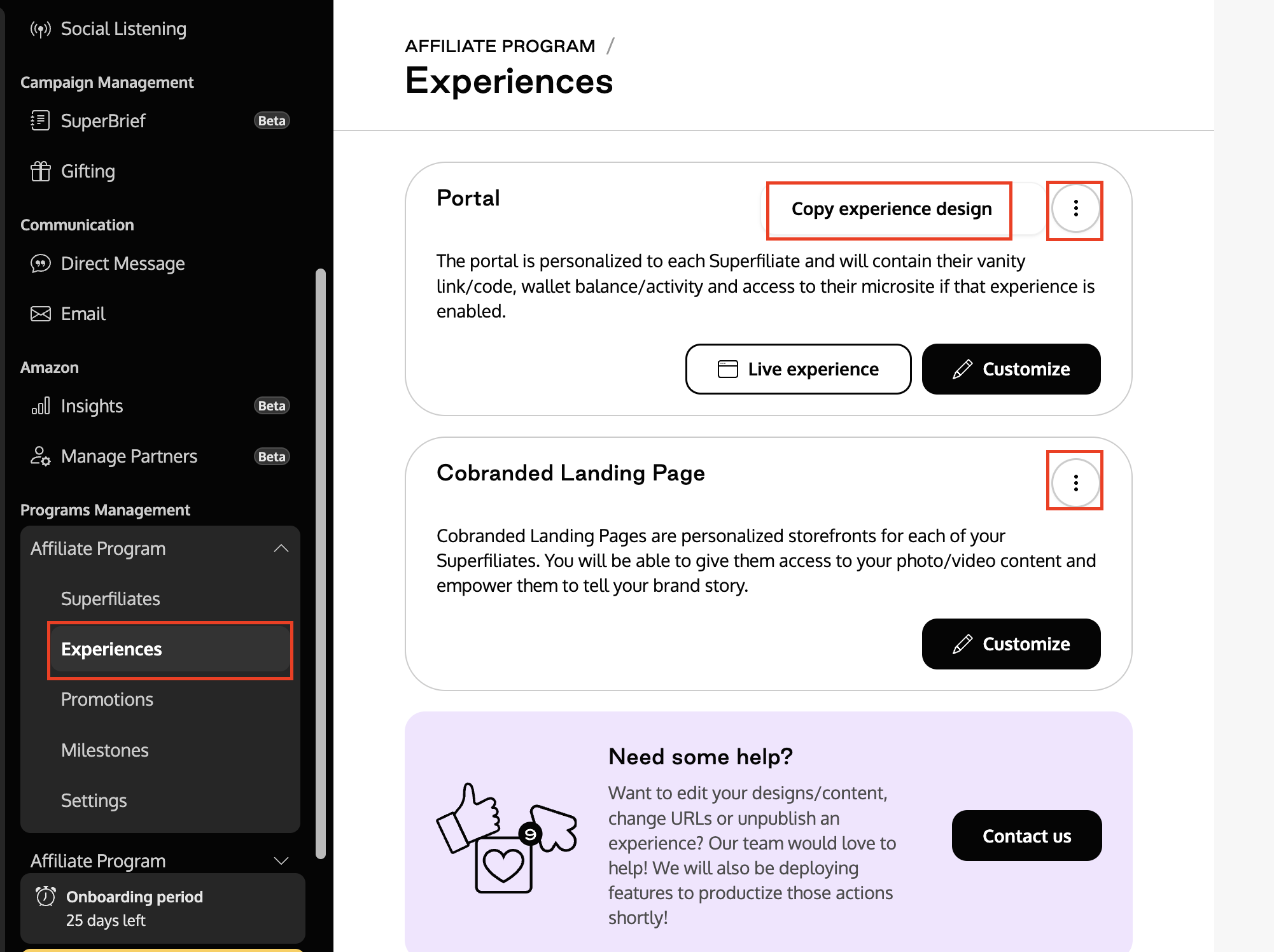
If you are using both Portal and Landing Page experiences, you will need to repeat the copy process for each of them.
Tip: After copying the experiences, go to the new program and review if the variables, copy, and images are the ones you’d like to use for that program. Make small adjustments if necessary.