How to Ask Creators to Enable Channel Insights Sharing on YouTube
Last updated: December 16, 2025
To appear in Creator Snapshot on Superfiliate and share non-public YouTube performance data, creators must enable channel insights sharing in YouTube Studio.
As a brand, you may need to ask creators you work with to turn on this setting. Once enabled, creators can be discovered on Superfiliate and can share performance insights with you when they tag videos to a campaign.
Share the step-by-step guide with creators you want to request access from:
Important
If you’re a brand with a YouTube channel based in a country affected by GDPR, you must enable channel insights sharing to use Superfiliate.
For channels based in countries affected by GDPR regulations, channel insights sharing must be enabled for the channel to appear on Superfiliate, even for public data. This applies to both creators and brand channels based in the following countries:
Austria, Belgium, Bulgaria, Croatia, Cyprus, Czech Republic, Denmark, Estonia, Finland, France, Germany, Greece, Hungary, Ireland, Italy, Latvia, Lithuania, Luxembourg, Malta, the Netherlands, Poland, Portugal, Romania, Slovakia, Slovenia, Spain, Sweden, and the United Kingdom.
Step by step to enable channel insights sharing
Sign in to YouTube Studio on Desktop.
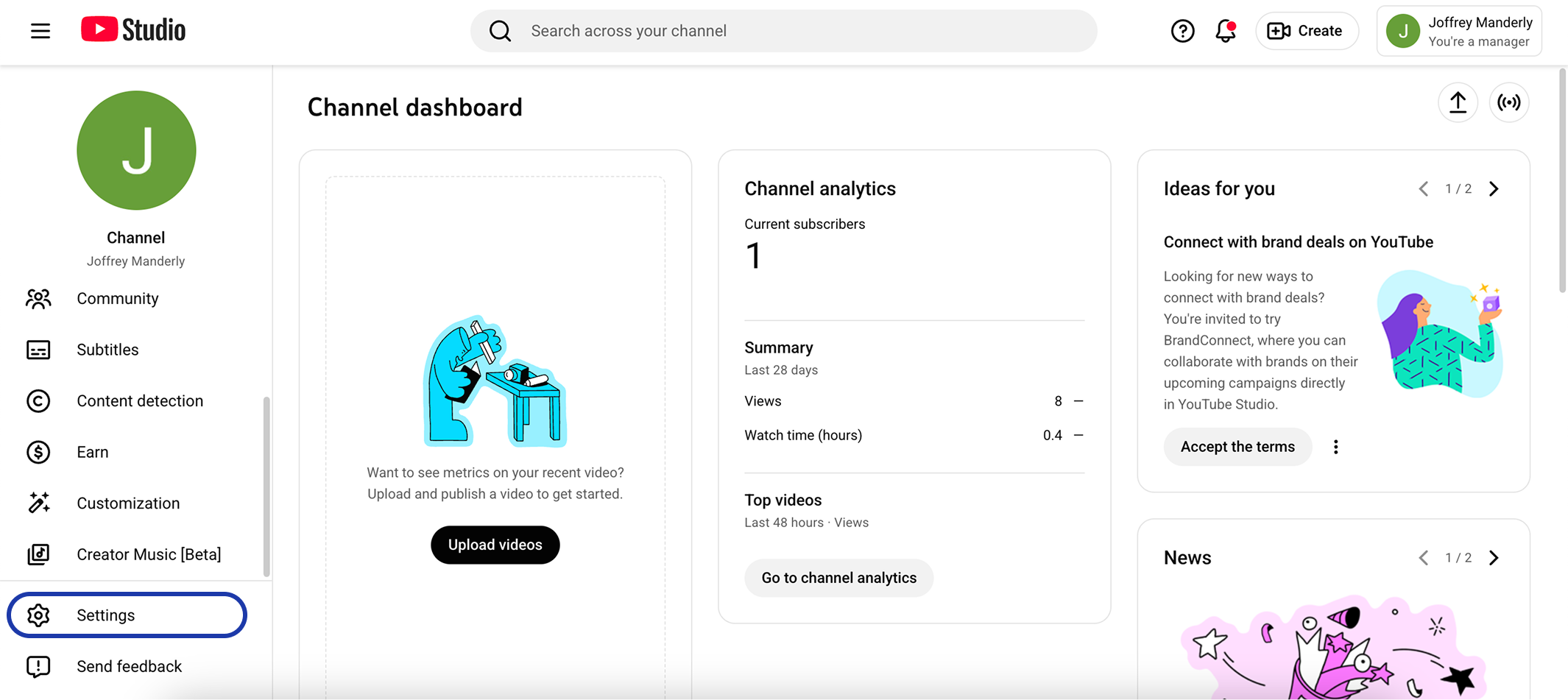
On the bottom left, click Settings.
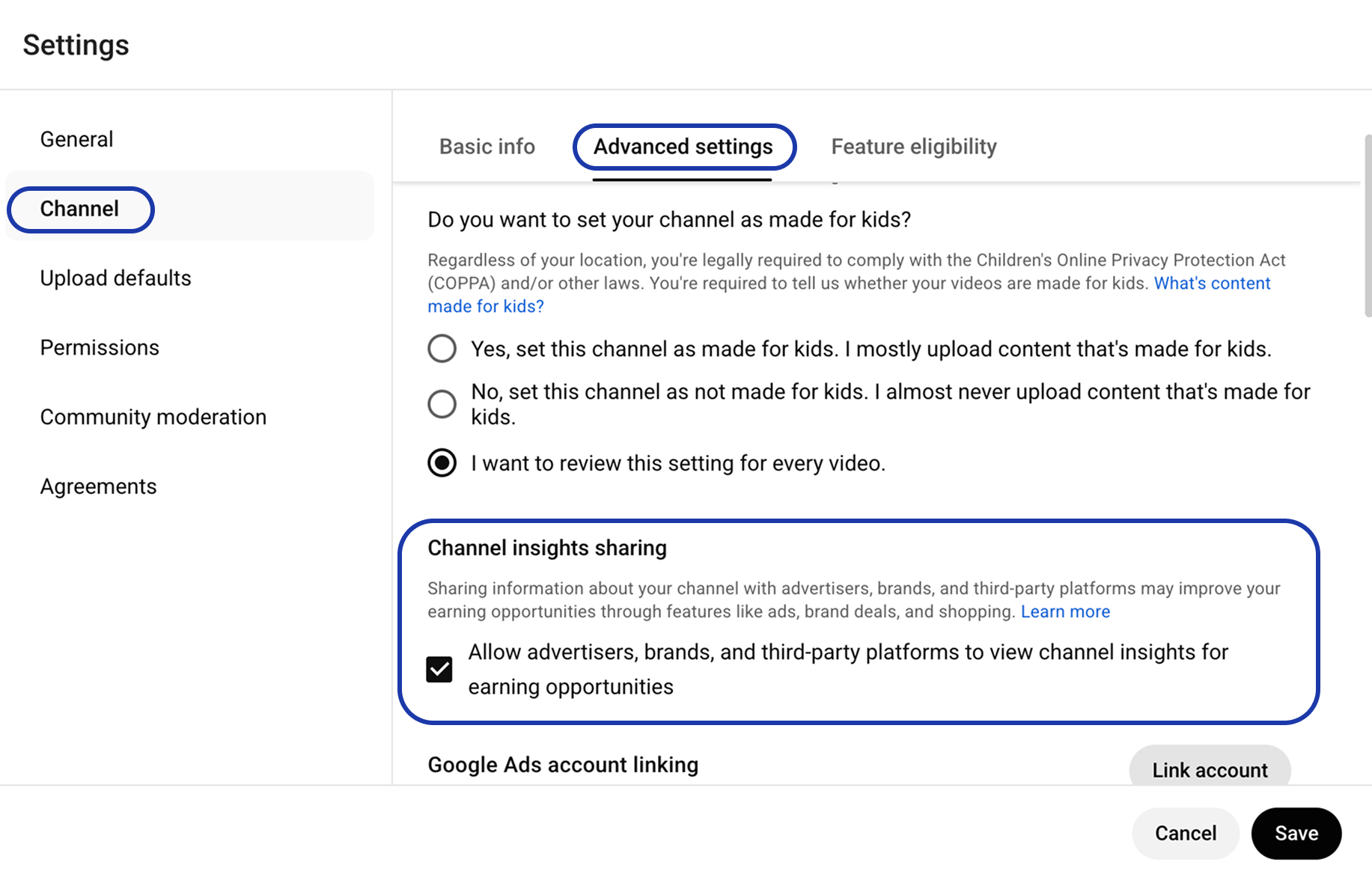
On the left, click Channel then Advanced settings.
Under “Channel insights sharing,” check the box for Allow advertisers, brands, and third-party platforms to view channel insights for earning opportunities.
Save.