How to Tag a Video When Publishing on YouTube
Last updated: December 16, 2025
When you’re working with a brand, tagging your video as a paid partnership links it to the campaign and allows the brand to access non-public performance data.
This guide explains how to tag a video while publishing it in YouTube Studio.
Step by Step
Make sure you’re using the YouTube app on your smartphone.
When publishing a video, select Paid promotion & Brand and mark Yes.
Tap Select brand sponsorship, then choose the correct brand using the Campaign Code shared with you.
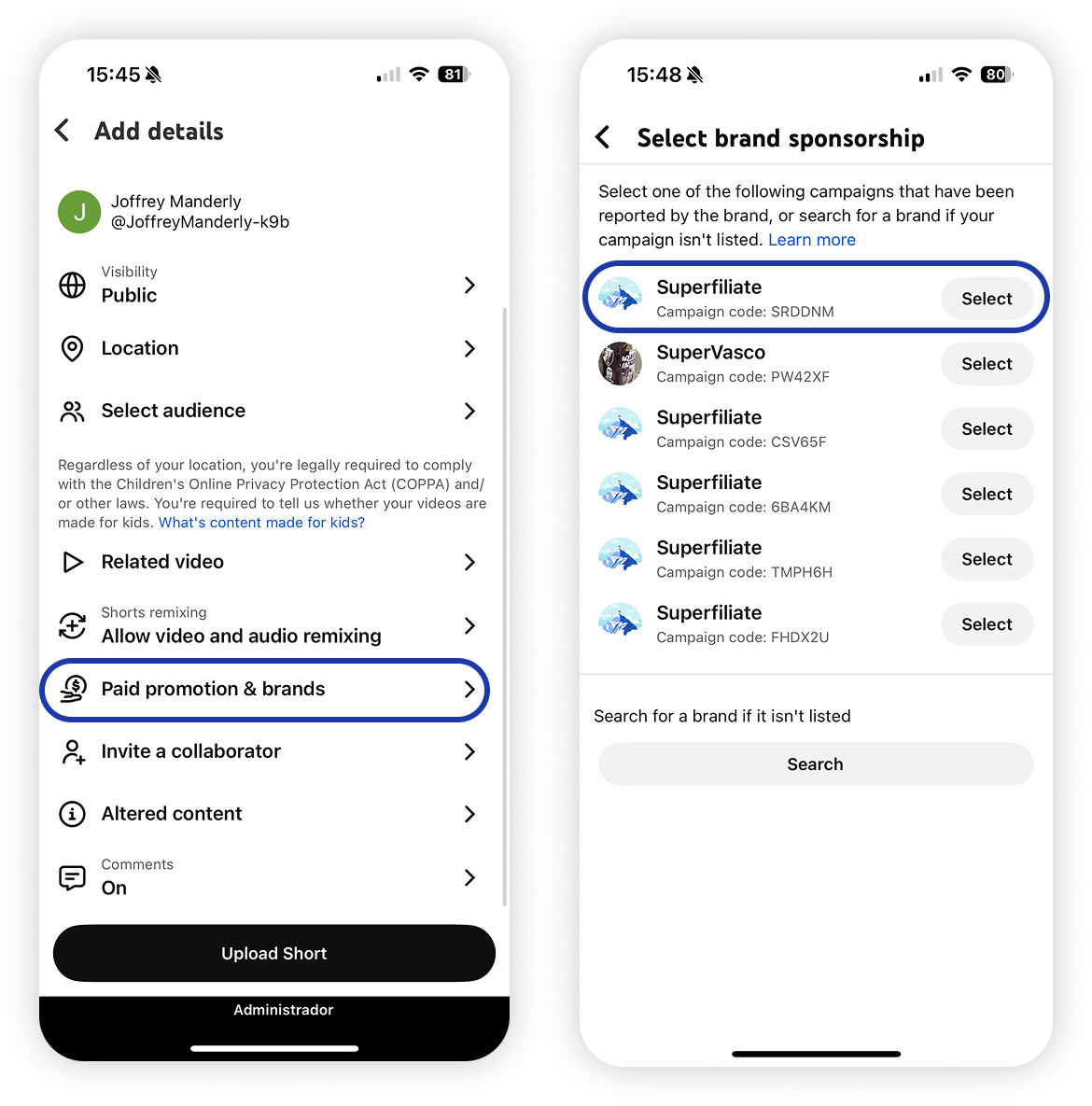
Tap I Agree and continue uploading the video as usual.
What happens after you tag the video
After the video is successfully tagged:
The brand will be notified that the video is linked to the campaign.
Non-public performance data will be shared with the brand.