How To Check My Wallet Balance
Last updated: December 9, 2025
Accessing Your Wallet
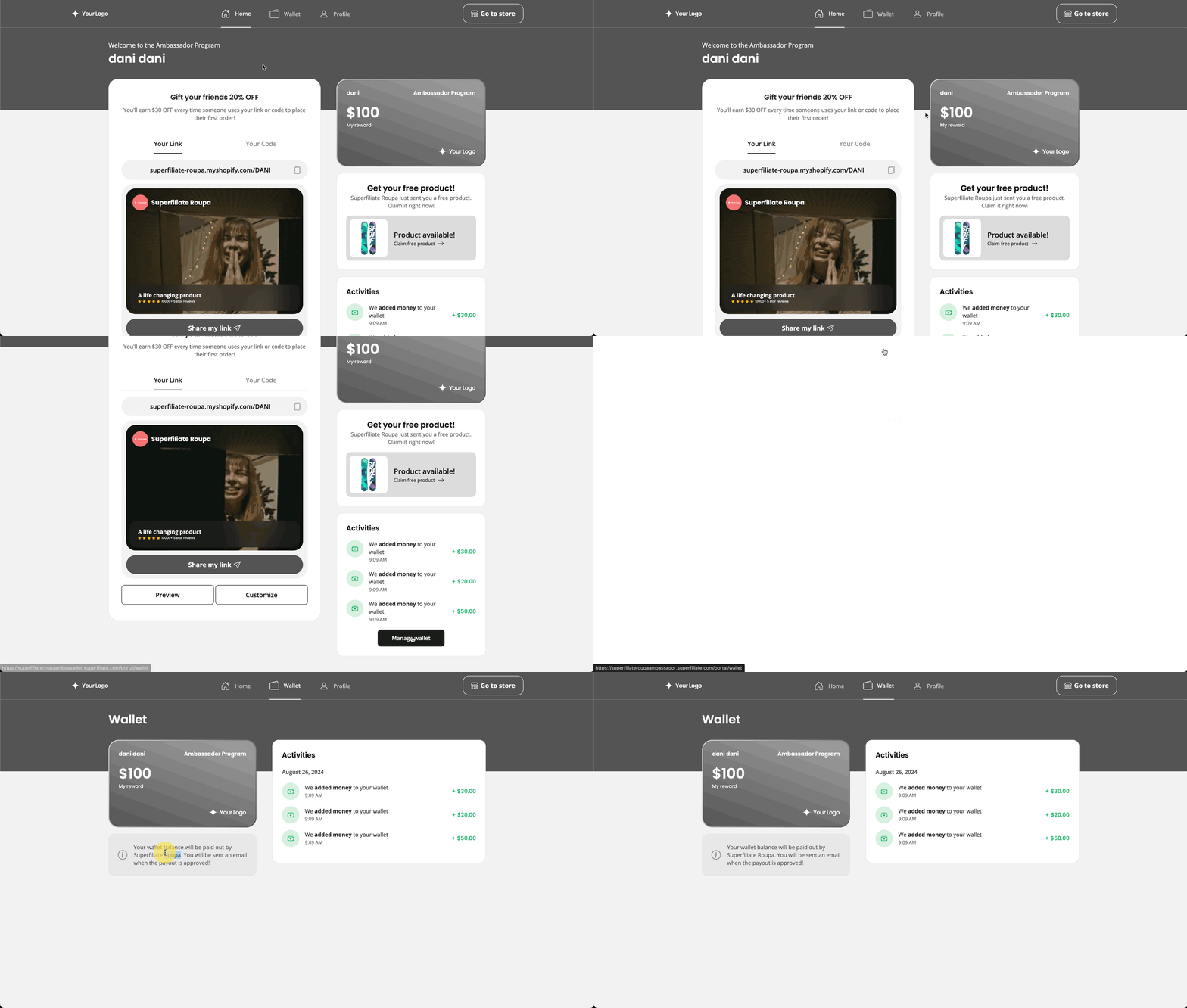
Your wallet is accessed through your personal portal link. To view it, log in to your portal and look at the top of the page and you’ll see a Home section along with Wallet and Profile. Click on Wallet to see a detailed view of your earnings.
As a creator, you can earn commission or store credit by referring your community through your unique link and discount code. Below is everything you need to know to track your balance and get paid.
Checking Your Wallet Balance
You can review all your earnings and account activity directly in your Wallet.
Inside the Wallet, you’ll see:
Commission earned from purchases made through your link or code
Manual additions applied by the brand
Your total available balance
Any pending or upcoming rewards
Note: Commission Hold Period Depending on the brand you’re working with, they may choose to hold commission for a set period. This hold can account for returns, cancellations, refunds, or other adjustments before releasing your earnings. The length and rules of the hold period depend on how the brand has set up their program. If you have any questions or notice any issues, please reach out directly to the brand.
Getting Paid Out
Commission payouts are managed entirely by the brand you’re partnered with. Each brand sets their own payout schedule, which may be:
Monthly
Bi-weekly
Or a custom cadence defined in their program terms
Depending on how the brand handles payments, you may be asked to:
Update your PayPal or Lumanu email inside your Portal
Or respond to a payment email sent via Tremendous or Lumanu
Note: Superfiliate does not send commission payments directly. All payouts are managed by the brand.
Note: Superfiliate does not send commission payments directly. All payouts are managed by the brand.
Learn More
Want a deeper look at how rewards work?
Check out this article on Earning Rewards and Claiming Gifts for more details.