How to Tag an Already Published YouTube Video
Last updated: December 16, 2025
When you’re working with a brand, tagging a video as a paid partnership links it to the campaign and allows the brand to access non-public performance data.
This guide explains how to tag a video after it has already been published on YouTube.
Step by Step
Make sure you’re using the YouTube app on your smartphone.
Go to your profile and select Channel videos.
Find the video you want to tag, tap the three-dot menu, and select Edit.
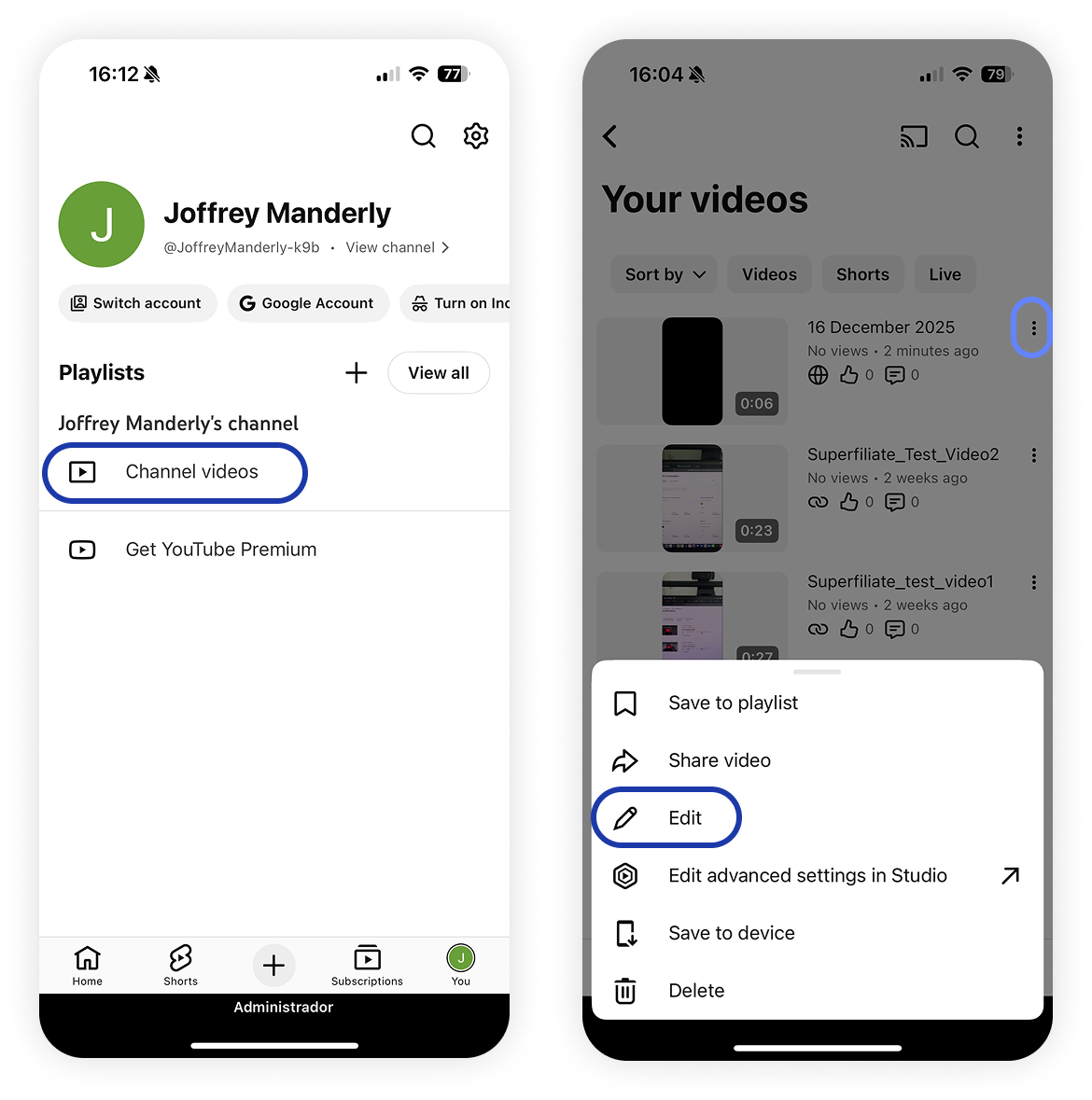
Select Paid promotion & brands.
Review the brand request and confirm the brand name and Campaign Code shared with you.
Tap View request, then select I Agree
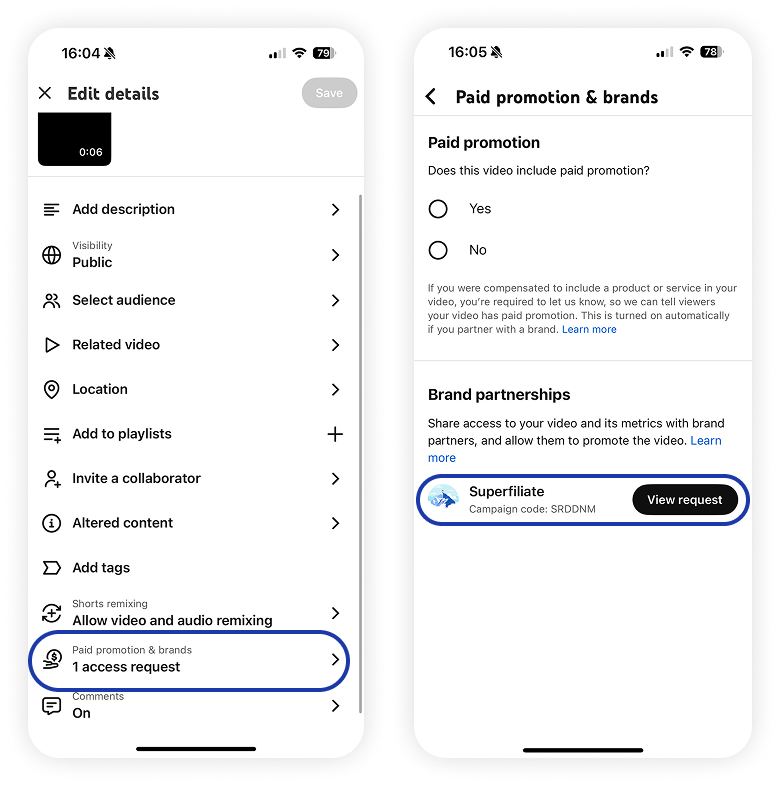
Go back and save your changes.
What happens after you tag the video
After the video is successfully tagged:
The brand will be notified that the video is linked to the campaign.
Non-public performance data will be shared with the brand.