How to Look at Reporting — and Use It to Your Advantage
Last updated: December 1, 2025
Your Creator Portal includes an Insights section designed to help you understand how your link, code, and content are performing. These metrics show what’s working, what your audience responds to, and where you can optimize your strategy.
This guide explains how to read each data point and how to use the information to improve your results.
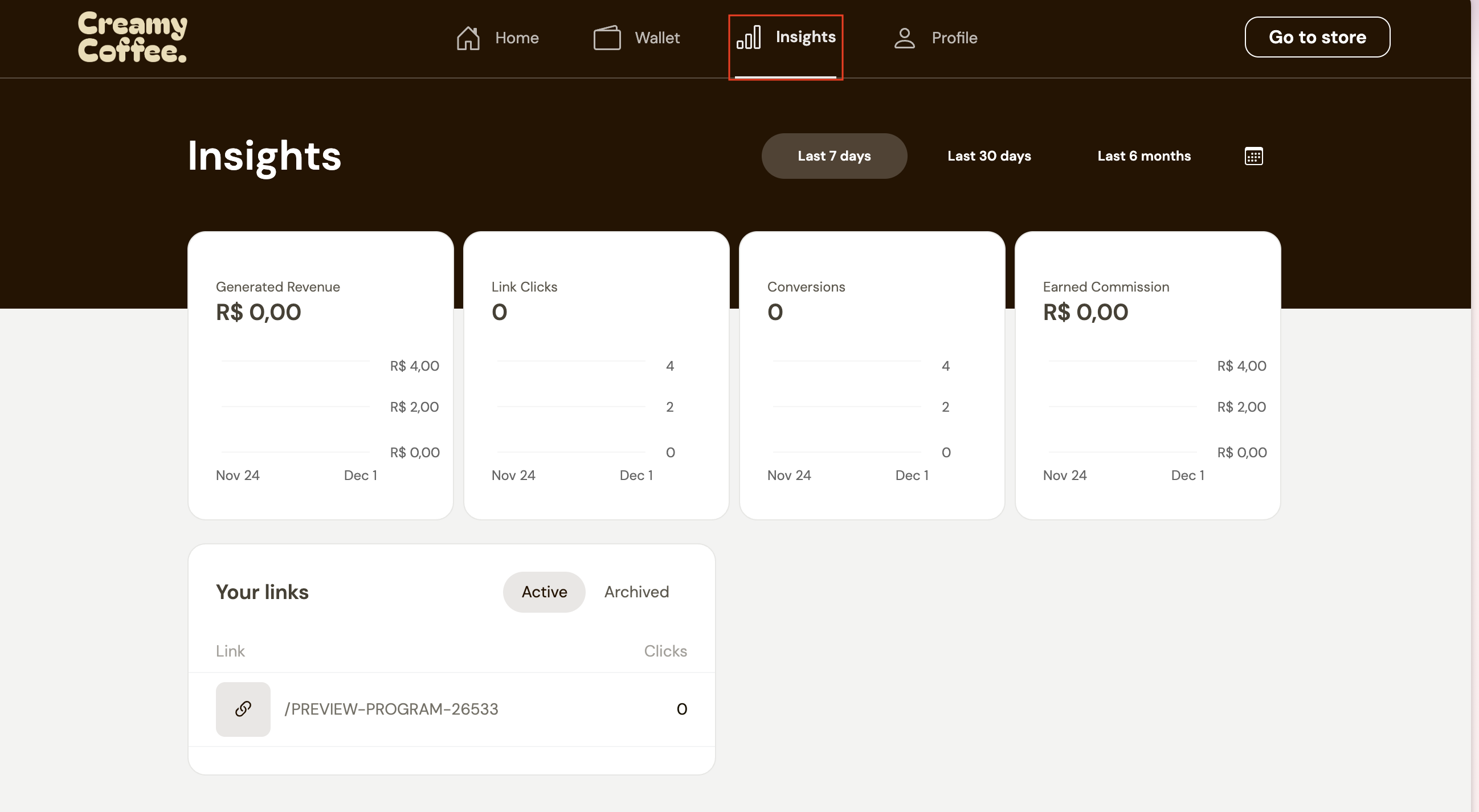
Understanding the Insights Dashboard
1. Generated Revenue
This shows the total value of orders placed through your link or code.
Use this to understand which content drives the most purchases.
2. Link Clicks
The number of times your link was clicked.
Clicks measure interest — even when they don’t lead to a purchase.
A high number of clicks with low conversions usually means you need to adjust your messaging or product selection.
3. Conversions
The number of completed orders attributed to your link or code.
Conversions reflect how persuasive your content and recommendations are.
4. Earned Commission
The amount you’ve earned based on the brand’s commission structure.
This total updates automatically as new sales come in.
You can filter your Insights by 7 days, 30 days, 6 months, or a custom date range. This helps you see trends over time, understand when your content performed best, and measure the impact of specific campaigns, posts, or product launches.
How to Use Your Reporting to Improve Performance
1. Identify Your Best-Performing Content
If you posted a video or story and notice a spike in link clicks or conversions, that’s a strong indicator of what resonates with your audience.
Repeat that style, format, or product focus.
2. Understand Where You’re Losing Audiences
If you have high link clicks but low conversions, consider:
Adjusting product selection
Adding more explanation or context to your content
Highlighting benefits, pricing, or your discount more clearly
Updating your landing page with stronger visuals or messaging
3. Compare Short-Term and Long-Term Trends
Short time frames (7–30 days) show immediate results from recent content.
Long-term views (6 months) reveal patterns — useful for creators who post product reviews or evergreen content.
4. Track Earnings and Forecast Growth
Your Earned Commission helps you understand:
Which products generate the most revenue
How often your audience purchases
When it might be worth creating more content for a specific brand
This also helps when negotiating long-term partnerships.
5. Test New Strategies and Measure Impact
Try:
Changing the order of products on your landing page
Uploading new videos
Refreshing your custom message
Highlighting different benefits of the product
Then check Insights after a few days to see how these changes perform.