How to Create Tags for Affiliates
Last updated: September 9, 2025
Tags help you organize and segment your affiliates inside Superfiliate. You can use them to filter groups, apply different strategies, or track special categories.
Steps to Create a Tag
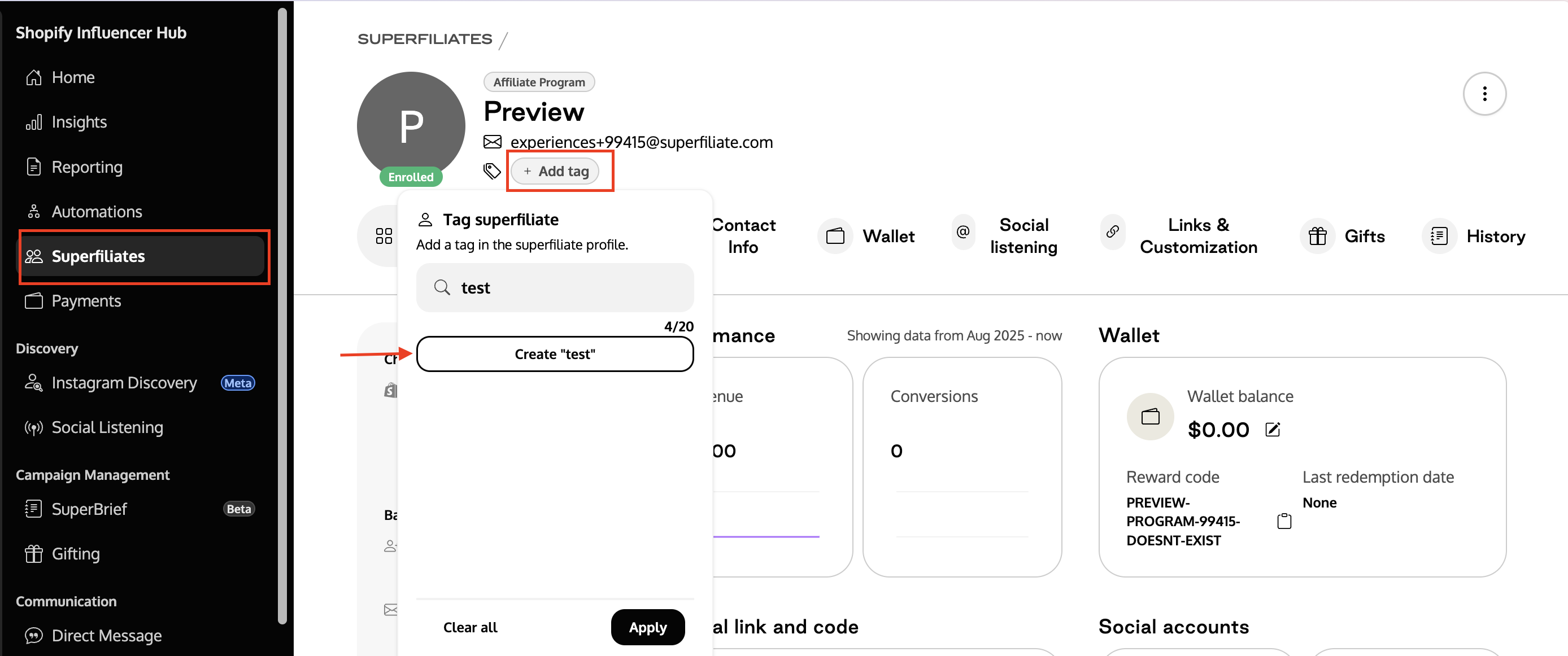
Go to the Affiliate Profile
Navigate to the affiliate profile within the Superfiliate tab.Locate the "Add Tag" Option
Find the option Add tag just below the affiliate’s name.Search or Create the Tag
Type the tag you want to insert in the search bar.If the tag already exists → simply select it.
If it doesn’t exist → proceed to create a new one.
Select "Create Tag"
Click on Create tag to add a new tag to the system.Apply the Tag
Assign the tag to one or multiple affiliates as needed.