Instagram Integration
Last updated: June 11, 2025
You can easily integrate your brand's Instagram account within Integrations>Social>Instagram
You'll need access to your business Instagram account in order to complete the integration, and the page you're connecting will need to be a professional Instagram account connected to a professional Facebook page.
Note: You can only integrate one Instagram per Superfiliate account at the moment, so if you have multiple profiles on Instagram, please select the one that your brand is most frequently mentioned on
The permissions requested during the integration process allow the app to authenticate users, access basic profile information about the brand’s own profiles and from the profiles of people that mention your brand in their content. It also allows your brand's profile to subscribe to our app on Meta so that we can receive notifications about important Instagram activities like mentions, comments, and direct messages. These activities support content collection, communication and Automations involving Instagram.
FAQs/Common Issues
My Instagram is connected, but some of my UGC isn't coming in or I'm missing DMs in my inbox
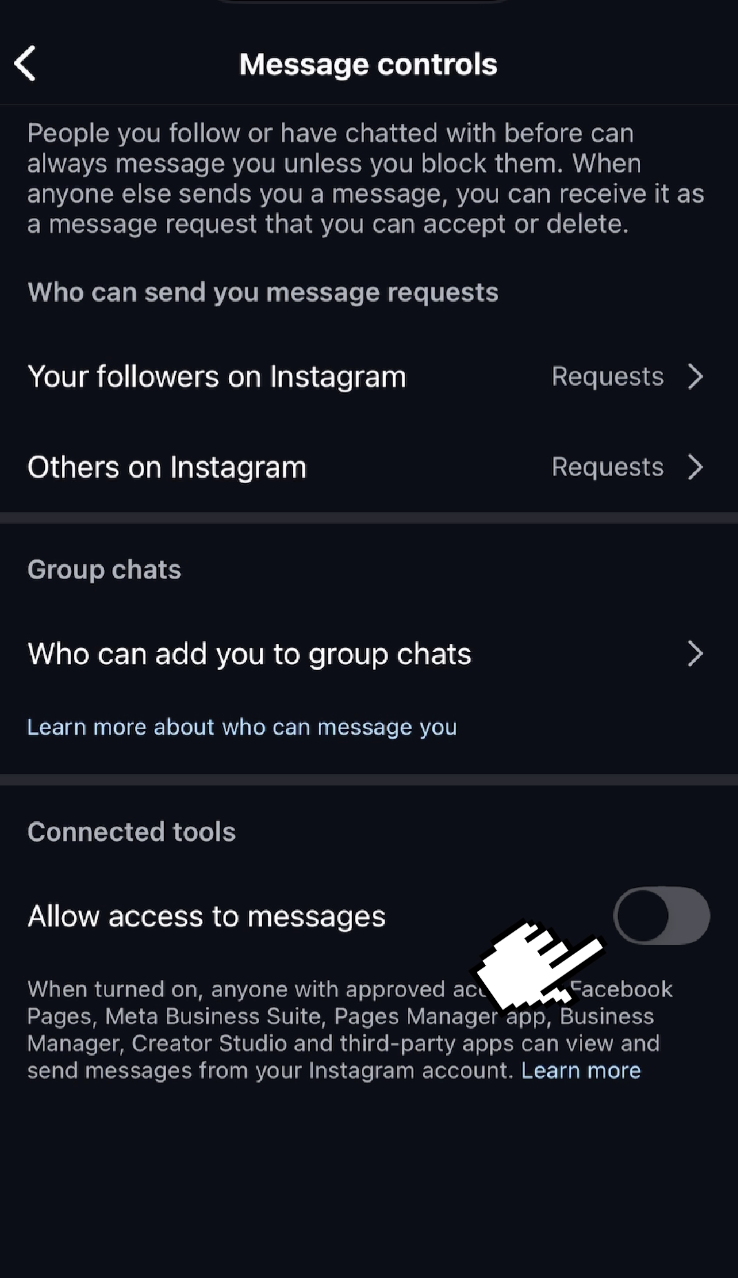
One possible reason for this issue might be an Instagram configuration that disallows third-party apps from receiving messages
Settings → Messages and Story Replies → Message Requests → Allow Access to Messages
What's the difference between these permissions:
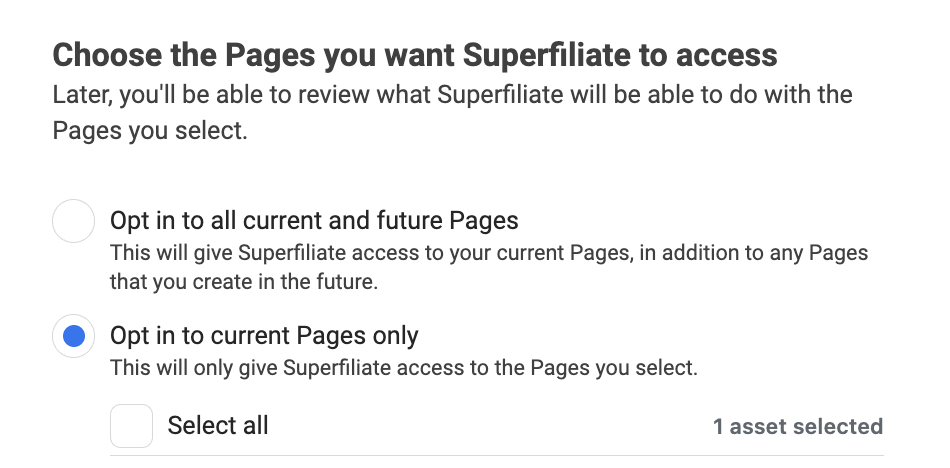
If you manage multiple pages and need to connect them to Superfiliate (typically this would be you if you're an agency) choose the "Opt in to all current and future Pages" or you'll disconnect the other pages you manage
Why does my Instagram keep getting disconnected?
If you change your password, Meta disables all integrations as a security precaution
I don't have the correct permissions, what should I do?
Go into Meta Business Manager
Go to "Pages" -> ensure that you have "full permissions"
Go to "Instagram Accounts" -> ensure that you have "full permissions"
Go back to Superfiliate & "edit previous selections on the Meta authentication screen
Select any brand related Business Managers (both of these brands had multiple) and the correct IG / FB pages
Complete the authentication flow