Ads Management - How to edit Campaigns and Ad Sets?
Last updated: January 7, 2026
Overview
Campaign & Ad Set Editing allows you to update the configuration of existing Meta campaigns and ad sets that include partnership ads.
This flow focuses specifically on editing settings, such as names, budgets, and schedules, without changing creative content or managing delivery status.
Use this feature when you want to:
Edit campaign or ad set names
Update budgets (within current constraints)
Change ad set schedules or end dates
Review which ads are affected by configuration changes
In this article, you will learn:
How to edit campaign settings
How to edit ad set settings
How budget configuration affects editability
What happens when entering this flow after duplication
Requirements
Make sure that:
The advertiser’s Meta account is connected through Superfiliate
The campaign or ad set you want to edit includes partnership ads
Important limitations
Only campaigns and ad sets that include partnership ads can be seen and edited in Ads Management.
Budgets can be managed at only one level at a time.
If budget is set at the campaign level, ad set budgets cannot be edited.
If budget is set at the ad set level, the campaign budget cannot be edited.
Budget timeframe (Daily / Weekly / Monthly, etc.) may be locked.
In many cases, the budget period cannot be changed after creation.
To use a different timeframe, you must create a new campaign or ad set.
Step-by-step
1. Editing a campaign
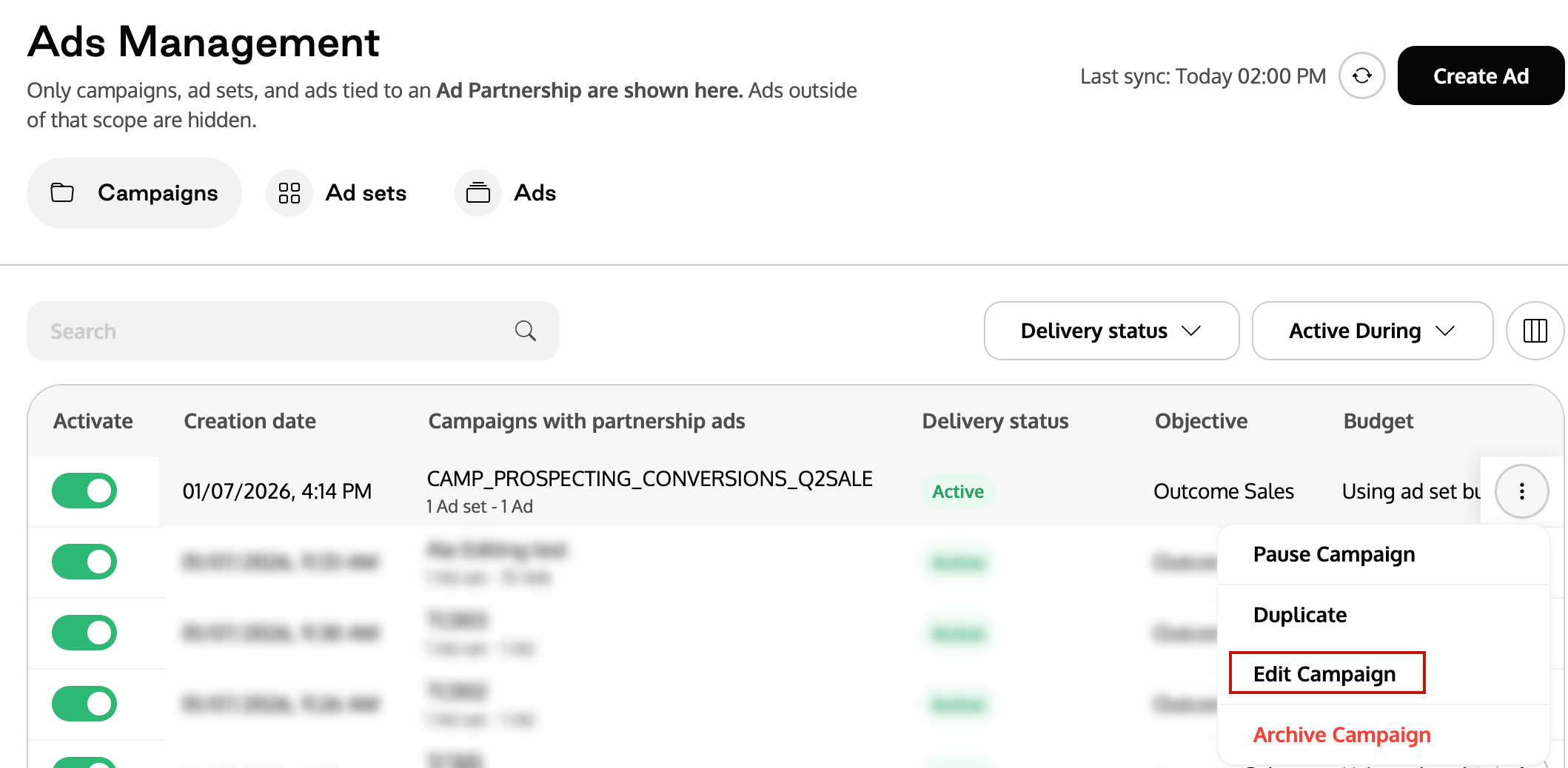
Go to Meta Ads > Manage Ads.
Open the Campaigns tab.
Find the campaign you want to edit.
Click the three-dot menu (· · ·).
Select Edit Campaign.
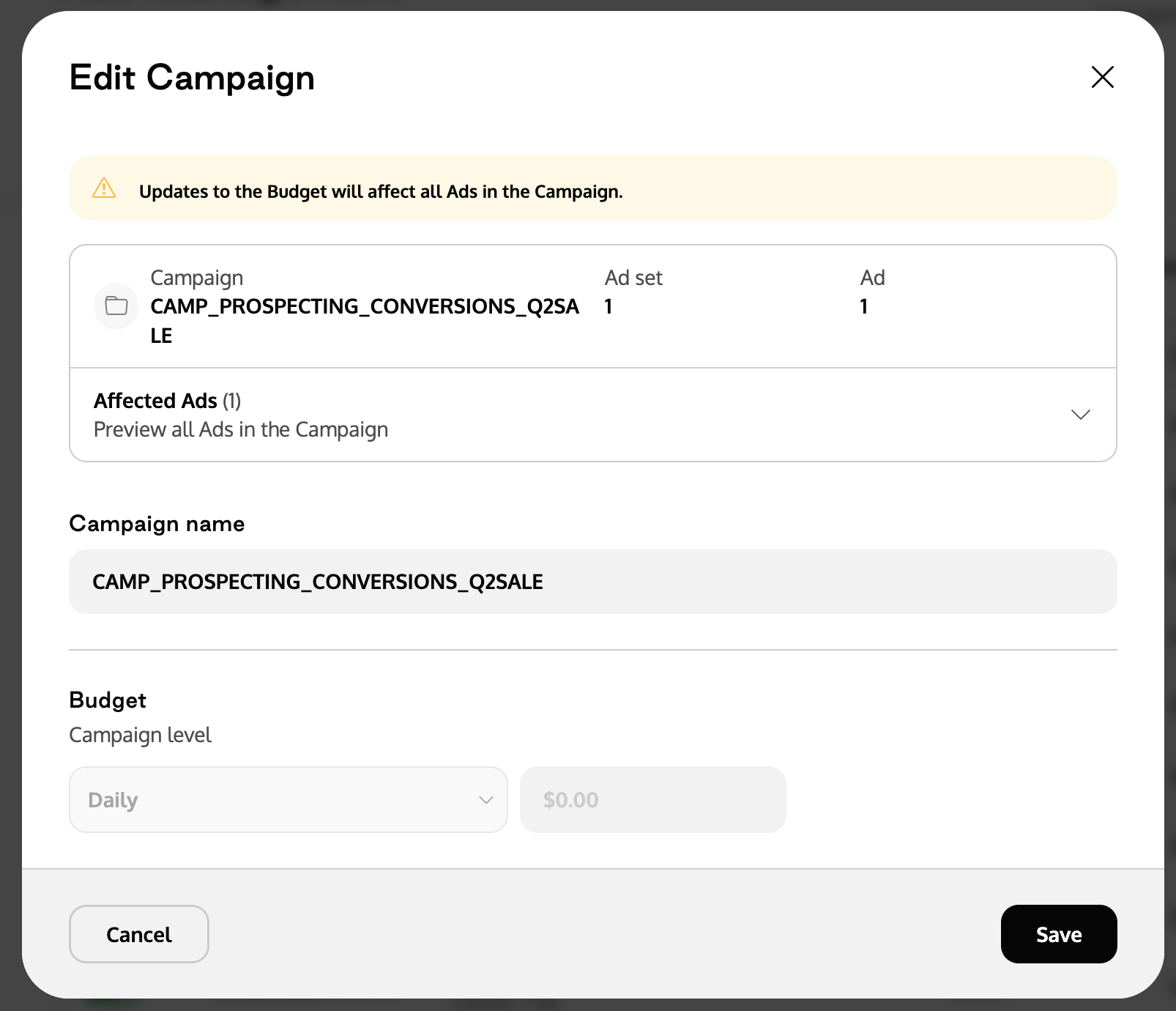
Update available fields:
Campaign name
Budget (if campaign-level budget is enabled)
Review the Affected Ads section to see which ads will be impacted.
Click Save.
Note: This flow may also start after duplicating a campaign.
Read more: 📄 Ads Management - How to duplicate Campaigns, Ad Sets and Ads?
2. Editing an ad set
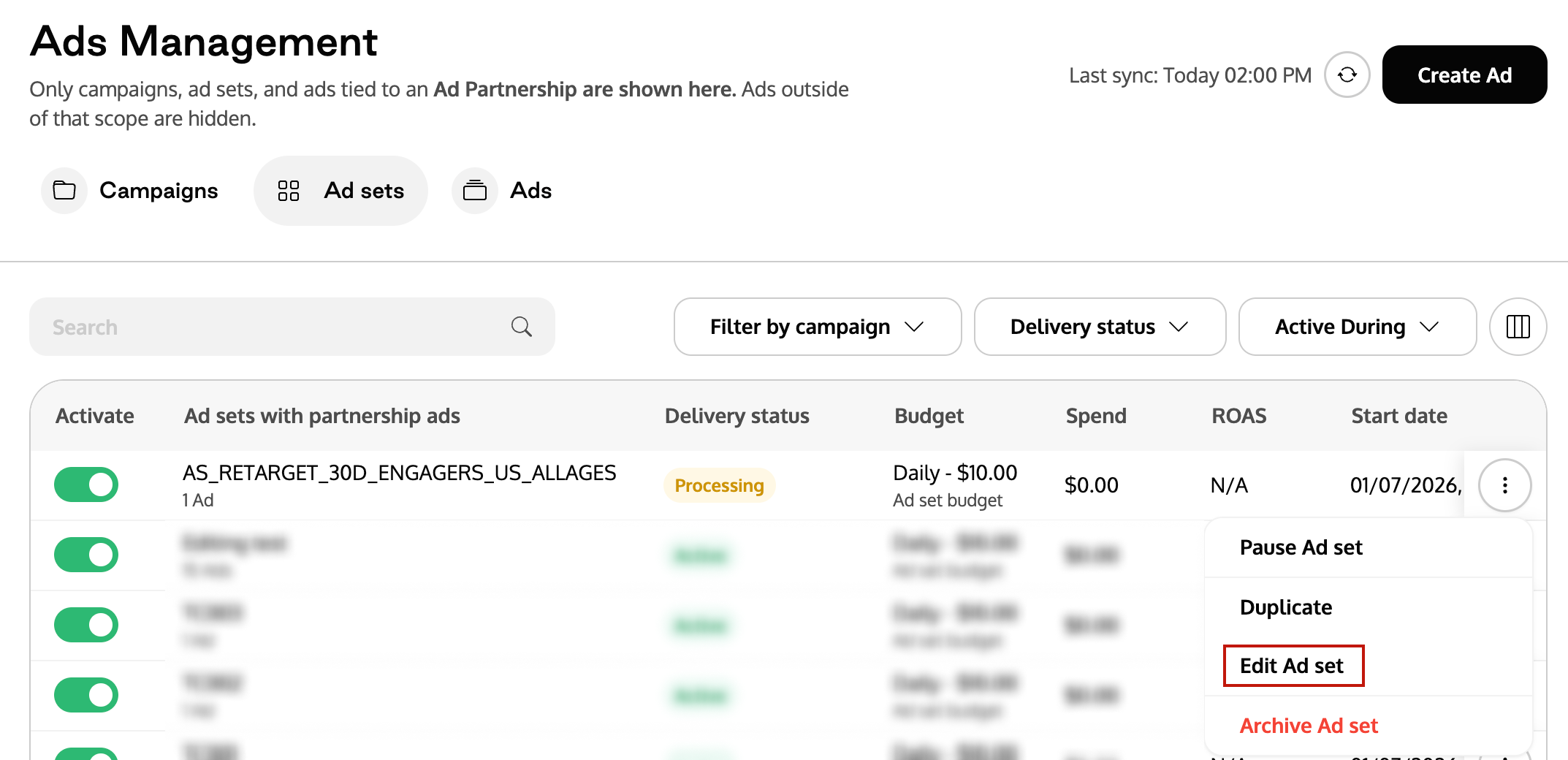
Go to Manage Ads.
Open the Ad sets tab.
Find the ad set you want to edit.
Click the three-dot menu (· · ·).
Select Edit Ad set.
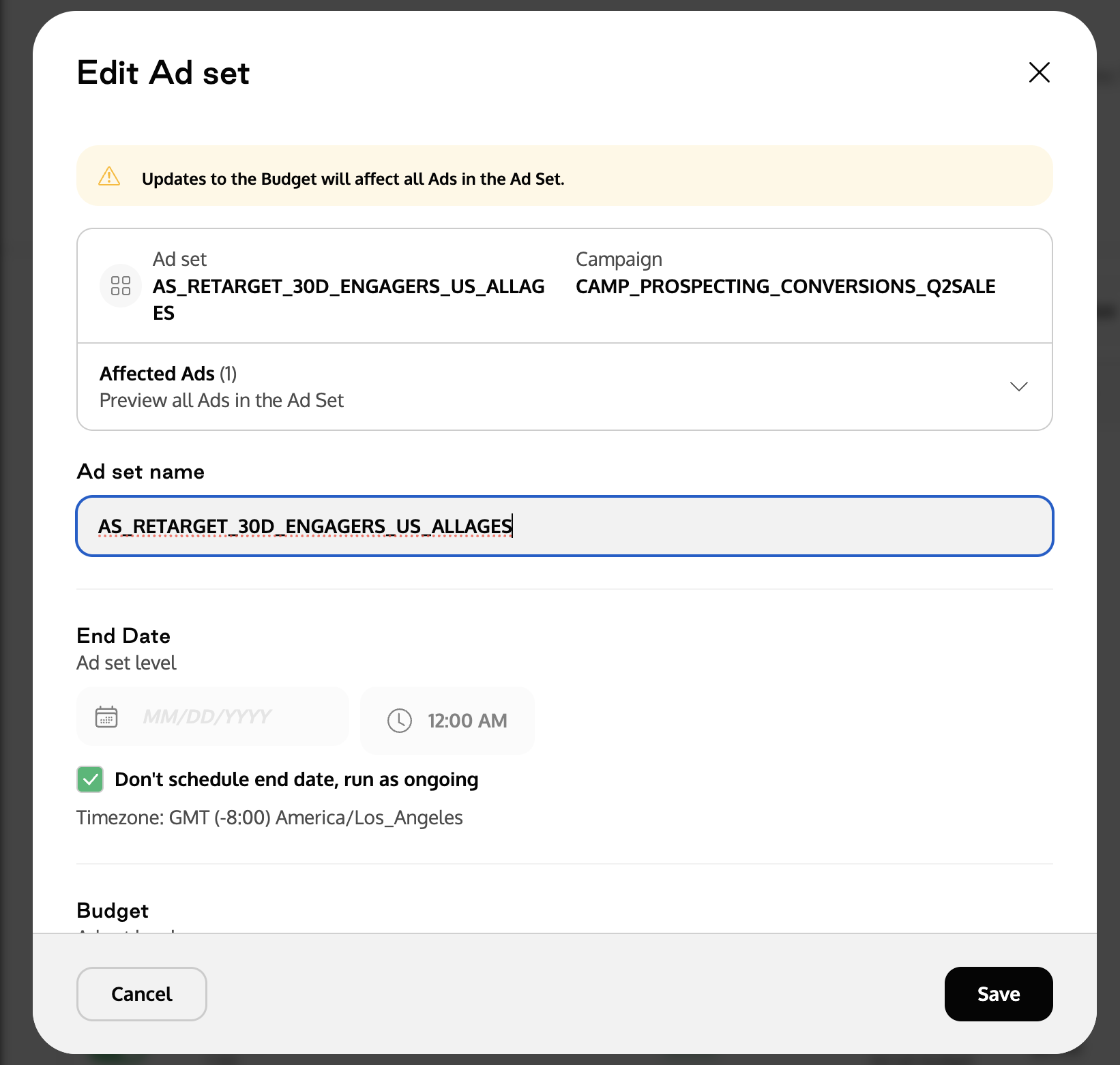
Update available fields:
Ad set name
End date (or run ongoing)
Budget (if ad set-level budget is enabled)
Review the Affected Ads section.
Click Save.
Note: This flow may also start after duplicating an ad set.
Read more: 📄 Ads Management - How to duplicate Campaigns, Ad Sets and Ads?
Frequently Asked Questions (FAQ)
Q1. Why is the budget field disabled for my campaign?
A. The campaign is using ad set-level budgets, so the campaign budget cannot be edited.
Q2. Why is the budget field disabled for my ad set?
A. The campaign is using campaign-level budgets, so ad set budgets cannot be edited.
Q3. Why can’t I change the budget timeframe?
A. In many configurations, the budget timeframe is locked after creation. To use a different timeframe, you must create a new campaign or ad set.
Q4. Where do I pause, activate, or archive campaigns and ad sets?
A. These actions are covered in Ads Management.
Q5. Where do I edit ad creatives?
A. Use Ads Editing to update ad text, media, or URLs.